EasyManua.ls Logo

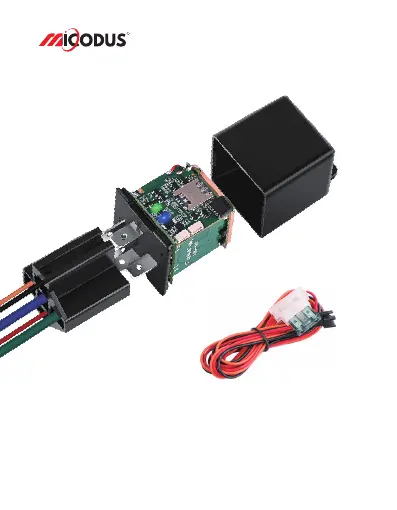
MICODUS MV730G - User Manual

MICODUS MV730G
11 pages
Print Icon
To Next Page IconTo Next Page
Loading...
4G MV730G User Manual V2.0
Learn how to set up your new MiCODUS Tracker
Copyright ©2023 MiCODUS | All Rights Reserved
R

Questions and Answers

  • A
    anelsonAug 6, 2025
    What to do if my MICODUS MV730G GPS tracker shows offline?
    • M
      Marissa BellAug 7, 2025
      If your MICODUS GPS tracker is showing as offline, verify that external power is still connected. Also, check if the vehicle has entered a network blind area, and ensure that the SIM card has sufficient balance.
  • P
    phamrebekahAug 16, 2025
    Why is my MICODUS MV730G GPS unable to locate?
    • S
      Sean WilliamsAug 16, 2025
      If your MICODUS GPS is unable to locate, make sure the top side is facing upward and is not shielded by any metallic objects. Ensure that the device is not in an area with no satellite coverage.
  • B
    Brandy MunozAug 27, 2025
    How to fix unable to connect to tracking platform MICODUS MV730G?
    • S
      sharon07Aug 27, 2025
      To fix a MICODUS GPS that's unable to connect to the tracking platform: * Check the APN settings. * Verify that the data service of the SIM card is enabled. * Confirm that the SIM card has an adequate balance.

Summary

Main Features

Specifications

How to manage the tracker to get online?

Step 1 SIM card requirements

Details essential criteria for selecting and preparing a compatible SIM card for the tracker.

Step 2 SIM card installation

Provides visual guidance and steps for correctly inserting the SIM card into the tracker device.

Step 3 Wiring

Illustrates the correct connection of power and fuel pump lines to the tracker for operation.

Step 4 Configure APN

Guides users through setting up the Access Point Name (APN) for network connectivity.

Step 5 Indicator status description

Explains the meaning of LED indicator lights for troubleshooting and monitoring device status.

Package Content

Functions Explanation

a. Vibration Alert

Details how to set up and use the vibration alert function for stationary device detection.

b. Cut Off Fuel;Resume Fuel

Explains the process and modes for remotely disabling or re-enabling the vehicle's fuel supply.

c. Engine On;Off Alarm

Guides users on configuring notifications for engine start and stop events.

Installation Recomendation

Troubleshooting

Full SMS Commands List

Query Commands

Lists SMS commands for retrieving device status, firmware, and location information.

Setting Commands

Provides SMS commands for configuring device parameters like admin number, SOS numbers, and APN.

Alarm Setting Commands

Details SMS commands for configuring various alarms such as movement, overspeed, and power alerts.

Any Questions?

Download the APP

MICODUS MV730G Specifications

General IconGeneral
ModelMV730G
CategoryGPS Tracker
ConnectivityGSM/GPRS
Network2G
GSM Frequency850/900/1800/1900 MHz
GPS Sensitivity-159dBm
Standby TimeUp to 120 hours
Waterproof RatingIP65
DisplayNo
SOS ButtonYes
Geo-FencingYes
Voice MonitoringYes
CompatibilityAndroid, iOS
Battery3.7V Li-ion battery
Operating Temperature-20°C to +55°C

Related product manuals