EasyManua.ls Logo

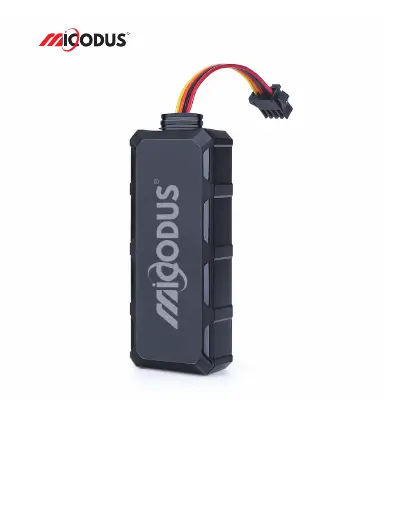
MICODUS MV710G - User Manual

MICODUS MV710G
13 pages
Print Icon
To Next Page IconTo Next Page
Loading...
4G MV710G User Manual V1.0
Learn how to set up your new MiCODUS Tracker
Copyright ©2023 MiCODUS | All Rights Reserved
R

Questions and Answers

Summary

Main Features

4 G LTE+ 2 G GSM

Device supports 4G LTE and 2G GSM cellular networks.

GPS+BDS

Device utilizes GPS and BDS for accurate positioning.

Remotely Cut Off;Resume Fuel

Functionality to remotely disable or re-enable fuel supply.

Realtime Tracking

Enables live tracking of the device's location.

Historical Route Playback

Allows review of past travel routes.

Vibration Alarm

Alerts triggered by device vibration.

9-95 V Wide Working Voltage

Supports a broad input voltage range from 9V to 95V.

ACC Status Detection

Detects the vehicle's ignition (ACC) status.

Tow Alarm

Generates an alarm if the vehicle is towed.

Power Failure Alarm

Notifies when the device's power supply is interrupted.

Geo-fence

Allows setting virtual geographical boundaries for alerts.

Engine On; OFF Alarm

Alerts for engine start or stop events.

Battery Low Voltage Alarm

Warns when the device's battery level is critically low.

Overspeed Alarm

Triggers an alert when a set speed limit is exceeded.

Lifetime Free Tracking Platform

Access to a tracking platform without recurring fees.

iOS & Android

Compatibility with iOS and Android mobile applications.

Specifications

Device Information

Details about the device model, weight, dimensions, and battery.

Working Parameters

Information on operating voltage, current, sleep current, and temperature.

Celluar Specifications

Details on SIM card requirements and cellular network frequencies.

GNSS Specifications

Parameters related to GPS and BDS positioning.

External Interface

Information on external connections like ACC, SOS, and microphone.

How to manage the tracker to get online?

Step 1 SIM card requirements

Guidelines for selecting and preparing a compatible SIM card for the tracker.

Step 2 SIM card installation

Instructions on how to physically install the SIM card into the device.

Step 3 Wiring

Step 4 Configure APN

Step 5 Indicator status description

Package Content

Functions Explanation

a. Cut Off Fuel;Resume Fuel

Command to remotely control the vehicle's fuel supply.

b. Vibration Alert

c. External Battery Low Voltage Alarm

d. Engine Start and Flameout Alarm

Installation Recomendation

Troubleshooting

Full SMS Commands List

Setting Commands

Commands for configuring device settings like APN, server, and time zone.

Inquiry Commands

Alarm Commands

Any Questions?

Download the APP

MICODUS MV710G Specifications

General IconGeneral
BrandMICODUS
ModelMV710G
CategoryGPS
LanguageEnglish

Related product manuals