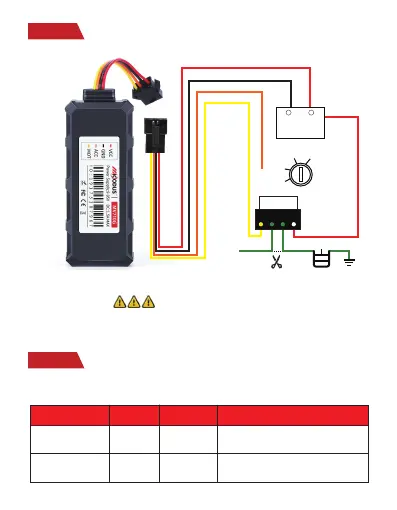
Step 3
Wiring
Step 4
Configure APN
NOTE
: After installed SIM card correctly , it is very important to
connect the tracker with external power no less than 12V for power supply
before operation!
APN,ApnName,User,
Password#
SET APN OK
APN,orange,
orange,orange#
APN,internet#SET APN OKAPN,ApnName#
SMS Command
Format
Reply Example
Note
If the SIM card has APN user and APN
password, then use this command.
If the SIM card operator
doesn't have APN
user and APN password, then please use this
command.
Please get the exact correct APN name from local SIM card provider.Take the tracker
to a good signal place for operation and configure the APN for it as below:
+
-
+
-
Battery
9V 95V
START
ON
ACC
OFF
Ignition
key
Pump
Relay



 To Next Page