10 LIT-PAL-CS Rev B
Alert Icons and Denitions
For more information, please reference the PAL System IFU “IM-PAL-650”.
ICON NAME DEFINITIONS CAUSES OF PROBLEM
Error 12
Internal Error
Internal Console Malfunction.
Contact MicroAire.
There is a problem internal to the REF 5020
/ REF 5025 Console. Return the Console for
service.
Error 13 Internal
Temperature Stop
Temperature of motor drive circuit
has exceeded safe levels. Instrument
operation will be suspended until the
Console circuits cool down.
Continued operation of instrument after
receiving Error 14 Alert
Error 14 Internal
Temperature
Warning
Temperature of motor drive circuit has
exceeded normal levels. Instrument
shutdown pending.
Operation of the Console at excessive ambient
temperatures or duty cycles.
Error 16
Bad Hall Sensor
Invalid Motor Sensor Signal. Instrument
Motor Can Not Operate. Contact
MicroAire.
The Console is detecting invalid sensor signals.
The cause is most often in the instrument
or instrument cable, but can also be a sign
of a damaged Console. Return all involved
instruments, cables and Consoles for service.
Error 18 Stall
Instrument has stalled. Ensure Cutting
accessory is not bound up and retry. If
problem persists, contact MicroAire.
This can be a sign of overly aggressive
technique that binds the cutting accessory.
It can also be caused by a mechanically seized
instrument, or an open motor connection in
the instrument cable.
Error 21
Irrigator Alert
Indicates a malfunction with the irrigator
pump. Check that Irrigation tubing is
installed correctly and retry. If problem
persists, contact MicroAire.
This occurs when the Irrigation Pump is run
with no tubing installed, or if the pump rotor
becomes jammed up. Check installation of
irrigation tubing and try again.
Error 22
Unrecognized
Instrument
Console does not recognize instrument.
Check that connector pins are clean
and undamaged and retry. If problem
persists, contact MicroAire.
This can occur due to problems in either the
instrument cable or the instrument itself
that result in the instrument type not being
recognized by the Console.
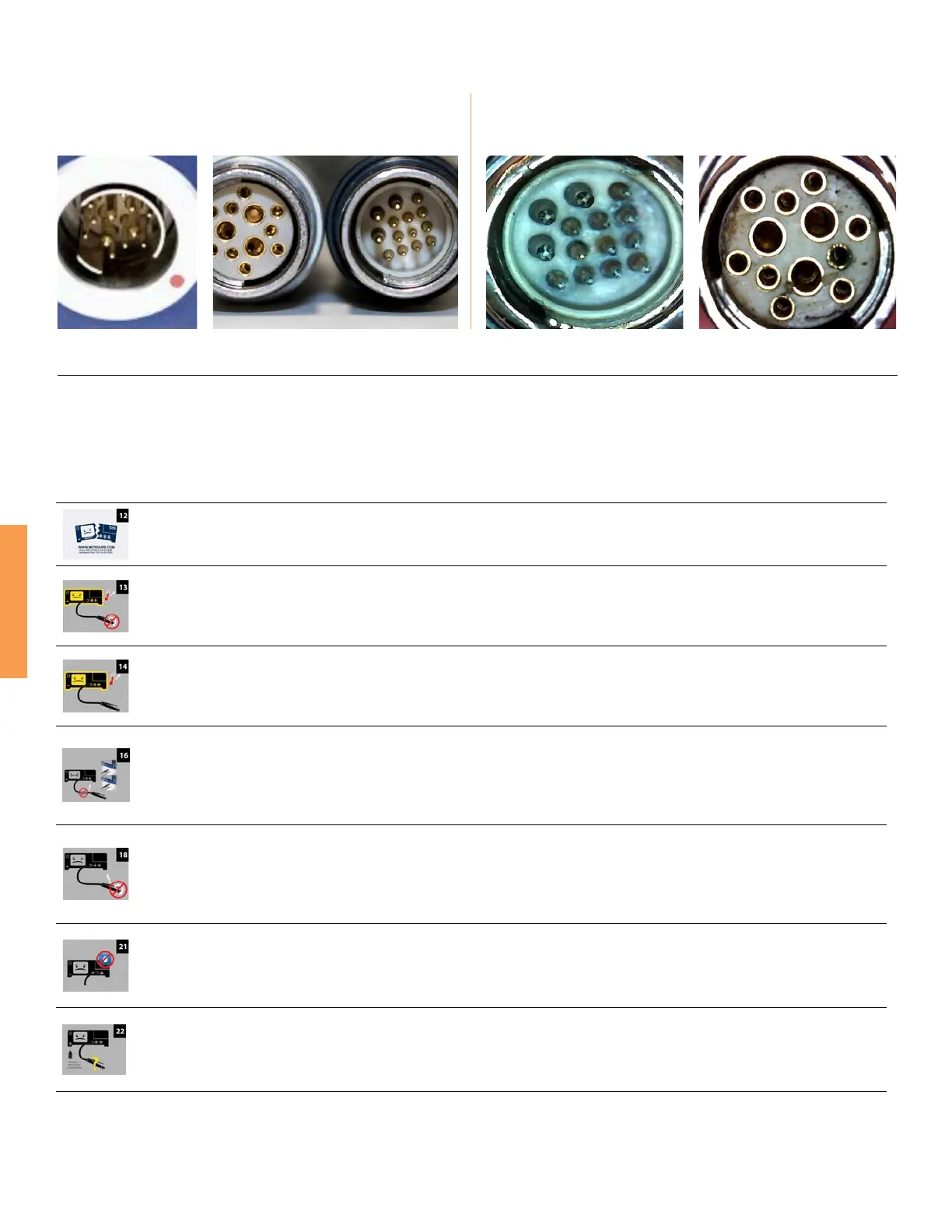
Good Contacts
Contacts are clean, reective, and gold.
Corrosion in Contacts
Contacts are dirty, non-reective, and green or black.
Contact Examples



 To Next Page