INSTRUCTIONS FOR USE
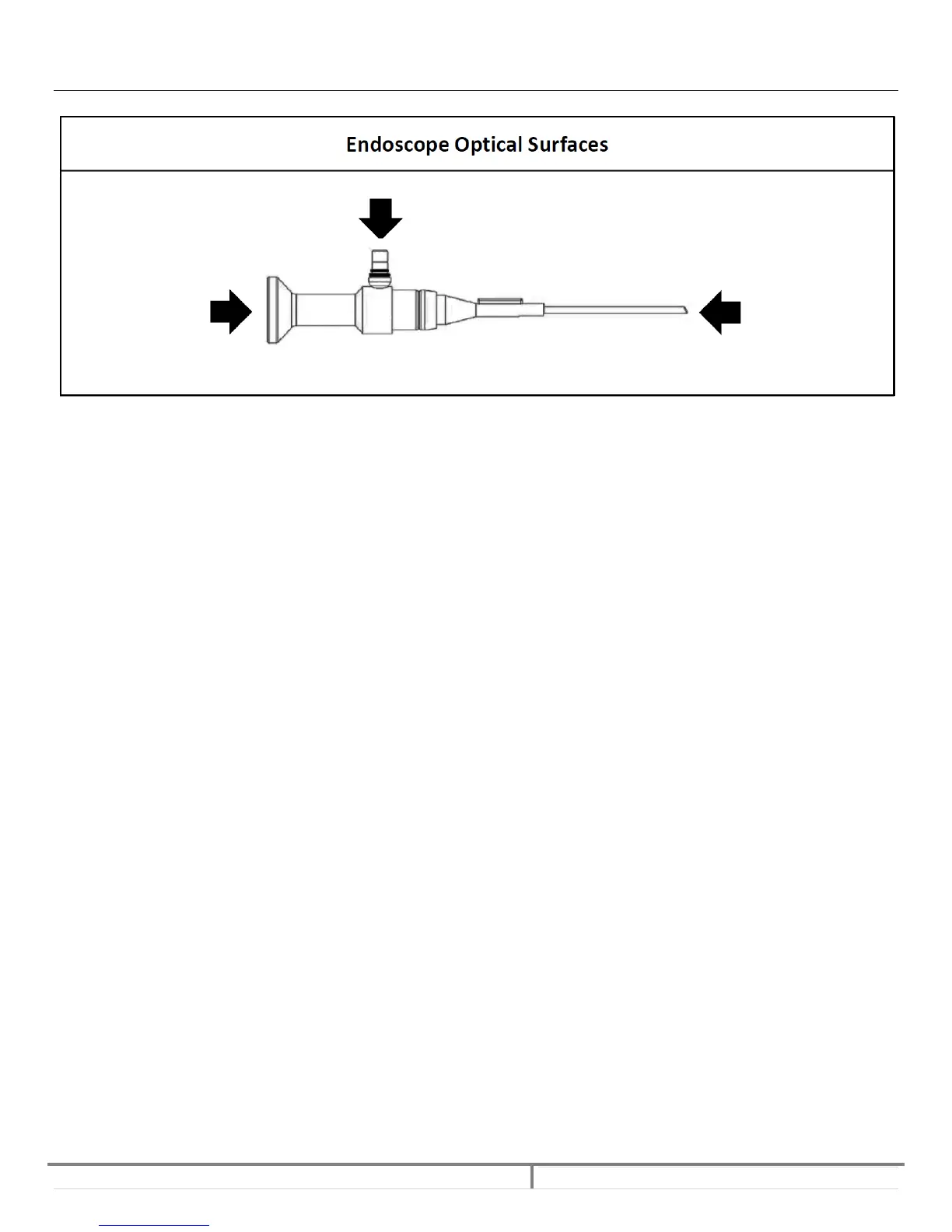
REMOVING DEPOSITS ON THREE OPTICAL SURFACES:
Note: Device should be sterilized after removing any foreign matter.
Due to not sufficient cleaning or foreign matter in steam, deposits may develop on the three optical surfaces during the
autoclaving process.
Any foreign matter remaining on the optical surfaces may reduce the optical performance of the endoscopes and may lead
to a cloudy picture.
These deposits can easily be removed using the bio‐compatible polishing paste which is enclosed to each endoscope. To remove
deposits, dab some polishing paste onto a clean cotton tipped swab. Press gently the swab onto the optical surface to be cleaned
and scrub the window in circles. Rinse the optical surfaces with tap water to remove any remaining polishing paste and clean the
surfaces as shown in MicroAire Instrument Cleaning Instructions.
Note: Cleaning with polishing paste should not be part of your routine cleaning procedures and should only be performed when the
image ‐ as viewed through the scope ‐ is cloudy.


 To Next Page