EasyManua.ls Logo

Micron IMTB - User Manual

Micron IMTB
16 pages
Print Icon
To Next Page IconTo Next Page
Loading...
Thank you for purchasing our products.
Carefully read this User's Guide(in particular, precautions for safety) before using a
product.
This product is subject to change without prior notice.
The company is not responsible for any safety accidents caused by abnormal operation
of the product.
USER MANUAL
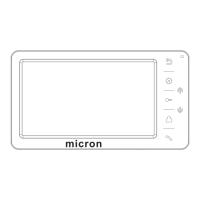
MICRON VIDEO INTERCOM
MODEL: IMTB
micron
Question and Answer IconNeed help?

Do you have a question about the Micron IMTB and is the answer not in the manual?

Summary

Warning and Caution

Prohibition of Simultaneous Socket Usage

Avoid plugging multiple devices into a socket simultaneously to prevent overheating and fire.

Prohibition of Connecting Other Products

Do not connect other products while the device is in use to prevent breakdown.

Cord Protection

Avoid forcibly bending the cord or placing heavy objects on it to prevent fire hazards.

Cleaning Precautions

Use a dry cloth for cleaning to prevent breakdown or electric shock, avoid solvents.

Humid Environment Warning

Do not install the product in a humid place to prevent electric shock or fire.

Forcible Cord Removal Warning

Do not pull the cord forcibly from the socket; damaged cords can cause fire or shock.

Wet Hand Operation Prohibition

Avoid touching the plug with wet hands to prevent electric shock.

Prohibition of Modification

Do not disassemble, repair, or modify the product to prevent fire, shock, or injury.

AC Circuit Breaker Warning

Do not use AC circuit breakers as they may cause electric shock.

Socket Hole Caution

Do not insert the plug if socket holes are larger than normal to prevent shock or fire.

Dust and Foreign Substance Caution

Ensure no dust or foreign substances gather on the product to prevent breakdown.

Foreign Substance Entry Prevention

Prevent foreign substances from entering the product to avoid breakdown.

Heavy Object on Product Caution

Do not place heavy objects on the product to prevent breakdown.

Impact and Disassembly Caution

Avoid disassembling or impacting the product to prevent damage.

Environmental Exposure Caution

Avoid direct sunlight or heating devices during installation to prevent damage.

Stable Installation

Install the product on a flat and stable surface to ensure proper function.

Long-Term Unplugging

Pull the plug if the product is not used for a long time.

Strange Sound Handling

If strange sounds occur, pull the plug immediately and contact the service center.

Function and Name of Each Part

Return Button

Used for returning to the previous screen or hanging up a call.

Indicator Light

Indicates the power status of the device.

Menu Button

Enters the system menu or confirms selections.

Navigation Buttons (Up;Down)

Used for choosing options or adjusting settings within menus.

Unlock Button

Activates the door unlock function.

Monitor Button

Initiates or controls the monitoring function.

Answer Button

Answers incoming calls or initiates a call.

Power Button

Turns the device on or off.

LCD Display

The screen interface for viewing video and menus.

Terminal Wiring Diagram

Port Connections

Details the wiring for CCTV, Slave Monitor, Door 2, and Door 1.

External Power Supply

Illustrates the connection point for an external power source.

Features and Main Function

Key Features

Highlights include a 7" color screen, hands-free design, and touch buttons.

Main Functions

Includes lock control, adjustable display settings, and inter-monitor communication.

Package Contents

Included Components

Lists monitor, user manual, wall bracket, expansion bolts, desiccant, screws, connectors, and adapter.

System Layout

System Capacity

Supports 1 master monitor, 3 sub monitors, 2 door stations, and 8 CCTV cameras.

Port 2 Connection

Specifies that Port 2 connects to the door station.

Wiring Diagram

Solution 1 Wiring

Details the wiring configuration for multiple rooms and door stations.

Unlock Wiring Notes

Explains wiring for electronic locks and relays for unlocking.

Installation Method

Monitor Placement

Suggests installing the monitor at a height of 1.5-1.6 meters.

Installation Steps

Covers cable connection, bracket installation, and final monitor mounting.

Cable Specification

Standard Cable Requirements

Specifies shielded 4x0.5mm² cable for distances under 30 meters.

Extended Distance Cable

Recommends coaxial cable for video with additional shielded cable for distances over 30 meters.

Unlock Wire Usage

Notes using an electronic relay for the KEY wire unlock function.

Functions in Common Use

Answering and Transferring Calls

Instructions on how to answer, transfer, and manage calls with visitors.

Monitoring Function

How to monitor door stations or CCTV cameras and initiate calls.

Internal Call Function

Steps to make internal calls between indoor monitors or to a management center.

Broadcast Function

How to broadcast messages to all indoor monitors in the system.

Monitor Listening

How to listen to audio from other monitors, with attention to privacy.

Adjusting Display Settings

How to adjust volume, brightness, contrast, and other display parameters.

System Settings

Language Setting

Option to set the display language, defaulting to English.

Chime Time and Volume

Adjustable settings for chime duration and volume level.

Ring Type Configuration

Settings for different ring types for door stations and intercom calls.

Do Not Disturb Function

Enables or disables incoming call notifications.

Monitor Monitoring

Allows other intercoms to monitor the current unit when enabled.

Ringtone Repeat

Configures whether the monitor chimes once or repeatedly.

Device Address Setting

Assigns a unique address to each monitor in the system.

Port 4 State

Configures the state for Port 4, options include None, CCTV1, or CCTV1&2.

Monitor Unlock Setting

Enables unlocking the door via the monitor interface.

Restore Default Settings

Resets all system settings to their original factory defaults.

Specification

Power Supply

Details the input power requirements: AC100-240V, DC 15V 1A.

Power Consumption

Specifies maximum power consumption of 7W and standby of 0.7W.

Operating Environment

Defines the operational temperature range (0°C to +40°C) and humidity (0%-95%).

Display and Intercom

Information on LCD size (7 inch) and intercom mode (Hands-free).

Connection and Dimensions

Specifies connection type (4 wires) and physical dimensions (210*116*25mm).

Weight

The device weighs 430g.

Summary

Warning and Caution

Prohibition of Simultaneous Socket Usage

Avoid plugging multiple devices into a socket simultaneously to prevent overheating and fire.

Prohibition of Connecting Other Products

Do not connect other products while the device is in use to prevent breakdown.

Cord Protection

Avoid forcibly bending the cord or placing heavy objects on it to prevent fire hazards.

Cleaning Precautions

Use a dry cloth for cleaning to prevent breakdown or electric shock, avoid solvents.

Humid Environment Warning

Do not install the product in a humid place to prevent electric shock or fire.

Forcible Cord Removal Warning

Do not pull the cord forcibly from the socket; damaged cords can cause fire or shock.

Wet Hand Operation Prohibition

Avoid touching the plug with wet hands to prevent electric shock.

Prohibition of Modification

Do not disassemble, repair, or modify the product to prevent fire, shock, or injury.

AC Circuit Breaker Warning

Do not use AC circuit breakers as they may cause electric shock.

Socket Hole Caution

Do not insert the plug if socket holes are larger than normal to prevent shock or fire.

Dust and Foreign Substance Caution

Ensure no dust or foreign substances gather on the product to prevent breakdown.

Foreign Substance Entry Prevention

Prevent foreign substances from entering the product to avoid breakdown.

Heavy Object on Product Caution

Do not place heavy objects on the product to prevent breakdown.

Impact and Disassembly Caution

Avoid disassembling or impacting the product to prevent damage.

Environmental Exposure Caution

Avoid direct sunlight or heating devices during installation to prevent damage.

Stable Installation

Install the product on a flat and stable surface to ensure proper function.

Long-Term Unplugging

Pull the plug if the product is not used for a long time.

Strange Sound Handling

If strange sounds occur, pull the plug immediately and contact the service center.

Function and Name of Each Part

Return Button

Used for returning to the previous screen or hanging up a call.

Indicator Light

Indicates the power status of the device.

Menu Button

Enters the system menu or confirms selections.

Navigation Buttons (Up;Down)

Used for choosing options or adjusting settings within menus.

Unlock Button

Activates the door unlock function.

Monitor Button

Initiates or controls the monitoring function.

Answer Button

Answers incoming calls or initiates a call.

Power Button

Turns the device on or off.

LCD Display

The screen interface for viewing video and menus.

Terminal Wiring Diagram

Port Connections

Details the wiring for CCTV, Slave Monitor, Door 2, and Door 1.

External Power Supply

Illustrates the connection point for an external power source.

Features and Main Function

Key Features

Highlights include a 7" color screen, hands-free design, and touch buttons.

Main Functions

Includes lock control, adjustable display settings, and inter-monitor communication.

Package Contents

Included Components

Lists monitor, user manual, wall bracket, expansion bolts, desiccant, screws, connectors, and adapter.

System Layout

System Capacity

Supports 1 master monitor, 3 sub monitors, 2 door stations, and 8 CCTV cameras.

Port 2 Connection

Specifies that Port 2 connects to the door station.

Wiring Diagram

Solution 1 Wiring

Details the wiring configuration for multiple rooms and door stations.

Unlock Wiring Notes

Explains wiring for electronic locks and relays for unlocking.

Installation Method

Monitor Placement

Suggests installing the monitor at a height of 1.5-1.6 meters.

Installation Steps

Covers cable connection, bracket installation, and final monitor mounting.

Cable Specification

Standard Cable Requirements

Specifies shielded 4x0.5mm² cable for distances under 30 meters.

Extended Distance Cable

Recommends coaxial cable for video with additional shielded cable for distances over 30 meters.

Unlock Wire Usage

Notes using an electronic relay for the KEY wire unlock function.

Functions in Common Use

Answering and Transferring Calls

Instructions on how to answer, transfer, and manage calls with visitors.

Monitoring Function

How to monitor door stations or CCTV cameras and initiate calls.

Internal Call Function

Steps to make internal calls between indoor monitors or to a management center.

Broadcast Function

How to broadcast messages to all indoor monitors in the system.

Monitor Listening

How to listen to audio from other monitors, with attention to privacy.

Adjusting Display Settings

How to adjust volume, brightness, contrast, and other display parameters.

System Settings

Language Setting

Option to set the display language, defaulting to English.

Chime Time and Volume

Adjustable settings for chime duration and volume level.

Ring Type Configuration

Settings for different ring types for door stations and intercom calls.

Do Not Disturb Function

Enables or disables incoming call notifications.

Monitor Monitoring

Allows other intercoms to monitor the current unit when enabled.

Ringtone Repeat

Configures whether the monitor chimes once or repeatedly.

Device Address Setting

Assigns a unique address to each monitor in the system.

Port 4 State

Configures the state for Port 4, options include None, CCTV1, or CCTV1&2.

Monitor Unlock Setting

Enables unlocking the door via the monitor interface.

Restore Default Settings

Resets all system settings to their original factory defaults.

Specification

Power Supply

Details the input power requirements: AC100-240V, DC 15V 1A.

Power Consumption

Specifies maximum power consumption of 7W and standby of 0.7W.

Operating Environment

Defines the operational temperature range (0°C to +40°C) and humidity (0%-95%).

Display and Intercom

Information on LCD size (7 inch) and intercom mode (Hands-free).

Connection and Dimensions

Specifies connection type (4 wires) and physical dimensions (210*116*25mm).

Weight

The device weighs 430g.

Micron IMTB Specifications

General IconGeneral
BrandMicron
ModelIMTB
CategoryIntercom System
LanguageEnglish