CCM005-1718347970-10451
micron_xccela_zedboard_user_guide.pdf Rev 2.1 4/19 10
Micron
®
Xccela
™
Flash User Guide for ZedBoard
™
4.2 Timing Tuning
After power up, the Xccela ZedBoard runs at 25 MHz SDR mode by default. The system enters 25 MHz
SDR mode as well once RESET is executed or the tuning operation is unsuccessful.
The
TUNING [mode+freq] [sectornum]
command tunes DUT with the expected mode (SDR or DDR)
and frequency for the SPI controller with the following options:
•
S50: SDR 50MHz
•
D50: DDR 50MHz
•
S133: SDR 133MHz
•
D133: DDR 133MHz
•
S166: SDR 166MHz
•
D166: DDR 166MHz
•
D200: DDR 200MHz
Below is the TDP used for the Xccela ZedBoard tool:
FF0F FF00 FFCC C3CC C33C CCFF FEFF FEEF
FFDF FFDD FFFB FFFB BFFF 7FFF 77F7 BDEF
FFF0 FFF0 0FFC CC3C CC33 CCCF FEFF FFEE
FFFD FFFD DFFF BFFF BBFF F7FF F77F 7BDE
See
Appendix B Example Command Sequence
for a sample of the entire sequence.
4.3 Programmer-Like Tool
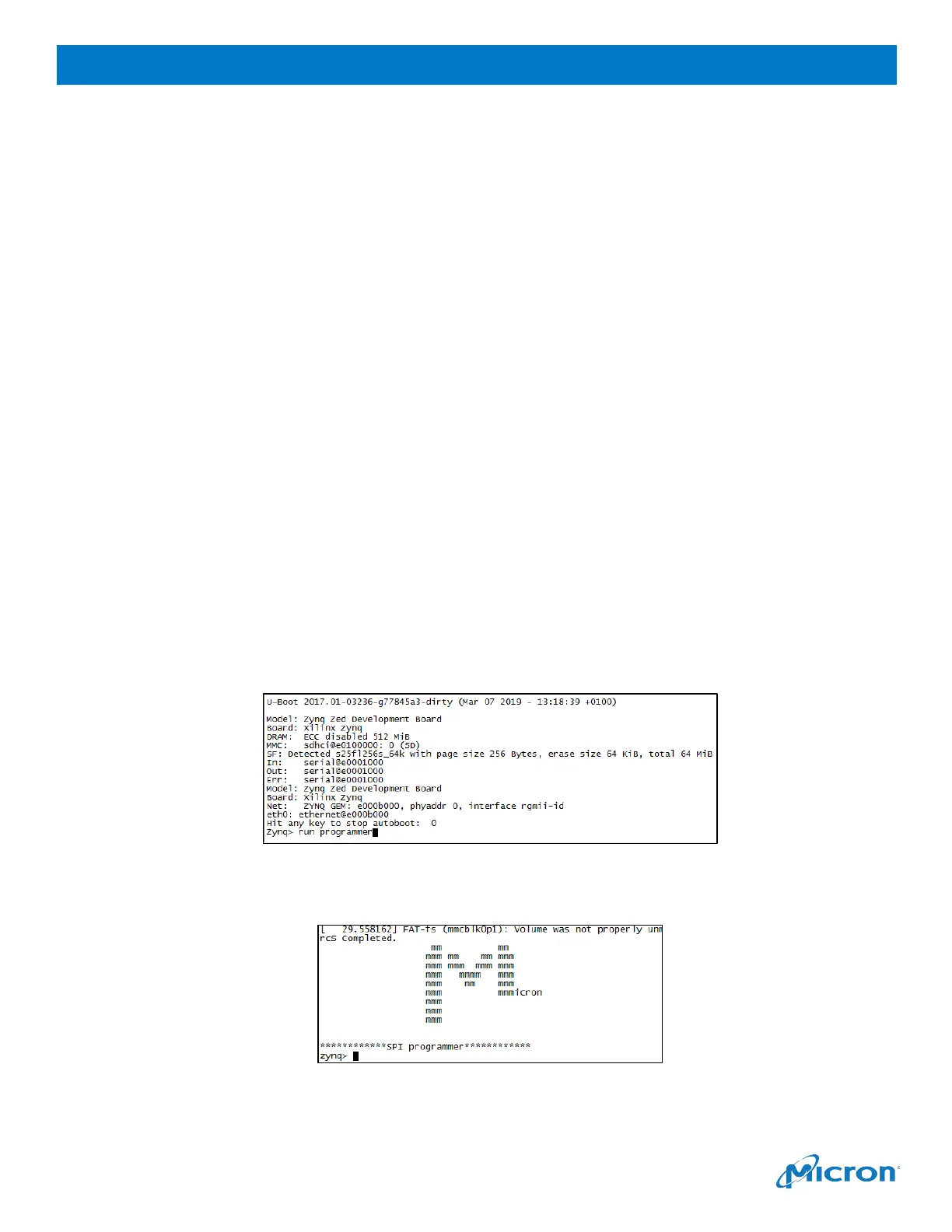
1.
Press any key once you see the
Hit any key to stop autoboot
message.
2.
When the Zynq> prompt appears, type
run programmer
Figure 15: Running the Programmer-Like Tool
3.
The programmer tool is ready when the welcome screen appears:
Figure 16: Programmer Tool Welcome Screen



 To Next Page