CCM005-1718347970-10451
micron_xccela_zedboard_user_guide.pdf Rev 2.1 4/19 9
Micron
®
Xccela
™
Flash User Guide for ZedBoard
™
4. Test Routines
4.1 Command Operation
Type
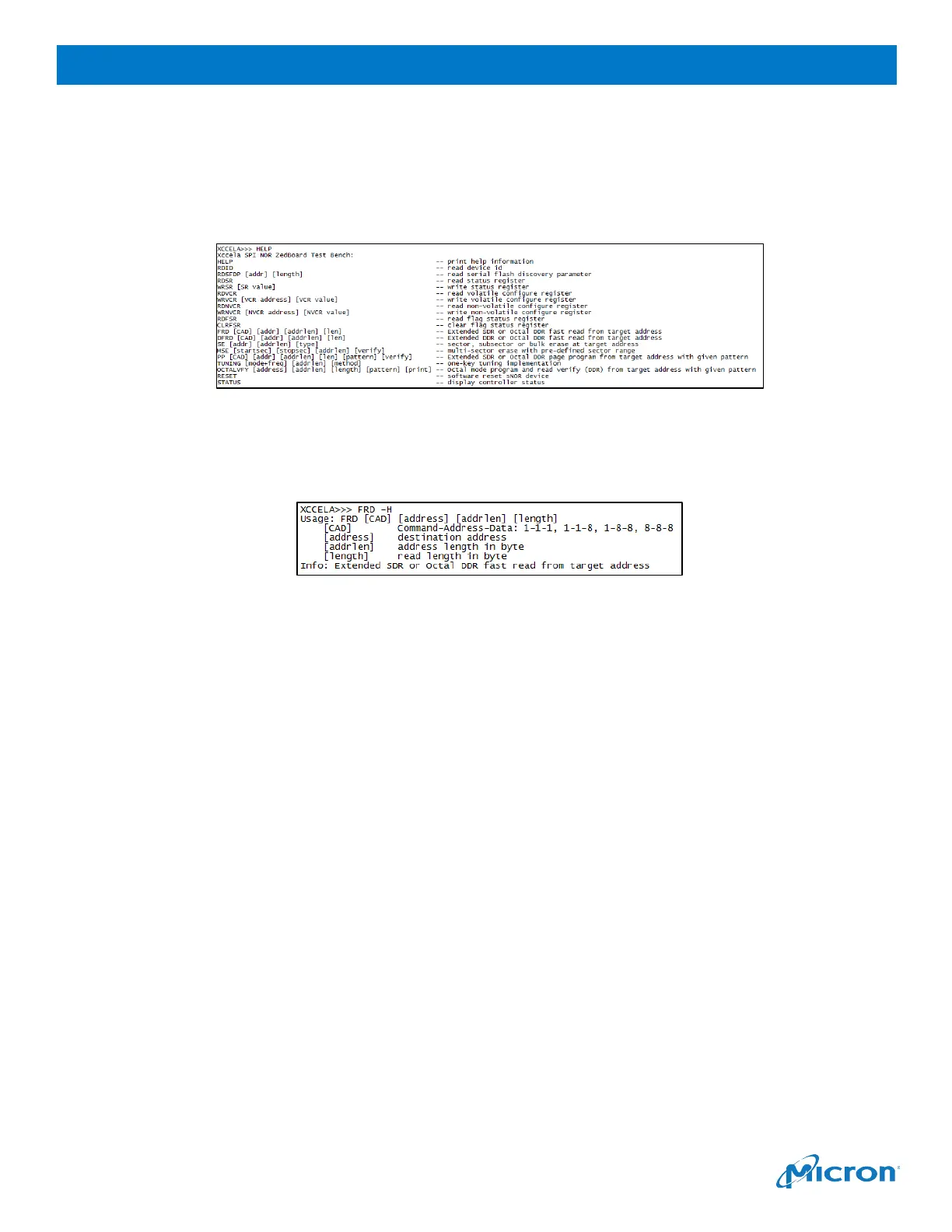
HELP
and then press enter to obtain all supported commands for the Xccela device.
Figure 13: Xccela Commands
Type
-H
and then press enter to obtain command details. (For example, type
FRD -H
to obtain
information for the page program command.)
Figure 14: Xccela Command Details
See
Appendix A: Command List
for detailed command usage.
4.2 Key Notes Before Testing
Before testing, review the following important notes:
•
There are three types of predefined data patterns (select by argument [pattern]) in
PP
commands:
-
Fixed pattern
: fixed data could be full 0x0 ~ 0xFF relying on value set for [pattern]
-
Counter Pattern
: 0x0, 0x1, 0x2, … 0xFF, 0x0, 0x1, 0x2, …
-
Tuning Data Pattern
(TDP): See
Timing Tuning
section for details
•
The tuning operation is always required with the Xccela ZedBoard tool if you want to change the
frequency or data rate mode (SDR to DDR, DDR to SDR, Extended to Octal, Octal to Extended).
See the
Timing Tuning
section for instructions.
•
The highest frequency is up to 200 MHz DDR mode; other typical frequencies are supported by
the TUNING command.
•
TUNING Dxxx xx
should be issued before entering Octal DDR mode.
•
TUNING Sxxx xx
is required before switching from Octal DDR mode to Extended mode.
•
The
OCTALVFY
command is implemented to verify program and read functions under Octal
DDR mode, before which Octal DDR mode must be enabled.
•
With the
MSE
command, only the SECTOR ERASE feature is enabled for multisector erase
operation. SECTOR, SUBSECTOR and BULK ERASE are all enabled in the
SE
command.
•
No security features are supported in the current version.



 To Next Page