26
WAN Configuration
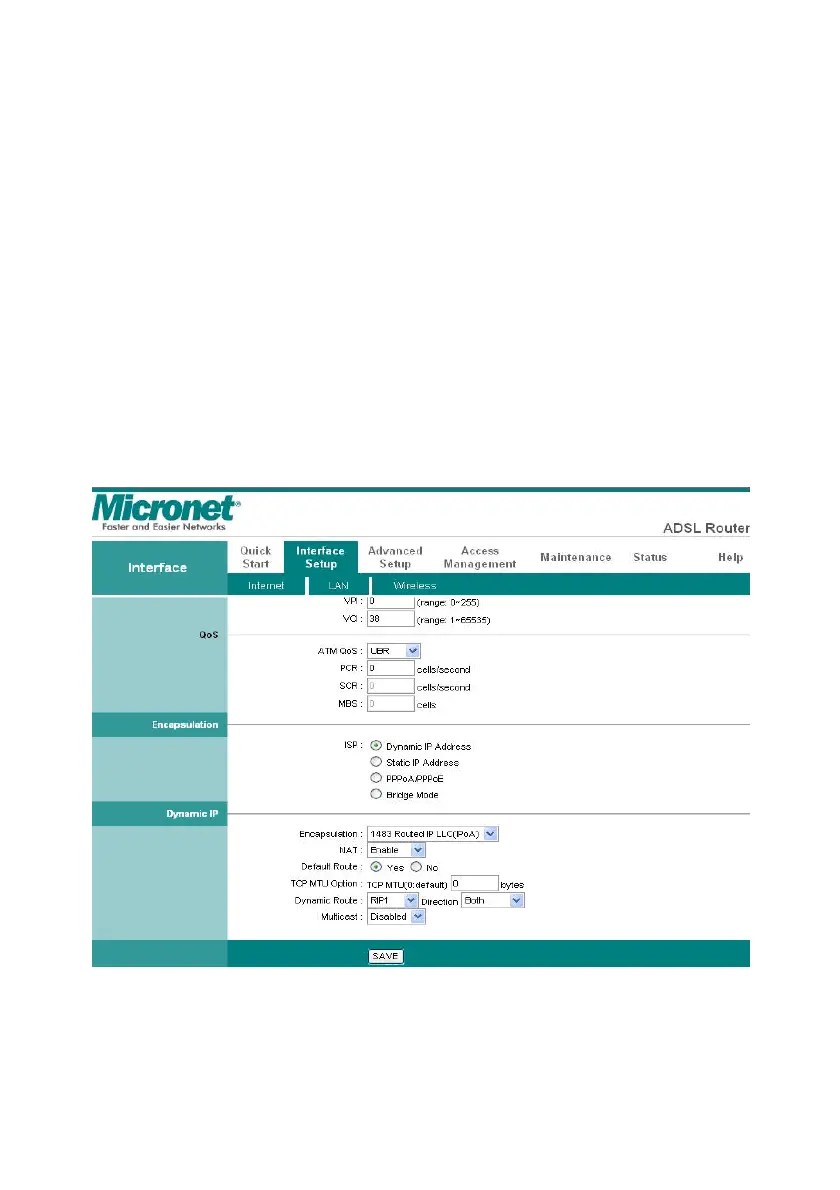
Go to Interface Setup Æ Internet. The router can be connected to your
service provider in any of the following ways. Check the radio box of the
service provided by your ISP, then the related settings will pop up in this
page under Encapsulation. Configure the related settings, then click
SAVE to save it.
Dynamic IP Address: Obtain an IP address automatically from your
service provider.



 To Next Page