33
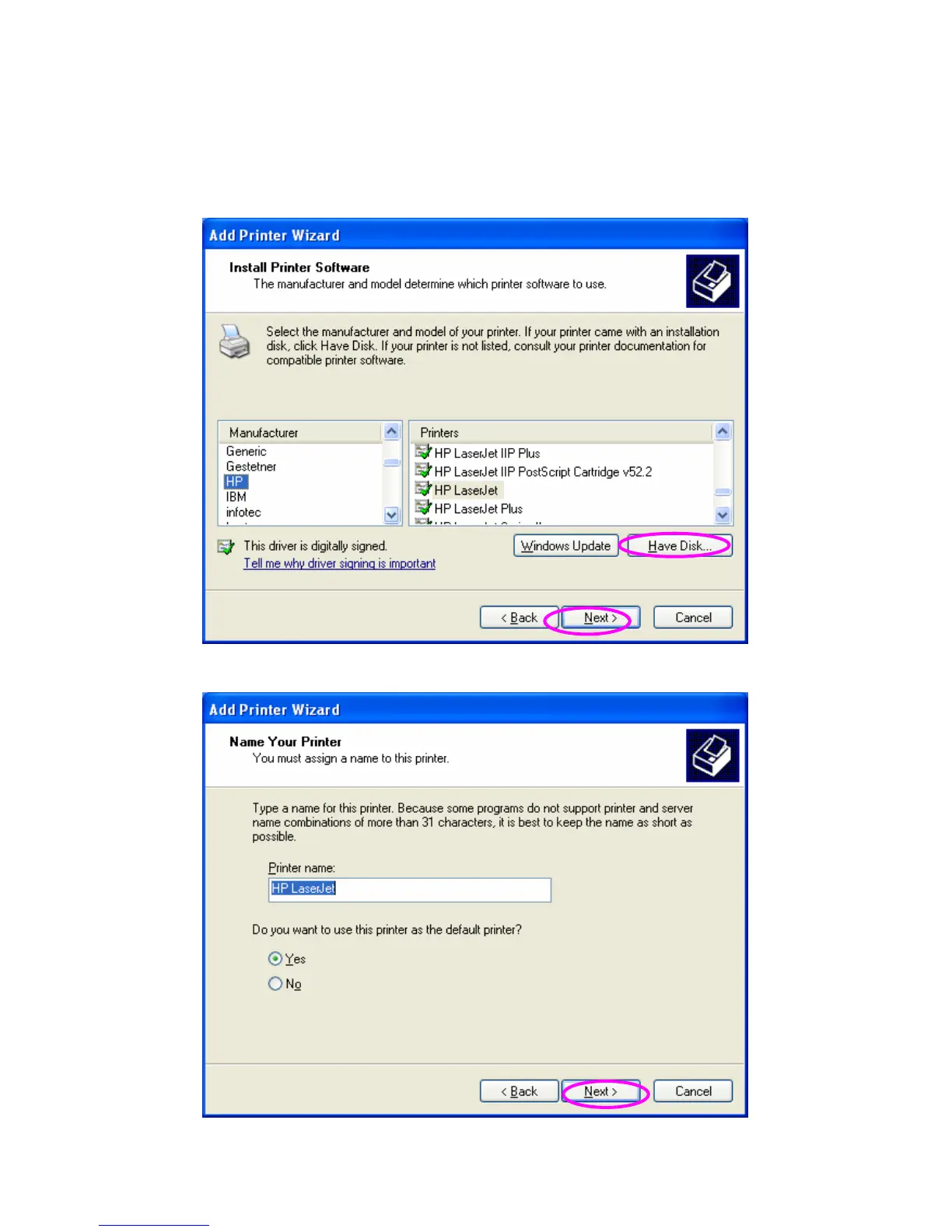
Step6. Select a suitable printer manufacturer and the printer model and
click “Next”. If your printer is not in the list, click “Have Disk…” to
install the driver of the printer. After installation, the printer model
will be added to the list.
Step7. Name your printer and setup the default printer, click “Next”.



 To Next Page