144 Part III: Securing Windows Vista
❑ Click OK when you have finished.
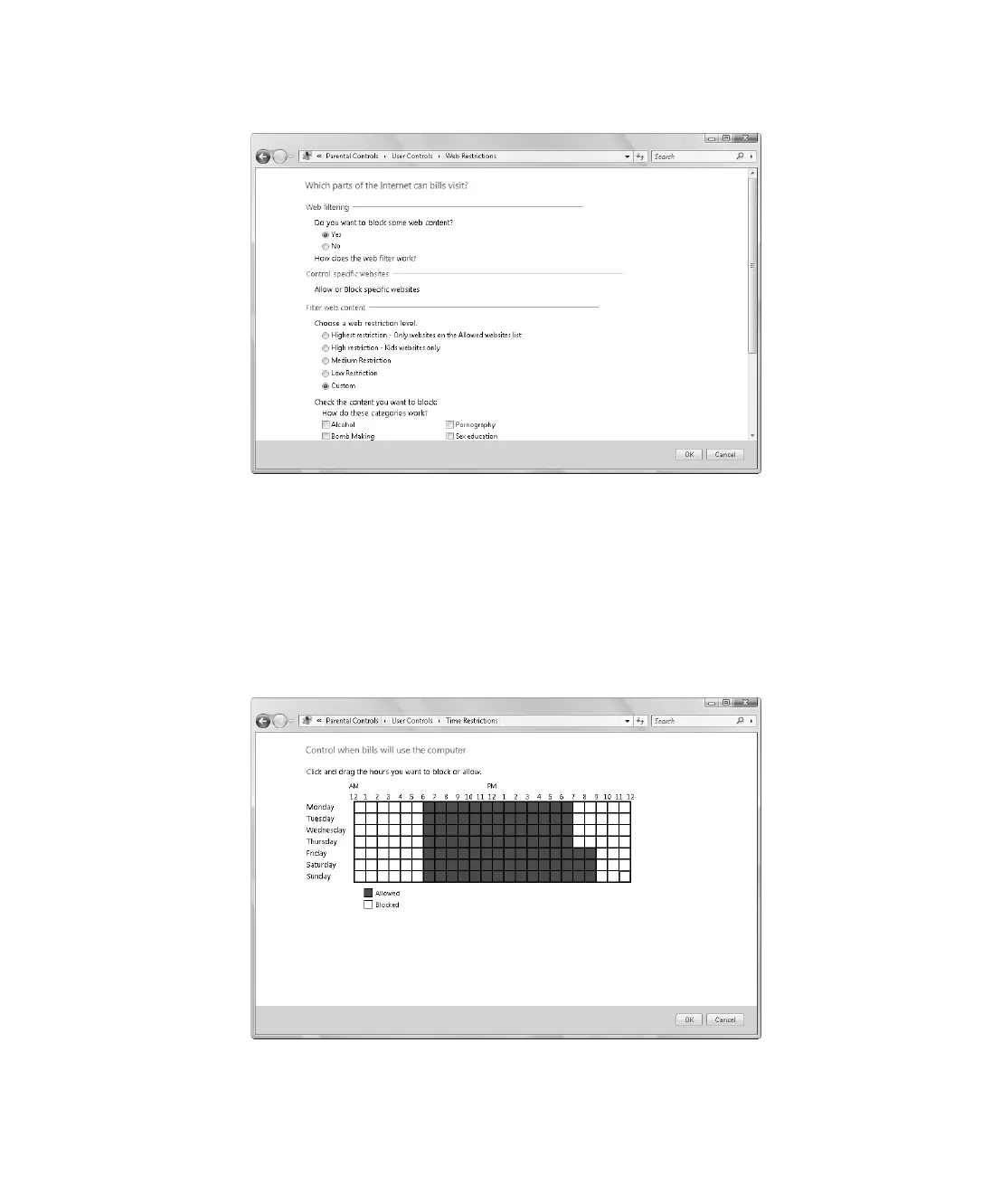
Figure 9-8 Setting Web restrictions
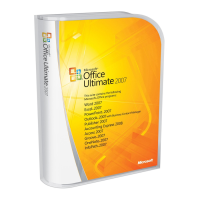
7. Time Limits specify the times when the computer can be used. If you want to enforce
Time Limits, click Time Limits on the User Controls page. On the Time Limits page,
shown in Figure 9-9, you can specify what times you allow and what times you block:
❑ Click and drag over allowed hours to change them to blocked hours.
❑ Click and drag over blocked hours to change them to allowed hours.
❑ Click OK when you have finished.
Figure 9-9 Setting time limits
C09622841.fm Page 144 Wednesday, May 17, 2006 9:26 AM


 To Next Page