146 Part III: Securing Windows Vista
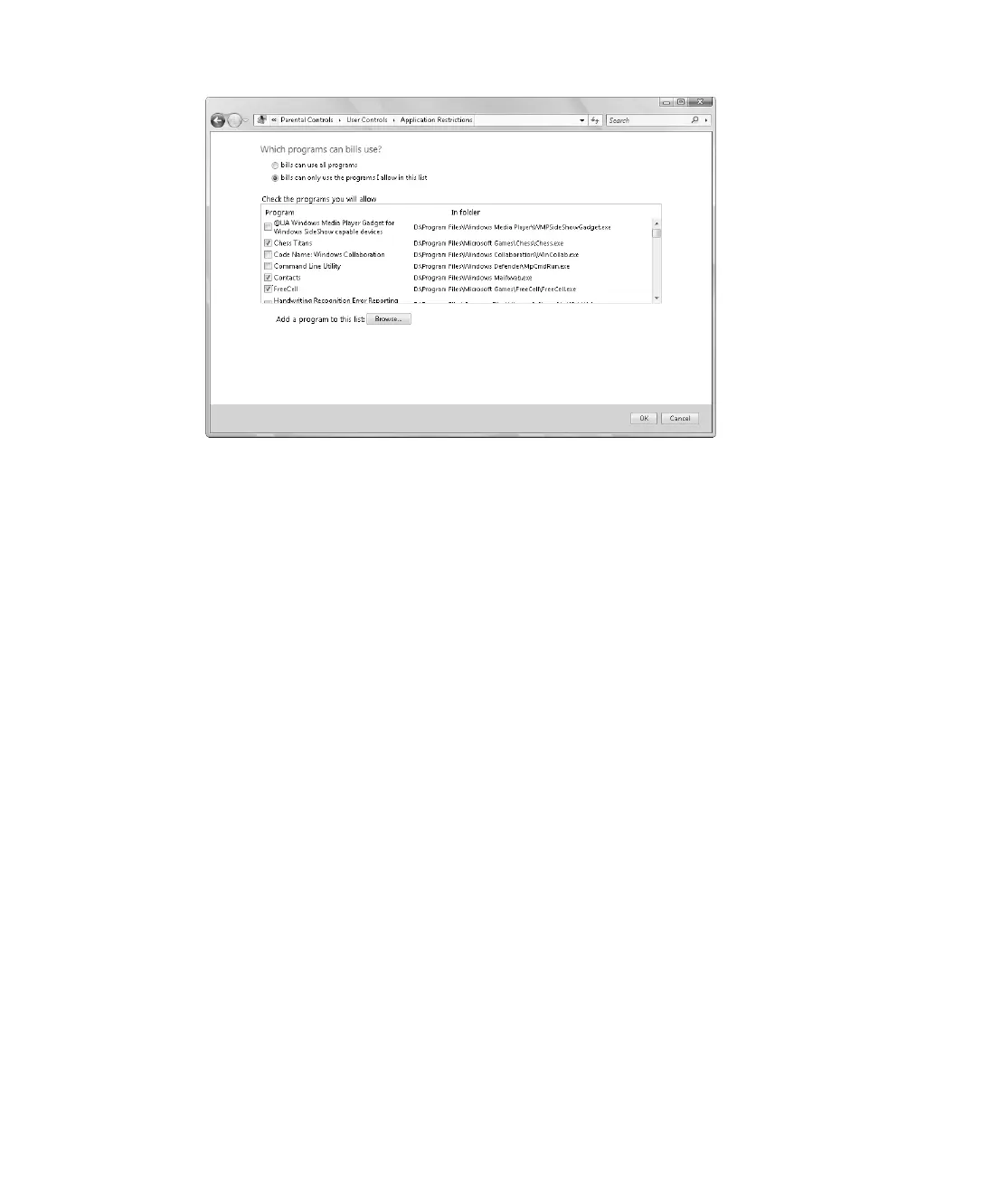
Figure 9-11 Setting application restrictions
10. On the User Controls page, click OK to save the settings.
Viewing and Using Activity Reports
An activity report for a user’s account provides complete details about the user’s computer
and instant messaging usage and also provides details about general system modifications
related to the account. Computer usage details include the following:
■ The top 10 Web sites visited in the reporting period
■ The most recent 10 Web sites blocked
■ File downloads
■ Logon times
■ Applications run and games played
■ E-mail messages sent and received
■ Media played in media players
■ Instant messaging
Instant messaging details include:
■ Conversation initiation
■ Link exchanges
■ Webcam usage
C09622841.fm Page 146 Wednesday, May 17, 2006 9:26 AM


 To Next Page