15
OM 1364
WWW.DAIKINAPPLIED.COM
FAULT MODES
dehumidication
— Electric heating can be used if it is available
— Fan and pump remain available for operation
— Alarm output energizes.
— When the suction line temperature recovers to 36°F
standard equipment (14.5°F on geothermal) the low
temperature fault continues and the compressor will be
locked out.
Low Suction Temperature Fault
Cooling / Dehumidication
When the suction line temperature falls below 28°F, the
compressor output is disabled. The fan will continue to run
allowing the air coil to defrost. Once the suction line temperatures
increases 8°F (default) the compressor will be enabled once the
compressor minimum o time has expired.
LED Activity Type Color Description
4 Flash Fault Red Compressor #1 Low Suction Temp
Condensate Overow
LED Activity Type Color Description
7 Flash Fault Yellow Condensate Overow
The MT2300 unit controller’s condensate sensor is designed to
detect excessively high condensate water levels in the drain pan.
When high condensate water levels are detected during cooling
or dehumidication modes, the controller enters into condensate
fault mode. The fan operates at fan only speed during the
condensate overow fault mode. The controller will continue to
operate in heat mode.
Some faults and modes have higher priority than condensate
overow mode. See Table 6 on page 16.
When the unit senses a condensate overow fault while in
cooling mode the following occurs:
1. The compressor de-energizes.
2. The alarm terminal (TB4-ALM) energizes (fault). TB4-ALM
will close to TB4-COM to indicate an alarm signal.
When condensate levels return to normal, the controller will
automatically return to normal operation.
Remote Reset of Automatic Lockouts
The Remote Reset feature provides the means to remotely reset
automatic lockouts. There are (3) ways to accomplish a unit reset
once the fault condition has been remedied:
• Using the thermostat cycle from cool or heat to o and back
to heat or cool two times within 30 seconds
• Press the Room Sensor or Thermostat Timed Override/
Reset Button for more than 10 seconds
• Turn the unit power o and wait 10 seconds to turn back on.
When the cause of the fault condition has been remedied, and
the unit is cycled from not requiring heating or cooling to needing
heating or cooling twice within 30 seconds (accomplished by
user manipulation of the Heat/Cool/ Auto/O switch on the
thermostat), an alarm reset equivalent to a tenant override button
reset is generated. The intelligent reset counter and the 24 hour
timer are cleared when this type of alarm reset is generated.
NOTICE
This feature only applies to thermostat controlled systems.
For room sensor controlled units, pressing the “Override” or
“Reset” button for more than 10 seconds will apply a ground
signal to the Room Temperature Sensor connection at TB2 pin
4, RS clearing the lockout alarm once the cause of the fault
condition has been remedied.
A unit power cycle can also be used to clear an automatic lockout
if the conditions causing the fault have been remedied.
Fan Operation During Most Modes,
Faults and Shutdowns
The MT2300 unit controller allows fan operation during most
modes, faults and shutdowns to facilitate maximum space
comfort and control. However, the fan does not operate during
brownout or emergency shutdown condition. During most modes,
faults, or shutdowns the fan will operate normally.
Operation with the High Speed
Conguration Switch
The MT2300 unit controller includes a high-speed conguration
switch to speed system check out and trouble-shooting. See
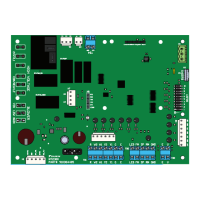
Figure 2 on page 6 for SW1 location.
NOTICE
This switch is intended for factory unit testing and should only be used by
trained service technicians as several timing functions are reduced to speed
system check out.
• Disconnect power to the unit when changing the position of
the SW1 conguration switch.
• The high speed switch should only be used for a short
period of time for testing of the unit’s operation by a trained
service technician. The switch must be set to o for normal
unit operation.
• If the switch is left on after system check out, the unit may
be damaged.
Status LED Indication
The MT2300 and the MT2310 boards each have a three-color
status LED that provide operational mode and alarm notication.
Mode LED ashes have an ON/OFF interval of 250ms ON and
750ms OFF between cycles. Fault LED ashes have an ON/
OFF interval of 250ms ON and 1.5 second OFF between cycles.
Rapid LED ashes are ON/OFF at 150ms intervals with no
interval cycle.


 To Next Page