FAN SPEED SELECTION
MICROTECH 2300 UNIT CONTROLLERDAIKIN APPLIED
24
Fan Speed Selection
The SW1-SW4 conguration switches on the MT2310 I/O
expansion module allow CFM settings to be eld adjustable with
some fan options. Fan speed control optimizes unit fan speed
based on thermostat/room sensor inputs.
The variable speed fan conguration switches allow for
manually setting an optimal fan speed specic to the application
requirements. The four primary speed proles are selected using
SW1 and SW2. SW3 reduces the heating and cooling speeds
by 15%, and the SW4 switch selects the fan speed when in Fan
Only mode (subject to the operational rules below).
Fan Only SW4
OFF = 20%
ON = Cool Stage 1 speed (Does not aect heat or cool mode fan
speeds)
General Fan Operation Rules
50% minimum whenever heating or cooling
100% for Auxiliary Electric Heat
Hydronic heating/cooling = Heat Stage 1/Cool Stage 1
DEHUM = Cool Stage 1 minus 10% (50% minimum)
Table 10: I/O expansion module Conguration Switch
Fan
Speed
Row
Switch
#1
Switch
#2
Fan
Only
1
Cool
Stage
1
Cool
Stage
2
Heat
Stage
1
Heat
Stage
2
1 OFF OFF 20% 80% 100% 80% 100%
2 ON OFF 20% 70% 90% 70% 90%
3 OFF ON 20% 60% 80% 60% 80%
4 ON ON 20% 50% 70% 50% 70%
1
See “Fan Only SW4” section above.
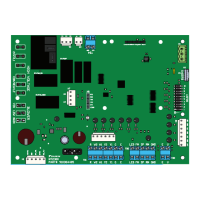
NOTE: Refer to Figure 3 for conguration switch location.
BACnet Communication Module
On units with an optional BACnet communication module, fan
speeds can be set through network communications to 1%
resolution of duty cycle. For hydronic or compressorized modes,
the range is 50-100%, and for fan only mode, the range is
10-100%. When enabled, the network fan speed settings will
override the local conguration switches. When the MT2310
status LED interval is yellow instead of O, this indicates that the
network is overriding the fan speed settings.


 To Next Page