17
OM 1364
WWW.DAIKINAPPLIED.COM
TROUBLESHOOTING
LED Activity Type Color Description
Rapid Flash Mode Green Emergency Shutdown
1 Flash Mode Green
No Call for Heating / Cooling /
Dehumidication
2 Flash Mode Green Call for Cooling
3 Flash Mode Green Call for Heating
4 Flash Mode Green Call for Fan Only
5 Flash Mode Green Unoccupied Mode Active
6 Flash Mode Green Call for Dehumidication
7 Flash Mode Green Low Entering Water Temp
8 Flash Mode Green HGR Low Return Air Temp Cutout
9 Flash Mode Green WSE Low Temp Cutout
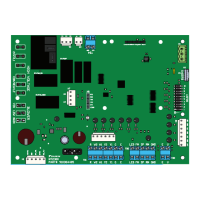
Table 8: MT2310 I/O Expansion Board Status LEDs
LED Activity Type Color Description
1 Flash Mode
1
Green Variable Speed Fan OFF
2 Flash Mode
1
Green Variable Speed Fan ON: 0 to 20%
3 Flash Mode
1
Green Variable Speed Fan ON: 21 to 30%
4 Flash Mode
1
Green Variable Speed Fan ON: 31 to 40%
5 Flash Mode
1
Green Variable Speed Fan ON: 41 to 50%
6 Flash Mode
1
Green Variable Speed Fan ON: 51 to 60%
7 Flash Mode
1
Green Variable Speed Fan ON: 61 to 70%
8 Flash Mode
1
Green Variable Speed Fan ON: 71 to 80%
9 Flash Mode
1
Green Variable Speed Fan ON: 81 to 90%
10 Flash Mode
1
Green Variable Speed Fan ON: 91 to 100%
Steady ON Fault Yellow MCU Not Programmed
Steady ON Fault Red MCU Hardware Failure
1 Flash Fault R–Y–G Invalid Conguration
2 Flash Fault R–Y–G Incompatible Software
1 Flash Fault R–Y
Base Board Communications
Failure
Rapid Flash Fault Red A2L Mitigation - Alarm Condition
NOTE 1: When the BACnet network is overriding the fan speed DIP switch
selection, the LED interval color will be yellow instead of OFF.


 To Next Page