46
• When the PDA display is on, just insert a test strip
into the PDA’s test strip port and the blood glucose
test screen will appear.
Check the “Control Solution
Test” check box at the bot-
tom. The animation will be
replaced with an animation
of a control solution drop.
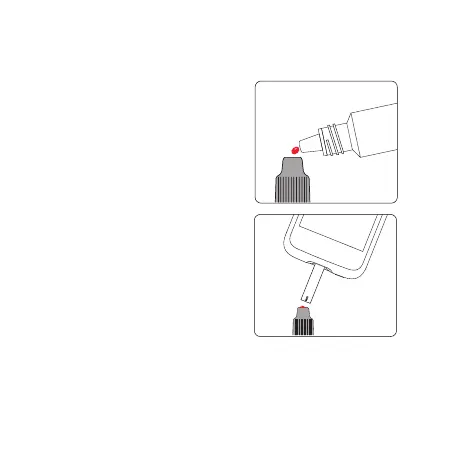
Shake the control solution
bottle, gently squeeze out
the control solution, discard
the rst drop, and drop the
second drop onto a clean
nonabsorbent surface. Now
touch the second drop to
the sample area of the test
strip. Do not let the bottle
come into contact with the
strip itself.
• When enough control solution has been applied, the
screen will count down 5 seconds and then display
the test result. The result is displayed in the top half



 To Next Page