Removing a card (Macintosh - continued)
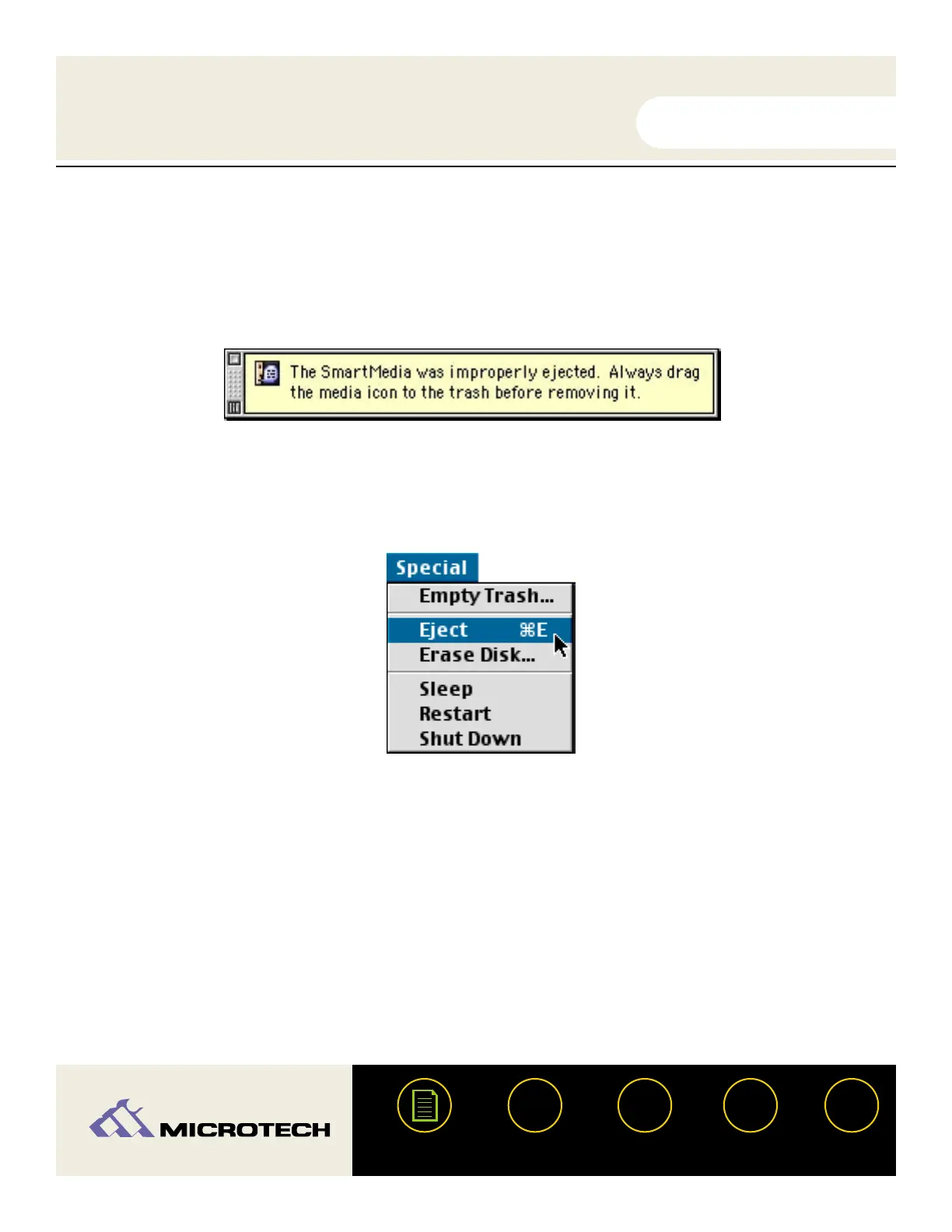
WARNING: Do not remove a mounted card without first dragging the card icon to the trash. If
removed improperly, a warning message (similar to the one shown below) will appear on the
screen. Ejecting a card before removing the icon can cause data loss or corruption.
IMPORTANT: Do not select the "Eject Disk" command (shown below) from the "Special" menu to
remove the card.
USER'S
MANUAL
USER'S
MANUAL
USB CameraMate
?
HELP
CONTACT
NEXTBACK
CONTENTS
28


 To Next Page