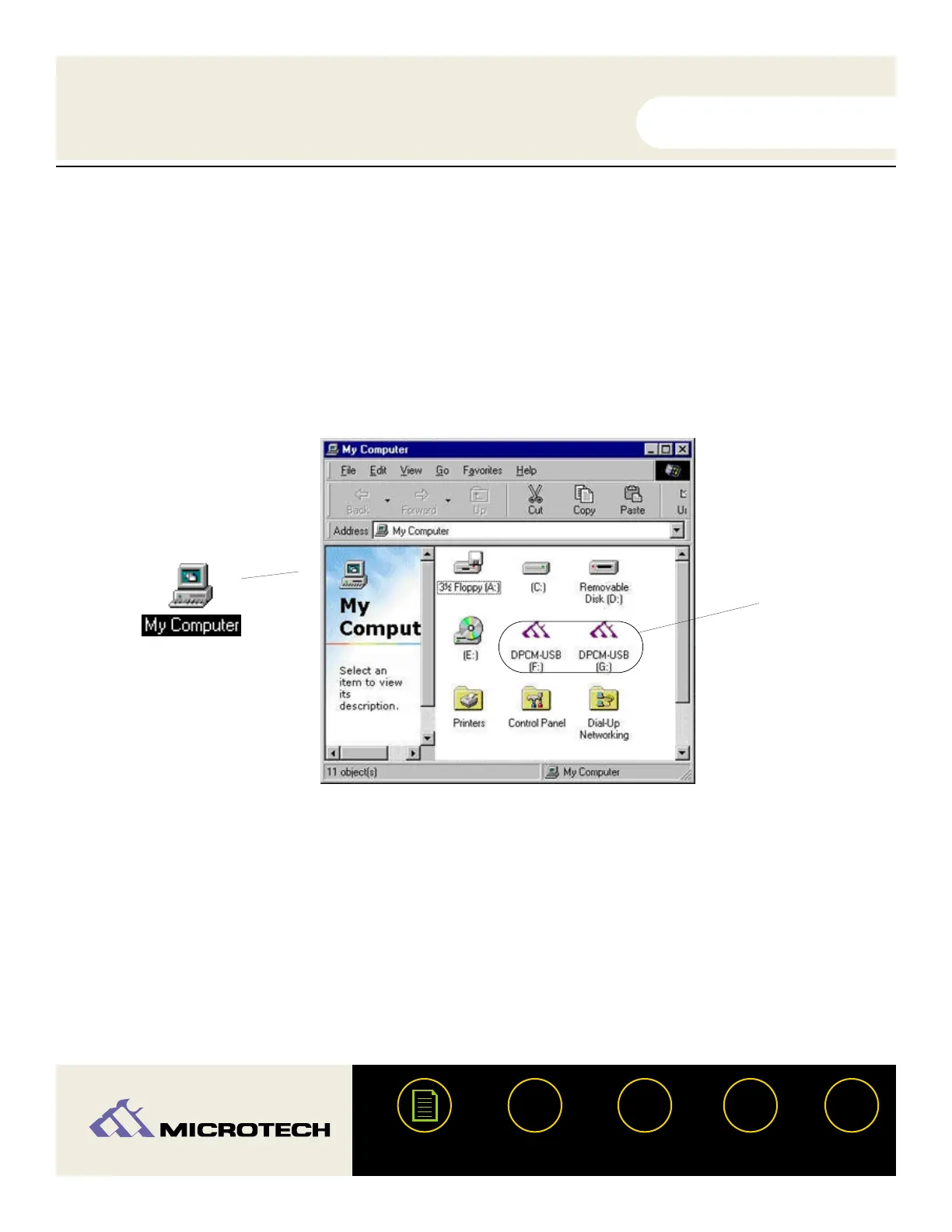
Inserting a card (PC)
With a PC compatible computer, running Windows (98, 98 SE, ME, or 2000), two DPCM-USB
icons for each slot will appear under "My Computer" as removable drives (see the illustration
below). In general, the first icon is assigned to the CompactFlash slot and the second to the
SmartMedia slot. Double-click on the corresponding icon (drive letters will also be assigned) to
open the drive. If media is not inserted while double-clicking the icon the message "Device not
ready" will appear. Insert a card and retry accessing the media.
USER'S
MANUAL
USER'S
MANUAL
USB CameraMate
?
HELP
CONTACT
NEXTBACK
CONTENTS
29
USB
CameraMate


 To Next Page