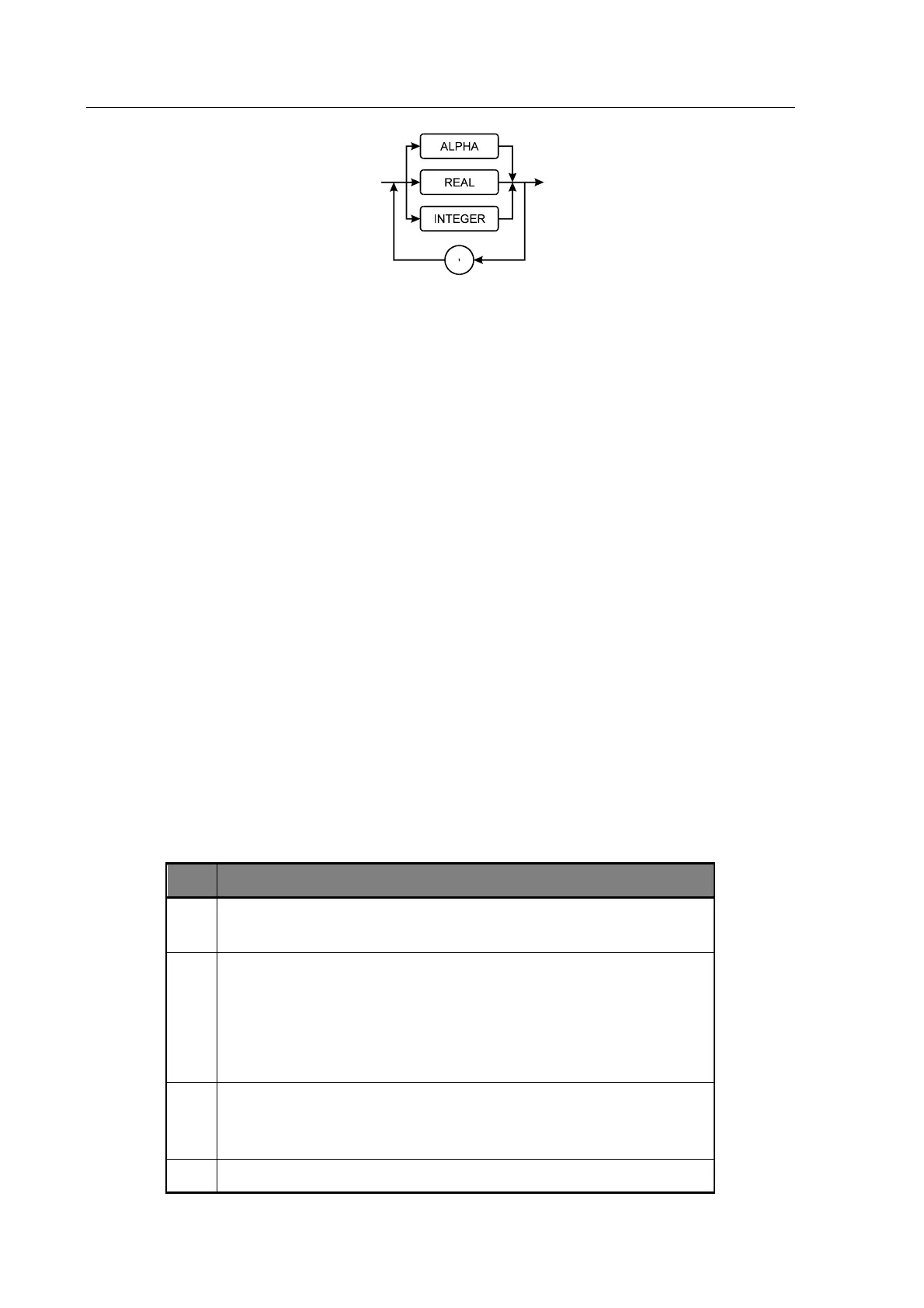
Figure 6-4 GPIB RMU Structure
6.1.5.2 Multiple Items
Some commands will generate an RMU containing more than one item of data (e.g. TRIG will
generate a first and second result). In this case, each item of response data will be separated by a
comma. Note that the maximum number of characters that can be output is 256, any data
beyond this will be lost.
If the command string contained multiple queries then the response will contain multiple RMUs,
each of which will be separated by a semicolon.
6.1.5.3 Numeric Format
The format of numeric results will correspond to that used for the instrument display, with the
engineering multiplier (if any) replaced by an equivalent 10’s exponent. If the FAST-GPIB
mode is being used then numbers will be output in a raw engineering format.
6.1.6 Status Reporting
6.1.6.1 Status byte
The status byte is used to summarize information from the other status groups. It is shown in
Figure 6-5, which conforms to IEEE 488.2 and SCPI. The status byte can be read by the query
command *STB? or by performing a serial poll on the instrument (these two are identical
although the point at which the RQS bit can be cleared is slightly different).
Operation Status Event Register summary bit. This bit is true when
measurement or trimming etc., is in progress
RQS – ReQuest for Service. When the bit in the Service Request Enable
mask is set with the corresponding bit in the status register true, this will
trigger a service request to the controller.
MSS – Master Summary Status bit. The version of the request for service bit
which appears in the Status Byte.
ESB – Event Summary Bit. When unmasked by the ESE register, this bit will
be set whenever the corresponding bit or bits are set in the Event Status
Register.
MAV – Message available. The output queue has data to be read.



 To Next Page