AC Meas
C
D
Parallel
5) Using the navigation keys, highlight and set each of the following parameters in turn. Use
the and navigation keys to highlight a parameter and the and navigation keys to
alter the highlighted parameter setting. Settings may be altered one step at a time, or
continuously by holding the navigation key down.
500mVac
1.5000 kHz
Range Auto
Speed Med
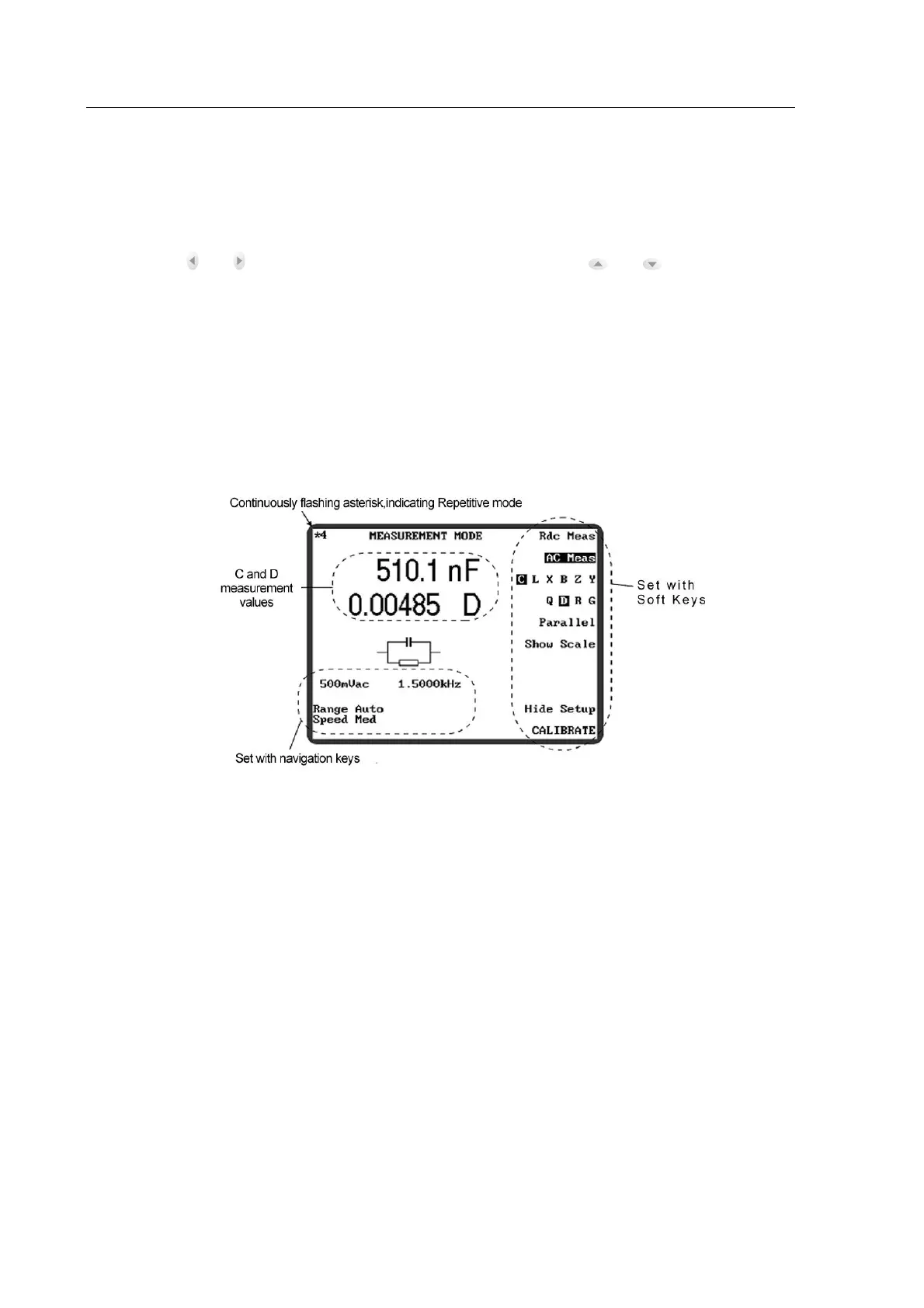
6) Connect the component to be measured to the test leads or fixture. The screen will display
the measured values of C and D. The display should be similar to Figure 4-15
Figure 4-15 Example Capacitance and Dissipation Factor
4.4.2 MEASUREMENT MODE Parameters
The following MEASUREMENT MODE parameters are selectable with the ten soft keys to
the right of the display.
DC measurement of resistors. The only measurement options are DC drive
level, range and speed.
Allows AC measurements to be performed at the selected drive level and
frequency. The measurement terms and equivalent circuit are set with the
next three soft keys.



 To Next Page