Introduction
Thank you for purchasing the MicroVision SHOWWX+
™
laser
pico projector. The SHOWWX+ projects big, bright, and colorful
images that are always in focus, yet is small enough to fit in your
pocket. Connect the SHOWWX+ to a video output-capable device to
spontaneously share photos and videos, presentations
and more, in a big screen experience.
What is the PicoP
®
Display Engine?
The PicoP display engine is the world’s first ultra miniature
laser-based projector engine. It uses red, green and blue laser light
sources, electronics, optics, and a unique, tiny mirror-like device that
“paints” the image line-by-line on the projection surface.
Getting Started
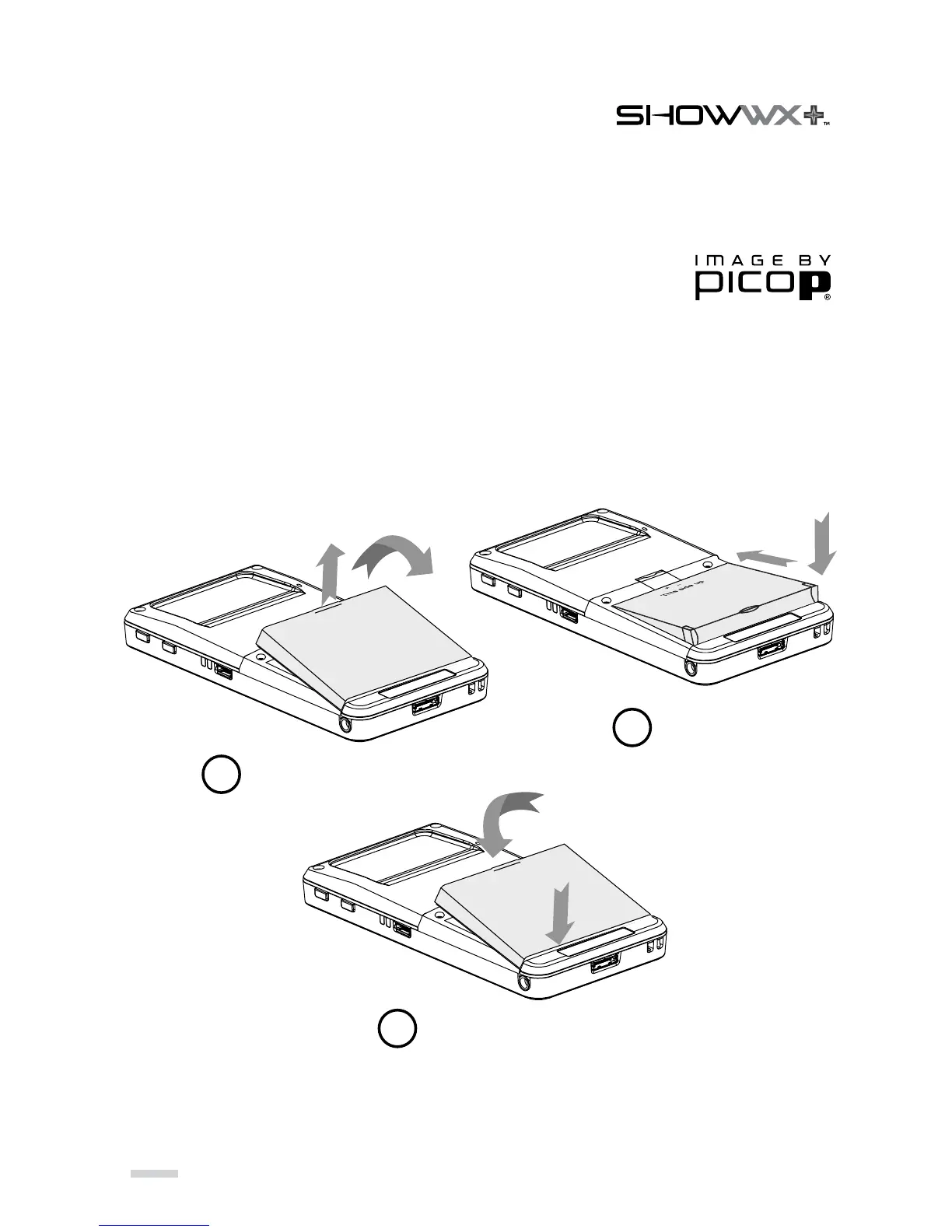
Install Battery
» Make sure the projector is OFF and unplugged before replacing battery.
» Do not force the battery in. Make sure the battery + / - symbols are lined up.
10
Remove Battery Door
Insert Battery
Close Battery Door
1
2
3
2
1
1
2
2
1



 To Next Page