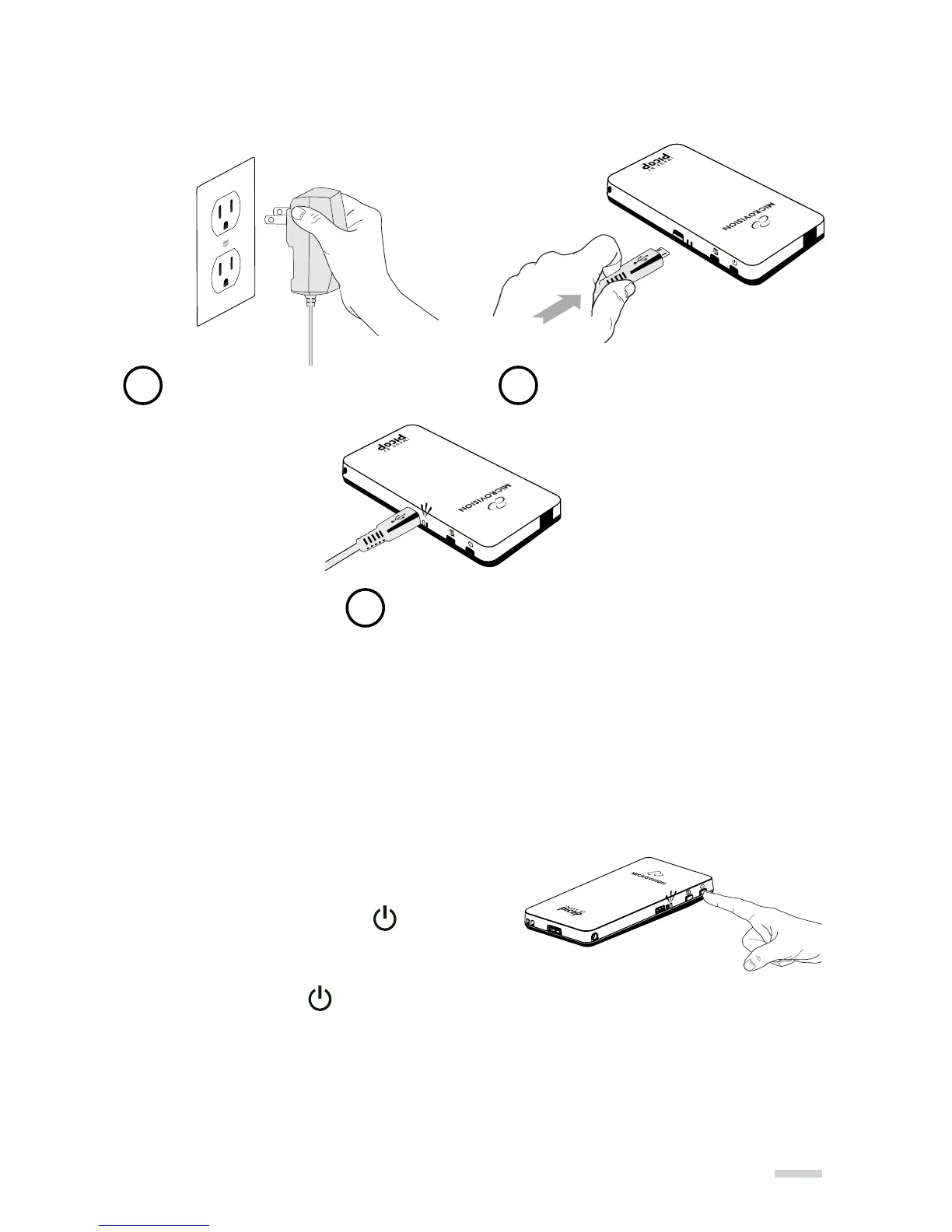
Charge Battery
Note:
» Allow for a minimum of 4 hours charging before first time use.
» The wall charger will not charge the battery while the SHOWWX+ is powered ON.
» The supplied battery is designed specifically for the SHOWWX+ and no other battery
should be used.
Power ON or OFF
Note: Do not have the SHOWWX+ connected to any video
device before turning ON.
Turning ON: Press and hold the button.
The blue LED will come on and the image will appear
in about 15 seconds.
Turning OFF: Press the button.
Note:
» During startup the image will flash with a series of different colors. This is normal.
» A blinking Blue LED indicates the unit is starting up. A solid Blue LED indicates
the unit is ready for use.
11
Plug Wall Charger Into Outlet Connect To
Micro-USB/Power Input
Orange LED: Battery charging
Green LED: Battery fully charged
1 2
3



 To Next Page