DIGITAL PROPORTIONAL R/CSYSTEM
www.microzone.cn
key to lock.
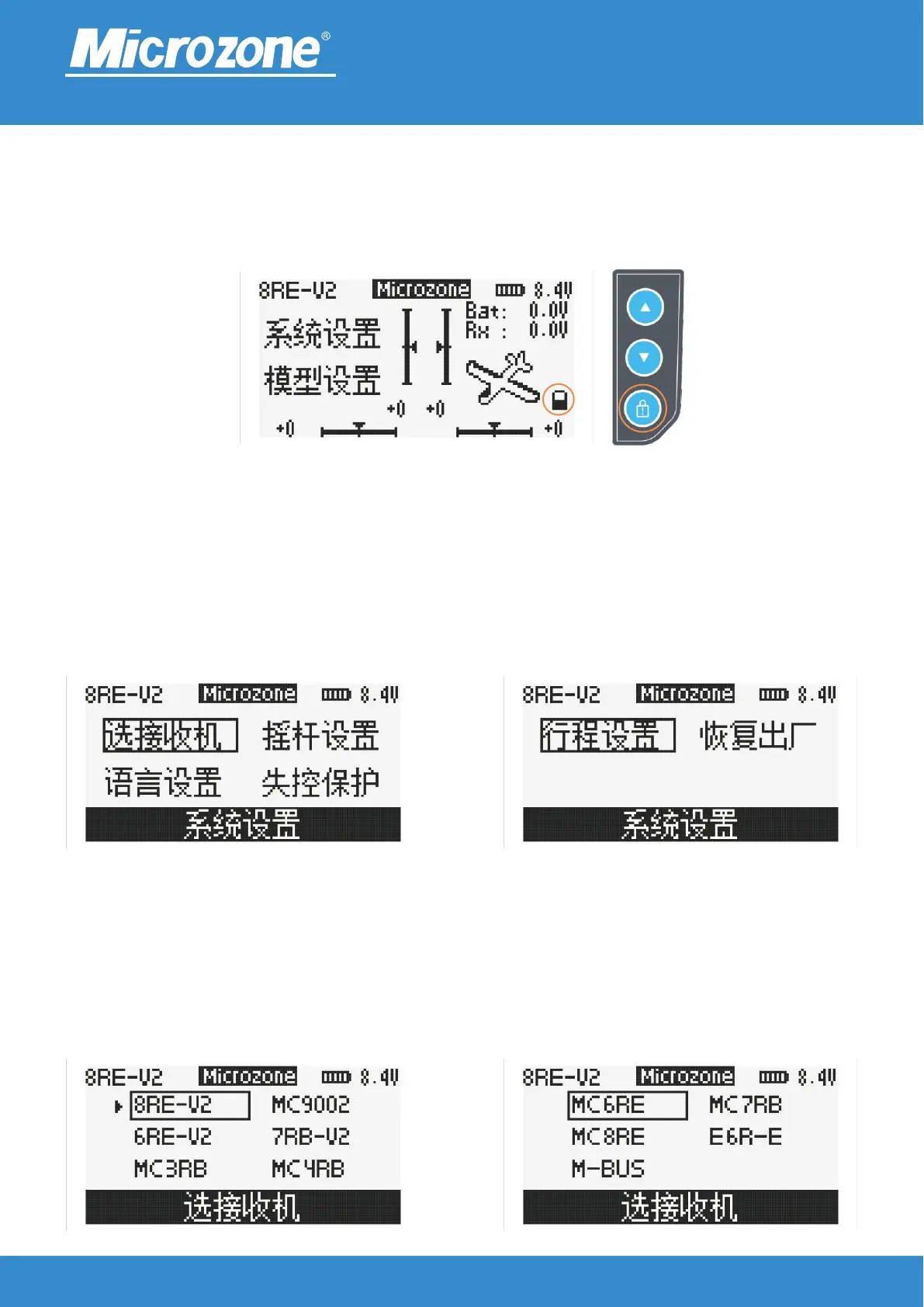
When no option is selected on the main screen, press the <LOCK> key for 2 seconds to lock, press the
<MENU> key, <EXIT> key, <MONITOR> key, <UP> key and <DOWN> key have no effect, the lock symbol
will appear on the screen, press the <LOCK> key again for 2 seconds to unlock.
System setting:
Press <MENU> key on the main page to select system setting, and then press <MENU> key to enter system
setting, you can press<UP> key or <DOWN> key to select the corresponding option, and then press
<MENU> key to enter.
2.4GHz
FHSS
To select the receiver:
Press <UP> key or <DOWN> key to select the corresponding option, press <MENU> key to finish.



 To Next Page