详细说明
DIGITAL PROPORTIONAL R/CSYSTEM
DETAILED DESCRIPTION
www.microzone.cn
2.4GHz
FHSS
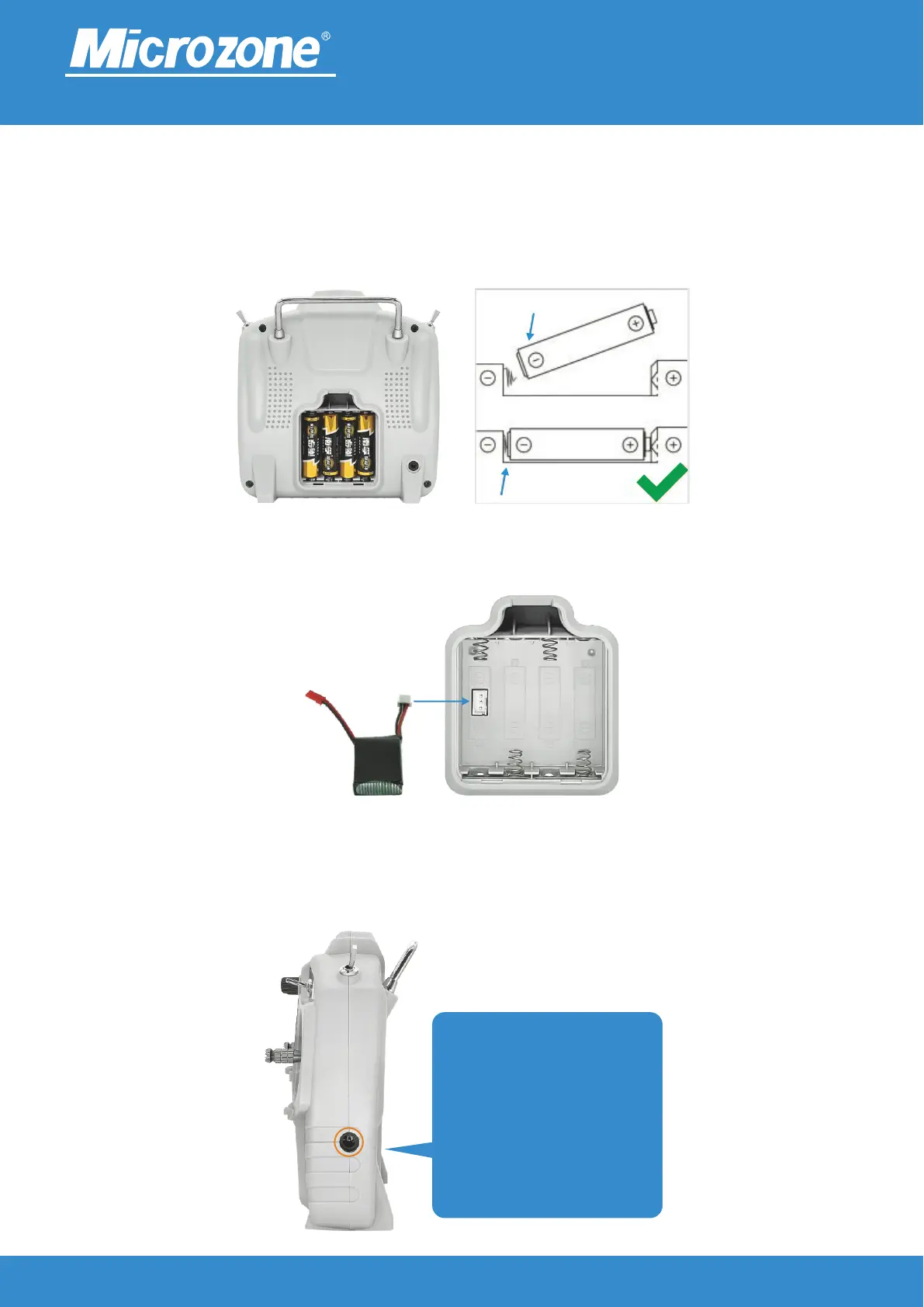
You can also use an external power supply to connect to the DC power socket on the right side of the remote
control, as shown in the following figure,When using an external power supply, please Remove the battery
from the remote control battery compartment first.
Alternatively, insert a 2S lithium battery into the battery compartment socket, as shown in the following
figure,
Power supply:
DC4-8.4V, can be installed into the battery compartment using four No. 5 batteries, as shown in the following
figure,
This DC port is not a charging
port,Cannot charge, only
available External connection
to simulator teaching Power
usage This DC port is not a
charging port,Cannot charge,
only available External
connection to simulator
teaching Power usage



 To Next Page