10
QUICK START GUIDE
Reservation
For example: Make an appointment to finish cooking in 8 hours.
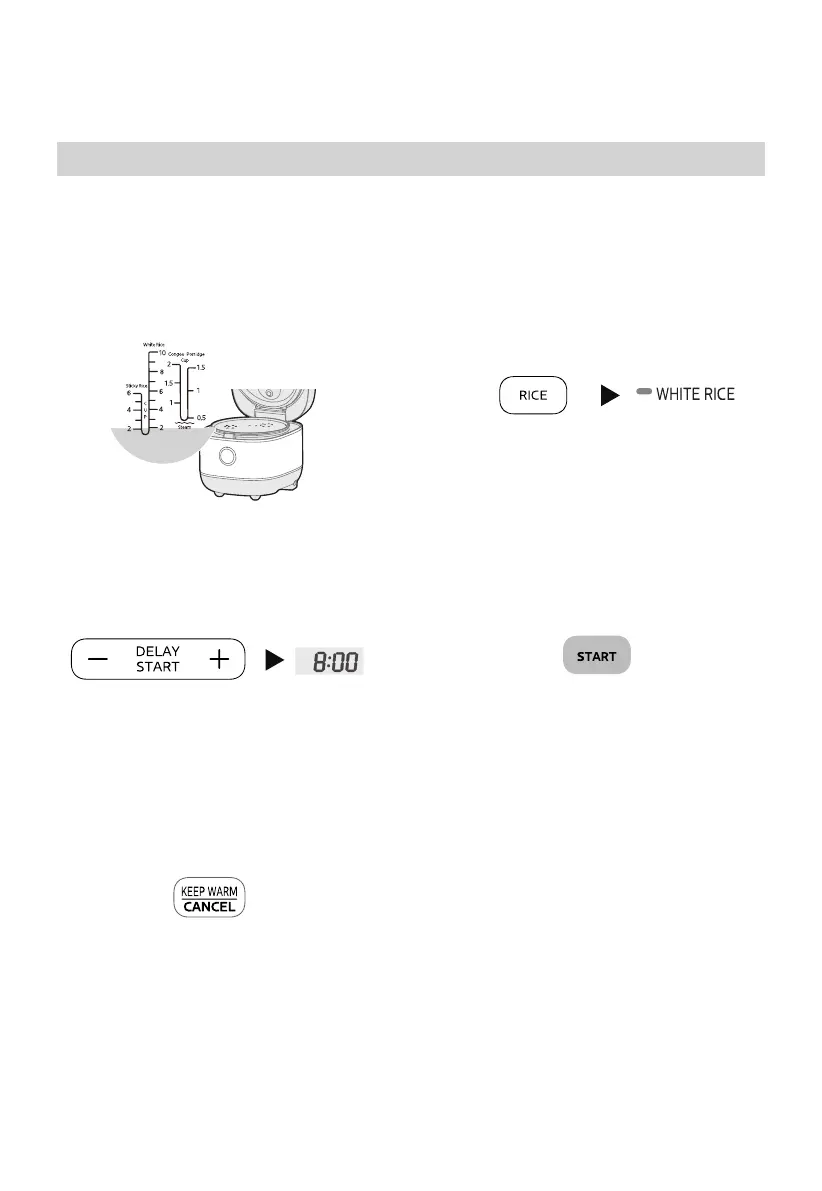
1 Prepare rice and water
Place the rinsed rice into the inner pot
and choose the appropriate water
level according to the rice amount.
2 Close the cover of the rice pot and
select functions, such as “WHITE RICE”.
Instructions For Use
3 Set the timer for cooking completion
Press the “DELAYSTART” button, the
Time Display flashes, and then press
the button “DELAYSTART” again to
adjust the displayed reservation time.
5 Cancel cooking
Pressing the “KEEP WARM/CANCEL”
button can cancel the selected
cooking function.
Gentle Reminder:
Display status refers to actual product.
4 Start cooking
Press the “START” button, the cooking
will be finished at the appointed time.


 To Next Page
 Loading...