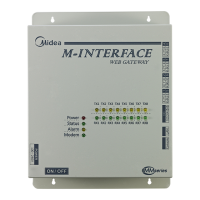
The provided document is an operation manual for a Modbus Gateway, specifically models CCM-18A/N. This device acts as a data converter, facilitating communication between various air conditioning units and a Modbus-compatible upper computer system.
Function Description
The Modbus Gateway's primary function is to convert data between air conditioning units and a Modbus system. It supports two main communication protocols: Modbus TCP and Modbus RTU.
Connectivity:
- WAN Terminal: Connects to a switch via a 5-kind network cable, allowing a PC to access the gateway's web page for configuration and monitoring.
- A1B1E Terminal: Connects to indoor/outdoor air conditioning units.
- A2B2E Terminal: Connects to a terminal serial port, typically for Modbus RTU communication.
System Architecture:
The gateway supports outdoor units with two different baud rates: 600 and 4800.
- Baud Rate 600: Can connect to a maximum of 64 indoor units and 4 outdoor units.
- Baud Rate 4800: Can connect to a maximum of 60 indoor units (with addresses from 4-63) and 4 outdoor units.
- Address Uniqueness: It's crucial that the addresses of all accessed indoor/outdoor units are unique and do not repeat.
Modbus Communication:
The upper computer system communicates with the Modbus gateway via the A2B2E terminal using either Modbus RTU or Modbus TCP protocols. The manual provides diagrams illustrating both connection types. For Modbus TCP, XYE and K1K2E ports connect hand-in-hand and then access the A1B1E port.
Modbus Function Codes Supported:
0x01: Read Coils (Read)0x04: Read Input Register (Read)0x10: Write Holding Register (Write)
Abnormal Reply Handling:
The gateway provides specific error codes for abnormal replies from the slave unit:
0x01 (Illegal function code): The received function code cannot be executed.0x02 (Illegal data address): The received data address is not allowed.0x03 (Illegal data): The value in the query data field is not allowed.0x06 (Slave busy): The slave is busy with a long-time program command; the master should resend messages when the slave is free.
Important Technical Specifications
- Default IP Address: 192.168.1.200 (factory default).
- Subnet Mask (Default): 255.255.255.0.
- Baud Rate for Outdoor Unit Communication: Supports 600 and 4800.
- Modbus Communication Setting (Suggested): 9600 baud, no checking (parity), 1 stop bit.
- Modbus ID: Configurable to distinguish multiple gateways in the same subnet, must be unique.
- IP Address: Configurable, must be unique for multiple IPs.
- Gateway: Local gateway address.
Usage Features
IP Configuration:
The gateway's IP address can be configured in two ways:
- Single IP Configuration: Set a static IP address (e.g., 192.168.1.211) and subnet mask (255.255.255.0) through the network adapter settings on a PC. The PC must be in the same subnet segment (192.168.1.xx, where xx is 2-254).
- Multi-IP Addition: After configuring a static IP, additional IP addresses can be added through the "Advanced TCP/IP Settings" dialog, ensuring they are in the same subnet segment as the default IP.
Web-Based Configuration and Monitoring:
The gateway is accessed via a web interface (e.g., http://192.168.1.200 in Internet Explorer).
- Configuration Page: Allows setting the Modbus address, Modbus communication settings (baud rate, check bit, stop bit), IP address, subnet mask, gateway, and outdoor unit baud rate. Changes require clicking "Apply Setting" and will cause the gateway to restart.
- Air Conditioner Information Query: Users can query air conditioner information by choosing "Coil Outputs" or "Input Registers" on the web page.
- Coil Outputs: Displays operational information (e.g., FAN-MODE, HEAT-MODE, ON/OFF, various error statuses). Clicking an address number for an indoor or outdoor unit shows its corresponding operation information, highlighted in a red frame.
- Input Registers: Displays detailed system status, unit styles, temperature settings (SET TEMP. Ts, ROOM TEMP. T1, EVAPORATOR-TEMP. T2A/T2B, CONDENSER TEMP. T3), timer settings, power status, and error statuses. The display shows both decimal and hexadecimal values (e.g., 17/0011). It also indicates the on-line status of outdoor units (e.g., 1/0001 for No. 0 outdoor unit on-line).
- Air Conditioner Control: A dedicated web page allows control of air conditioning units.
- Single Air Conditioner Control Area: Users can select a specific air conditioner (e.g., "0#") and set its run mode (COOL/HEAT), fan speed (HIGH/MEDIUM/LOW), and temperature (e.g., 17°C to 30°C). Clicking "Apply" executes the command.
- Group Control Area: Provides predefined group control buttons (e.g., "COOL, 17°C, LOW FAN", "HEAT, 30°C, HIGH FAN"). Selecting a button executes the command for all indoor units under the gateway's control.
Upper Computer Access (Modbus Poll Software):
The manual details how to use Modbus Poll software for debugging and communication with the gateway.
- Installation: After installing Modbus Poll, the home page displays.
- Connection:
- Modbus TCP: Choose "Connection" -> "Connection" -> "TCP/IP". Configure the remote server IP address (e.g., 192.168.1.200) and port (502 by default).
- Modbus RTU: Choose "Connection" -> "Connection" -> "RTU". Configure the serial port (e.g., Port 1), baud rate (e.g., 9600), data bits (8), parity (None), and stop bits (1) to match the Modbus communication settings on the gateway's web page.
- Testing:
- Reading: Use "Poll Definition" under "Setup" to configure reading coils or registers. Specify the Modbus address, function (e.g., "01 Read Coils"), initial address, and length. Clicking "OK" or "Poll Once" displays the content. Successful debugging is confirmed if the displayed content matches the web page values.
- Writing: To write to a holding register, select the "Write multiple registers" function (button 16 in Modbus Poll). Specify the Modbus address, initial address, and size. After changing the value, click "Send" to complete the operation.
Maintenance Features
Software Reset:
The gateway can be reset to its original factory software configuration. This is achieved by pressing the "RESET" button on the gateway for 3 seconds while powering it on again. This action will revert all software settings to their defaults.
Safety Precautions:
The manual emphasizes safety throughout, using identifiers and icons to highlight potential risks:
- Warning: Indicates improper handling that may lead to personal death or severe injury.
- Delegate Installation: Installation should only be performed by distributors or professionals with relevant know-how to prevent fire, electric shock, personal injury, or water leakage.
- Forbid Spraying Flammable Aerosol: Direct spraying can cause fire.
- Forbid Operation with Wet Hands/Water Entry: Can cause electric shock.
- Caution: Indicates improper handling that may lead to personal injury or property loss.
- Icon Descriptions:
- A crossed-out circle indicates a forbidden action.
- An exclamation mark in a triangle indicates a compulsory action.
These precautions are critical for ensuring safe operation and maintenance of the Modbus Gateway.

 Need help?

 To Next Page
 General