EasyManua.ls Logo

Midea MAW - User Manual

Midea MAW
40 pages
Print Icon
To Next Page IconTo Next Page
Loading...
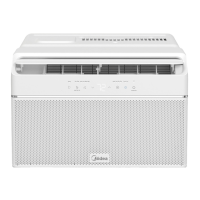
Window Air Conditioner
MAW
USER MANUAL
Warning notices: Before using this product, please read this manual carefully and keep it for future reference.
7KHGHVLJQDQGVSHFL´FDWLRQVDUHVXEMHFWWRFKDQJHZLWKRXWSULRUQRWLFHIRUSURGXFWLPSURYHPHQW
&RQVXOWZLWK\RXUGHDOHURUPDQXIDFWXUHUIRUGHWDLOV
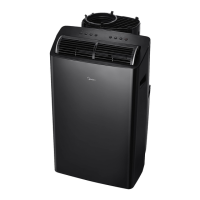
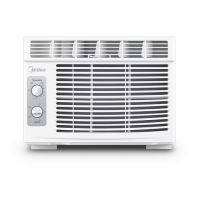
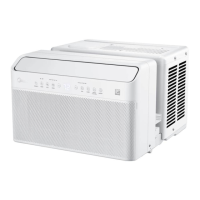
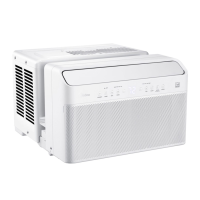
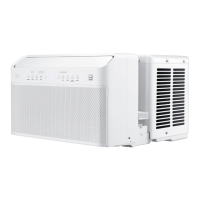
7KHGLDJUDPDERYHLVMXVWIRUUHIHUHQFH3OHDVHWDNHWKHDSSHDUDQFHRIWKHDFWXDOSURGXFWDVWKHVWDQGDUG
MAW05R1JWT-B/MAW06R1JWT-B/
MAW08S1JWT-B/MAW12S1JWT-B

Questions and Answers

  • A
    aguilarshannonSep 7, 2025
    Why is the remote sensing deactivating prematurely on my Midea MAW?
    • S
      Sean ChoiSep 7, 2025
      If the remote sensing is deactivating prematurely on your Midea Air Conditioner, check the following: * **Remote control location:** Place the remote within 26 feet and 180 degrees of the front of the unit, pointed towards it. * **Signal obstruction:** Remove any obstructions blocking the remote control signal.
  • L
    Lori ClarkAug 22, 2025
    Why Midea Air Conditioner does not start?
    • K
      Katherine HardinAug 22, 2025
      Your Midea air conditioner might not start due to several reasons: the wall plug may be disconnected (push it firmly into the outlet), the circuit breaker may be tripped (reset it), the power may be off (turn it on), or the unit was recently turned off and on (wait 3 minutes before restarting). Also, check if the light on the plug is on. If it is off, press the RESET button.
  • B
    Bradley MillerSep 4, 2025
    Why is water dripping outside from my Midea MAW Air Conditioner?
    • A
      April JohnsonSep 5, 2025
      Water dripping outside your Midea Air Conditioner when cooling is normal. The unit is removing a large quantity of moisture from a humid room, especially on excessively humid days.
  • S
    Sonya Benitez PhDSep 3, 2025
    What to do if Midea MAW Air Conditioner air is not cold enough?
    • S
      Sarah WrightSep 3, 2025
      If the air from your Midea Air Conditioner doesn't feel cold enough, consider the following: * **Room temperature below 17°C (62°F):** Cooling may not occur until the room temperature rises above this level. * **Temperature sensor touching cold coil:** Move the sensor so it doesn't contact the cold coil. * **Temperature setting:** Reset to a lower temperature. * **Compressor shut-off:** Wait approximately 3 minutes for the compressor to restart in COOL mode. * **Outdoor obstructions:** Check and clear any obstructions blocking the outdoor intake/exhaust.
  • C
    Carlos KiddSep 2, 2025
    Why Midea MAW air from unit does not feel cold enough?
    • D
      Damon AndersonSep 2, 2025
      If the air from your Midea air conditioner doesn't feel cold enough, it could be because the room temperature is below 62°F (17°C) (cooling may not occur until the room warms up), the temperature sensor behind the air filter is touching the cold coil (try to move it), or the compressor shut-off by changing modes (wait approximately 3 minutes and listen for compressor to restart when set in the COOL mode). Also, try resetting to a lower temperature and check for any obstructions blocking the outdoor intake/exhaust, and clear them.
  • R
    Roy HansenAug 31, 2025
    What to do if Midea MAW Air Conditioner is cooling, but room is too warm and ice forming on cooling coil behind air filter?
    • C
      Cynthia BrownAug 31, 2025
      If your Midea air conditioner is cooling, but the room is too warm and ice is forming on the cooling coil, it might be due to the outdoor temperature being below 64°F (18°C), a dirty air filter, or the thermostat being set too cold for night-time cooling. To defrost the coil, set the unit to FAN ONLY mode. Clean the filter. If the thermostat is too cold, set the temperature to a higher setting.
  • C
    Curtis BennettAug 30, 2025
    What to do if Midea Air Conditioner is cooling, but room is too warm and NO ice forming on cooling coil behind air filter?
    • J
      Jordan FitzgeraldAug 30, 2025
      If your Midea air conditioner is cooling but the room remains too warm without ice forming on the cooling coil, consider these possibilities: the air filter might be dirty or restricted (clean the filter), the temperature might be set too high (lower the temperature), air directional louvers might be improperly positioned (adjust them for better air distribution), the front of the unit might be blocked (clear any obstructions), doors or windows might be open (close them), or the room may require more time to cool down due to 'stored heat'.
  • E
    Elizabeth HallAug 29, 2025
    How to fix if my Midea MAW makes the room too cold?
    • M
      Madison SullivanAug 29, 2025
      If your Midea Air Conditioner is making the room too cold, the temperature setting may be too low. Try increasing the temperature setting.
  • J
    joshuapatelAug 27, 2025
    Why does my Midea Air Conditioner turn on and off rapidly?
    • C
      contrerasdavidAug 28, 2025
      If your Midea Air Conditioner is turning on and off rapidly, here are some potential causes: * **Dirty air filter:** Clean the air filter. * **Extremely hot outside temperature:** Set the FAN speed to a higher setting. * **Outdoor obstructions:** Check for and clear any obstructions blocking the outdoor intake/exhaust.
  • E
    Elizabeth CurryAug 27, 2025
    Why is my Midea Air Conditioner cooling, but the room is too warm?
    • R
      Richard WoodAug 27, 2025
      If your Midea Air Conditioner is cooling, but the room remains too warm and there's no ice forming on the cooling coil, consider these possibilities: * **Dirty or restricted air filter:** Clean the filter. * **Temperature set too high:** Lower the temperature setting. * **Air directional louvers positioned improperly:** Adjust the louvers for better air distribution. * **Front of unit blocked:** Clear any obstructions like drapes or furniture. * **Open doors or windows:** Close any openings that may allow cold air to escape. * **Room too warm:** Allow more time for the unit to remove stored heat from the room.

Summary

Safety Instructions

Intended Use and Symbols

Defines proper application and explains warning/caution symbols on the unit.

General Safety Warnings

Critical warnings about electrical hazards, fire, improper use, and physical injuries.

General Safety Cautions

Cautionary advice on handling, cleaning, and operation to prevent damage or accidents.

Product Installation

Installation Preparations

Covers requirements, tools, and hardware needed before unit installation.

Window and Unit Preparation

Details preparing the window and assembling the top rail onto the unit.

Installing Accordion Panels

Guides on attaching side accordion panels for a proper fit.

Mounting and Securing the Unit

Explains placing the unit in the window and securing it to the sill.

Securing Methods for Windows

Details screw-in methods for securing the unit in wooden and vinyl-clad windows.

Handling Storm Window Obstructions

Provides guidance for installing with storm windows.

Removing AC From Window

Outlines the steps for safely detaching and removing the air conditioner from the window.

Operation Instructions

Understanding Normal Sounds

Describes common operational sounds and their potential causes.

General Unit Features and Controls

Covers operating conditions, features, and how to adjust airflow direction.

Model-Specific Control Panels

Details control panel layouts and functions for MAW05/06 and MAW08/12 models.

Basic Operation and Settings

Guides on turning unit on/off, setting temperature, and adjusting fan speed.

Advanced Operation Features

Explains Sleep mode, filter check, energy saver, operating modes, and timer functions.

Display and Error Code Interpretation

Covers LED display, error codes, and Celsius/Fahrenheit conversion.

Remote Control and App Instructions

Remote Control Usage Guidelines

Covers proper handling, range, and safety precautions for using the remote controller.

Remote Control Button Functions

Explains the purpose and operation of each button on the remote control.

Understanding Remote Display Indicators

Details the meaning of various icons and information shown on the remote's screen.

Operating with the Remote

Step-by-step instructions for changing modes, temperature, and fan speed using the remote.

Advanced Remote Functions

Explains the use of SLEEP, ECO, and SHORTCUT features via the remote control.

Setting Timer Functions

Guides on configuring TIMER ON and TIMER OFF for automated operation.

SmartHome App Setup

Guides on downloading, logging in, and connecting the SmartHome app.

Controlling the Device via App

Explains how to control the air conditioner and access features through the SmartHome app.

Cleaning and Maintenance

Air Filter Cleaning

Provides instructions on how to check, wash, and maintain the air filter for optimal performance.

Cabinet Cleaning

Details how to clean the air conditioner's cabinet and front panel safely.

Winter Storage

Offers guidance on storing the air conditioner properly during the winter season.

Troubleshooting Tips

Unit Not Starting or Cooling

Addresses issues like the unit not starting, not cooling, or ice forming on the coil.

Temperature and Airflow Issues

Solves problems related to room temperature, ice formation, and improper airflow.

Operational Noise and Water Issues

Covers troubleshooting for unusual noises, water dripping, and remote sensing problems.

Connectivity and Room Temperature Problems

Addresses issues with wireless connection, app functionality, and room being too cold.

Warranty

Air Conditioner Limited Warranty

Outlines the terms, coverage, exclusions, and responsibilities for the product's warranty.

Service and Contact Information

Provides instructions on how to obtain warranty service and contact Midea Consumer Services.

Midea MAW Specifications

General IconGeneral
BrandMidea
ModelMAW
CategoryAir Conditioner
LanguageEnglish

Related product manuals