MAINTENANCE
23
Note!
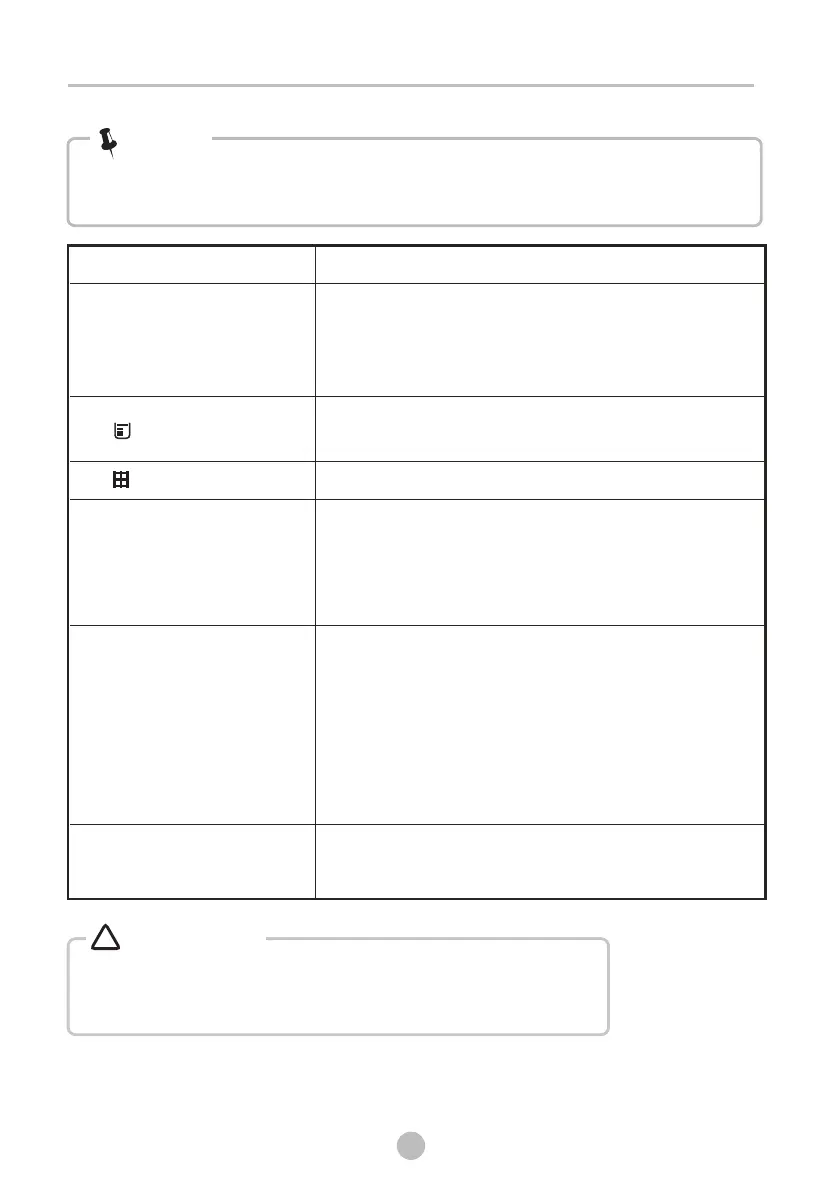
Before you call the service, please check if you have dealt with the problems yourself
consulting the user instructions.
If you cannot deal with the problems by yourself and need help:
• Press the 【On/Off】button.
• Pull out the mains plug and call the service.
Warning!
!
• Clean lint filter and .
• Empty the water container.
• Check the drain hose.
• Check installation place is appropriate.
• Keep the air inlet clean.
• Use higher drying intensity level programme or
time programme.
heat exchanger
• “ ”is lighting
•“ ”or “CLE”is inglight
Problem
Solution
•Display is not
on
• Check if the power supply works.
• Check if the mains plug is inserted.
• Check the selected programme .
• Press the 【On/Off】button.
• Empty water container.
• If the light still remains on, please call the service.
• Clean the lint filter.
•Dryer does not start
•
• Turn on the tumble dryer.
• Check the the door is closed.
• Check the programme is set.
• Press the【Start/Pause】button.
Connect the tumble dryer to the mains.
•Degree of dryness was
reached or drying time too
long
not
•The dryer switches off at
the end of the programme
• The dryer switches off automatically for energy
saving. This is not an error but a normal function.



 To Next Page