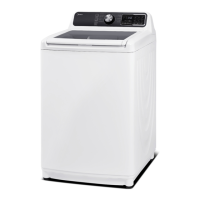
Service manual for Washing Machine
-------------------------------------------------------------------------------------------------------------------------------------------------------
- 16 -
STEP 5: Powering your washer
Plug the power cord into a 3-prong, well grounded 120Volt 60Hz approved electrical outlet protected by a 15-
amp fuse or comparable circuit breaker.
Your washer is grounded through the third prong of the power cord when plugged into a 3-prong grounded
electrical outlet.
STEP 6: Running a test cycle
Run a test cycle as following to check if your washer is properly installed.
1. Load about 6 pounds of laundry into the tub.
2. Select the Cycles to turn on your washer.
3. Select the cycle by turning the.
4. Press the button to start the test cycle.
5. The washer should not rock or vibrate excessively when water is supplied or when washing or spinning, and
should drain well during the spin cycle.
If water leaks while water is being supplied or drained, check the water connections. Refer to the “Connect
the water hose”and “Connect the drain hose”section for instructions.
If the washer rocks and vibrates excessively, level your washer again. Refer to the“Leveling your washer”
section for instructions.
4. TROUBLE SHOOTING
4.1 Test mode by Control
Note: Before entering the test mode, you should empty the machine so that there is no water
left in the drum. You can run a spin cycle or open the service panel from the front of the unit
to get all water out. Then make sure all parts are in their original position for check running.
To enter the test mode, press button Soak, button Extra Rinse button and button Power together at
the same time.
When unit is powered ON, you can turn it OFF by pressing the button Power anytime.


 To Next Page