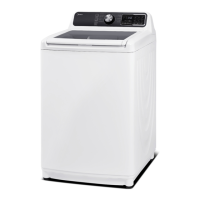
Service manual for Washing Machine
-------------------------------------------------------------------------------------------------------------------------------------------------------
- 17 -
4.2 Test modes
Before starting test mode, the water level sensor should be installed. Otherwise, the unit will alarm
and stop running test mode.
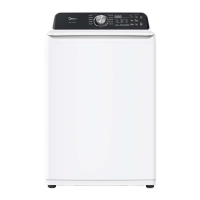
Test 1:Anytime you enter the test mode, all lights and digital will be ON and then flash with 6 beeps.
If any light is not ON, replace the PCB. If the digital in not 88 displayed, replace the PCB. If you can’t
hear the beep, replace the PCB.
Test 2:Washing test, to check the motor and rotate directions.
In 9 seconds after entered test mode, press button Soil Level to enter Washing test.
The Normal cycle light, Wash procedure light will be ON in Washing test.
The digital time will display 3 indicating that the remaining time is 3 minutes.
The motor and impeller will rotate in two-directions in turn.
The test mode will end with 6 beeps and Done light flashing after 3 minutes’ operation. All lights will
be OFF when the lid is opened.
Test 3:Spinning test, to check clutch and pump.
In 9 seconds after entered test mode, press button Temp to enter Spinning test.
The Normal cycle light, Spin procedure light will be ON in Spinning test.
The digital time will display 3 indicating that the remaining time is 3 minutes.
The pump will start in 8 seconds. Another 2 seconds later, the unit will start Spinning test.
The test mode will end with 6 beeps and Done light flashing after 3 minutes’ operation. All lights will
be OFF when the lid is opened.
Test 4: Inlet valve test, Software version check
In 9 seconds after entered test mode, press button Fabric Softener to enter Inlet valve test.
The inlet valve test will start. The valves will be ON and water can enter the unit. Check the detergent
compartment, softener compartment and the basket water filling to check every valve.
Close the cold water faucet to see if the hot water valve is working or not.
At the same time, the digital display will show the software version. There are two software versions:
one is for display PCB displayed with “U-“ and two digital followed; the other one is for power PCB
displayed with “B-“ and two digital followed.
The test mode will end with 6 beeps and Done light flashing after 1 minute’s operation. All lights will
be OFF when the lid is opened.
Test 5:Auto-sensing check
In 9 seconds after entered test mode, press button Delay to enter auto-sensing test.
The unit will check the auto-sensing function in this test mode.
The digital will display test result if this function is right.
Replace the Power PCB if there isn’t any display on the digital after the test in 3 seconds.
The test mode will end with 6 beeps and Done light flashing. All lights will be OFF when the lid is
opened.


 To Next Page