EasyManua.ls Logo

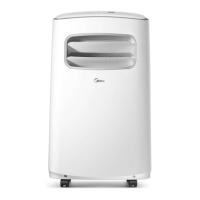
Midea MPK-10ER - User Manual

Midea MPK-10ER
21 pages
Print Icon
To Next Page IconTo Next Page
Loading...
0
Website: www.mideaaircon.com
Service manual
CAUTION
- BEFORE SERVICING THE UNIT, READ THE SAFETY
- PRECAUTIONS IN THIS MANUAL.
- ONLY FOR AUTHORIZED SERVICE PERSONNEL.
MODELS:
MPK-09CEN2 MPK-09CRN2 MPK-09EEN2 MPK-09ERN2
MPK-10CEN2 MPK-10CRN2 MPK-10EEN2 MPK-10ERN2
MPK-12CEN2 MPK-12CRN2 MPK-12EEN2 MPK-12ERN2
MPK-08CE MPK-08CR MPK-08EE MPK-08ER
MPK-09CE MPK-09CR MPK-09EE MPK-09ER
MPK-10CE MPK-10CR MPK-10EE MPK-10ER
MPK2-09CEN1-QB6 MPK2-09CRN1-QB6 MPK2-09EEN1-QB6 MPK2-09ERN1-QB6
MPK2-10CEN1-QB6 MPK2-10CRN1-QB6 MPK2-10EEN1-QB6 MPK2-10ERN1-QB6
MPK2-12CEN1-QB4 MPK2-12CRN1-QB4 MPK2-12EEN1-QB4 MPK2-12ERN1-QB4

Questions and Answers

  • G
    gjohnsonAug 19, 2025
    Why is my Midea MPK-10ER Air Conditioner not cooling or heating?
    • M
      Matthew RiveraAug 19, 2025
      If your Midea Air Conditioner isn't cooling or heating, begin by checking the voltage. Verify the wiring terminals are secure, repairing them if loose. Ensure the temperature and mode settings are correctly adjusted. Inspect the compressor, overload protector, and wiring for any damage, replacing if necessary. If the unit uses an electric heater, check for damage and replace if needed. Also, examine the overheat fuse and replace if it's damaged. Finally, check the voltage of the main PCB; if the unit fails in heating mode, replace the main PCB.
  • J
    jimmy14Aug 22, 2025
    How to fix no power display on panel of Midea MPK-10ER Air Conditioner?
    • P
      Pamela EdwardsAug 22, 2025
      If there is no power display on the panel or button failure on your Midea Air Conditioner, check the power supply to ensure it's providing power to the unit. Inspect the power cord for damage and correct if necessary. Check the resistance between the input/output lines on the transformer (discharge transformer before testing), and replace the transformer if either input/output is open or the transformer is damaged. Check the voltage on the display board, replace the display board if it is +5V else replace the main PCB.
  • R
    Richard HammondAug 25, 2025
    What to do if Midea MPK-10ER shows water full alarm?
    • G
      grayvictoriaAug 26, 2025
      If you're getting a water full alarm on your Midea Air Conditioner, start by checking if the water tank is full and empty it if necessary. Inspect the water depth sensor and replace it if it has failed. Check the water pump and replace it if it's not working. If the water depth is overloaded in the chassis, drain the water by opening the drainage hose. Finally, inspect the water depth sensing structure and replace or realign it if it's faulty.
  • G
    Gary TuckerAug 28, 2025
    How to fix Midea MPK-10ER fan motor noise?
    • D
      dominguezjeffreyAug 28, 2025
      If your Midea Air Conditioner's fan motor is making noise, the fan blower might be cracked, out of balance, or partially missing; replace it if any of these issues are present. Check for any loose screws and tighten them. If knocking sounds continue when the motor is running, or if the motor hums or the noise appears internal, the bearings may be worn; replace the motor in this case.
  • M
    Melissa HaynesAug 31, 2025
    What to do if compressor will not run while fan motor runs in Midea MPK-10ER?
    • J
      James JohnsonAug 31, 2025
      If the fan motor runs but the compressor won't start on your Midea Air Conditioner, start by checking the voltage. Inspect the wire connections and repair or replace any loose terminals. If wires are off, refer to the wiring diagram for proper placement. Check the voltage of the main PCB and replace it if open. Examine the capacitor and replace it if it's not within +/-10% of the manufacturer's rating or if it's shorted, open, or damaged. Ensure the room temperature setting is at the coolest setting in cooling mode or the warmest in heating mode. Finally, check the compressor for open circuits or grounding, and replace the compressor if necessary.
  • J
    johnny16Sep 6, 2025
    Why does my Midea MPK-10ER unit start and stop frequently?
    • K
      kimberly24Sep 6, 2025
      If your Midea Air Conditioner starts and stops frequently, the input power supply voltage may be too low. Check the voltage and call an electrician if it's not within limits. Inspect the main PCB and replace it if the compressor relay on the PCB is shorted or damaged. Also, when the room temperature is too high, the compressor will protect itself.
  • A
    Alexander RomeroSep 9, 2025
    Why does Midea Air Conditioner compressor stop instantly after startup?
    • G
      Gabriel TaylorSep 9, 2025
      If the compressor on your Midea Air Conditioner stops instantly after startup, it could be due to too much refrigerant, causing the compressor load to be too high. Recycle and recharge the refrigerant after checking for the reason. Alternatively, the compressor might be blocked internally; replace it after investigating the cause.
  • E
    Elizabeth BlankenshipSep 12, 2025
    Why does Midea MPK-10ER Air Conditioner fan motor run intermittently?
    • N
      Nathan ThompsonSep 12, 2025
      If the fan motor on your Midea Air Conditioner runs intermittently, it may be cycling on overload. Check the voltage, and if it's not within limits, call an electrician. Test the capacitor and replace it if it's not within +/-10% of the manufacturer's rating. Check the bearings; if the blower wheel cannot rotate freely, replace the motor. If the speed does not change from high speed to low speed, replace the motor.
  • W
    walkerchristopherNov 15, 2025
    Why is my Midea MPK-10ER cooling or heating not good?
    • A
      Ashley DelgadoNov 15, 2025
      If your Midea Air Conditioner isn't cooling or heating well, several factors could be the reason. Start by checking the air filter and cleaning or replacing it if it's restricted. Ensure the air discharge pipe is properly aligned and not damaged. Make sure the unit is appropriately sized for the room. Clean the condenser and evaporator coils if they are restricted. Inspect the water showering system for blockages and clean if necessary. Check the fan capacitor and replace if it's outside +/-10% of the manufacturer's rating. Clear any obstructions blocking airflow to the unit. If there is less refrigerant, check the tubes for leaks, repair them, and recharge the refrigerant. Regulate the flow of the capillary tube if the evaporator is frosted, replace if blocked, and repair any leaks. If th...

Summary

PREFACE

1.1 SAFETY PRECAUTIONS

Essential safety guidelines to follow before servicing the unit.

1.2 INSULATION RESISTANCE TEST

Procedure for conducting an insulation resistance test after servicing for safety.

1.3 FEATURES

Overview of the unit's key operational features and functions.

1.4 CONTROL LOCATIONS

Identification of control buttons and indicators on the unit and remote.

TROUBLE SHOOTING GUIDE

2.1 REFRIGERATION CYCLE DIAGRAM

Diagram illustrating the unit's refrigeration cycle for diagnostic purposes.

2.2 ELECTRICAL FUNCTION

Details electrical specifications, operating conditions, and function descriptions.

2.3 TROUBLESHOOTING GUIDE

A table listing common problems, their causes, and recommended remedies.

WIRING DIAGRAM

3.1 WIRING DIAGRAM FOR COOLING ONLY MODELS

Wiring schematics specific to cooling-only unit models.

3.2 WIRING DIAGRAM FOR COOLING AND HEATING MODELS

Wiring schematics for models supporting both cooling and heating.

3.3 ELECTRICAL CONTROL SCHEME

Detailed electrical control schematic illustrating component connections.

3.4 MAIN CONTROL BOARD SCHEME

Schematic and layout of the main control board.

3.5 DISPLAY BOARD SCHEME

Schematic and layout of the display board.

HOW TO DISASSEMBLE THE UNIT

4.1 Prepare the unit

Initial steps for unit preparation before disassembly, including draining.

4.2 Remove rear panel screws

Instructions for removing screws securing the rear panel.

4.3 Disassemble display board assembly

Procedure for safely removing the display board assembly.

4.4 Disassemble front panel

Steps to remove screws and detach the front panel.

4.5 Replace Main Control board

Guide for replacing the main control board, referencing wiring.

4.7 Replace evaporator fan motor or electric heater

Instructions for replacing the evaporator fan motor or electric heater.

4.8 Replace condenser fan motor

Steps for removing and replacing the condenser fan motor.

4.9 Repair refrigerant system or replace compressor

Procedures for refrigerant system repairs and compressor replacement.

4.10 Repair water disposal system or replace pump

Guide for repairing water disposal components like switches or the pump.

Exploded view

Spare parts list

Specification

Midea MPK-10ER Specifications

General IconGeneral
BrandMidea
ModelMPK-10ER
CategoryAir Conditioner
LanguageEnglish

Related product manuals