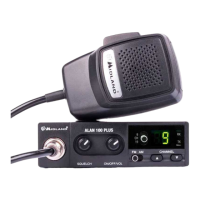
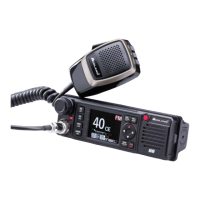
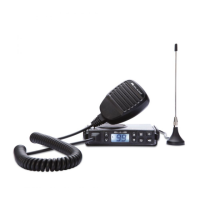
6 | 18 - Instruction Guide 18 - Instruction Guide | 7
Note: The radio antenna is to be mounted from other antennas and interferen-
ce sources as much as possible. CB antennas must be mounted usually in the
vehicule highest part on a metal surfaces. A suciently large metal surface is
essential for the function of the antenna. For installation on a fiberglass cabs
or plastic wind deflectors, special ground less antennas can be used.
Operation
Power On/O the radio
Turn VOL switch clockwise to power on the radio, the LCD displays the
CB standard followed by the channel number.
Turn the VOL knob counterclockwise, until it clicks. The radio is powered
o.
Volume control
Turn clockwise to increase volume and turn counterclockwise to decrease
volume.
Channel Selection
Shortly press microphone UP or DOWN or rotate the channel knob to
change working channel. Hold microphone UP or DOWN to change the
working channel fast.
Squelch level adjustment (manual and digital squelch)
To adjust the squelch to the desired level, rotate the DS/SQ knob. By ro-
tating it completely counter-clockwise, the DS (Digital Squelch) mode will
be activated.
Digital Squelch level adjustment
The squelch level set by default is “A3” (intermediate level).
To change the level follow this procedure:
• Turn on the radio
• Press the MENU button for 2 seconds
• Select “d5” by pressing the UP/DOWN keys on the microphone or by
turning the channel selector
• Press the MENU button again and select the desired squelch level
from “A1” to “A5” by pressing the UP/DOWN keys
• Push PTT to confirm your selection.
VOX activation
To activate the VOX feature keep pressed the VOX button for 2 seconds.
VOX level adjustment
The VOX levels available are 5.
• Keep pressed the MENU button.
• Select Sn (sensitivity) by pressing UP/DOWN on the microphone or
by turning the channel selector.
• Press MENU.
Now it it possible to select the level from 1 to 5.
1 = lowest sensitivity - 5 = highest sensitivity
VOX delay setting (VOX DELAY TIME - dL)
This function keeps the radio in transmission mode after you stop talking.
You can choose amongst 3 delay levels; level 1 is the shortest one (0,5 sec)
while level 3 is the longest one (1,5 sec).
Setting:
• Keep pressed the MENU button
• Select “dL” by pressing the UP/DOWN keys or by rotating the channel
selector
• Push MENU again for confirmation
• Now you can select one of the 3 available levels
Modulation Type
Shortly press AM/FM key to switch between AM /FM mode.
The LCD displays the selected mode.
RF Gain control
RF Gain is very useful in presence of strong signals as it can control and
reduce the rx sensitivity.
• Keep pressed MENU and select “rF”; select the desired RF level from
1 to 7.
• Push MENU again for confirmation.
1 = lowest attenuation - 7 = highest attenuation


 To Next Page