OPERATING MODES
INTERCOM MODE
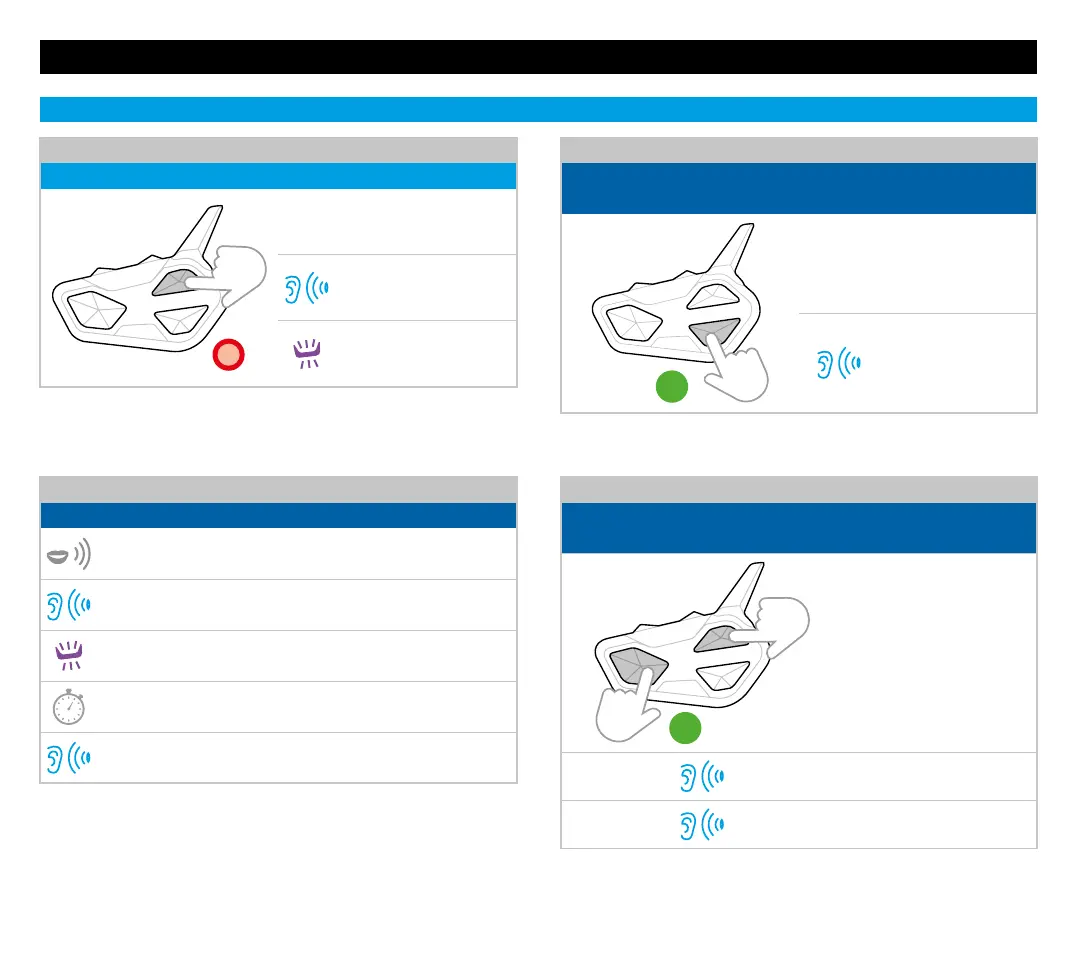
OPEN/CLOSE INTERCOM BY VOICE
Status: in all modes
Say “Hi”
Voice announcement
Flashes
Silent for 1min, intercom closes
Beep
OPEN/CLOSE UNIVERSAL INTERCOM
Status: Intercom mode
x1
Press once the button used for
the Universal Intercom pairing
Beep
Flashes
Note: the voice activation is possible only with an intercom paired to the
Control button-Rider 1 (VOX must be active)
Note: to open/close the audio from a dierent brand device, use the voice
call command (for some models it is necessary to send the voice call twice)
ENABLE/DISABLE CONFERENCE
Status: in all modes
(audio must be closed)
3”
To enable/disable
Conference, keep pressed
for 3 seconds at the same
time on every paired
intercom
Voice announcement
Connection status
Note: in Conference mode, the deviced paired with Vol+/Vol- are temporarily
dosconnected.
ACTIVATE/DEACTIVATE VOX
Status: in all modes
the intercom communication MUST be closed)
7”
Press for 7 seconds
Voice announcement


 To Next Page