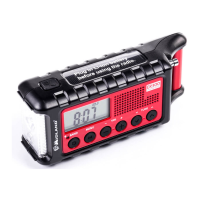
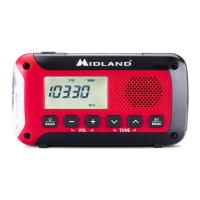
ER31
0
Quick
Start
Guide
To
turn
on
the
radio,
plug
in
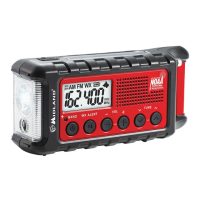
the Li-ion battery then press the
BAND
button. You can
now
cycle
through the AM, FM, and Weather bands by pressing the
BAND
button.
@
To
turn
off
the
radio, press and
hold the
BAND
button for 2 seconds.
@2s
To
enable
weather
alert,
ensure you are
on
the correct weather channel,
then press the
WX
ALERT
button. The
"WX"
icon on the LCD
will flash.
®
To
use
the
flashlight
and
SOS Morse code beacon,
press the
flashlight
button on top
of
the radio. The first press will enable
a dim beam. The second press
will
_enable
the
bright beam. The third press
will enable
the
SOS
Morse code beacon.
[~~J
To
enable
the
ultrasonic
dog
whistle,
press and
hold the
flashlighUdog whistle
button
for 2 seconds. A dog icon
will appear on the LCD.
(
~~J
2s
To charge
the
internal
battery,
connect the included
charge
cable
to a
USB
power
source then connect the radio's USB
input port to the charge
cable.
USB
In
IE)
To charge a
USB powered device,
connect the device's charge
cable to the USB
output port
of
the radio, then connect the device to the charge
cable. Once
charging
is
complete; disconnect the device and charging
cable from the
ER31
0.
This
will allow
you to operate the other features
in
your
ER31
0.
UIB()Ij
~
To
access
the
settings
menu,
hold
down the
WX
ALERT
button for 2 seconds.
@2s









 To Next Page