@~IDLAND
Model
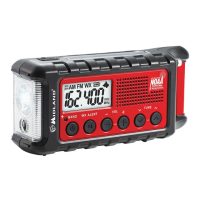
ER310
,
Charging External Devices
Cell
phones and USB-powered devices can be charged using the
USB
charge
cable
for that device. Connect the charge
cable
to the
USB Outlet
port on the side
of
the ER31
0 labeled "USB Out".
If
the
radio is on it
will automatically
turn off and go into charge mode.
Once charging is
complete; disconnect the device and charging
cable
from the
ER31
0.
This
will allow
you to operate the other
features
in
your
ER31
0.
Operating the Radio
Turning the ER310 On/Off & Selecting a Band
•
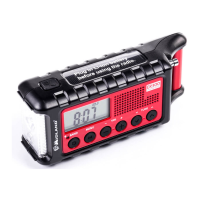
To turn the radio on, press the
BAND
button. To
cycle
through
AM, FM, or Weather radio bands press the band button again.
• To turn the radio OFF, press and
hold
the
BAND
button for
2 seconds.
Adjusting the
Volume
•
To adjust the volume,
press the UP/DOWN
VOLUME
control
buttons to adjust the audio.
Tuning the Radio
• Press the
BAND
button to
cycle
through AM, FM, and Weather
radio bands.
• Once
you are on the desired radio band, you can tune to the
desired station with the
TUNE
up or down buttons. For best
FM
and Weather reception,
fully
extend the telescopic antenna and
rotate
until
reception is
clear.
Page
8
midlandusa.com









 To Next Page