EasyManua.ls Logo

Midland WR 120 - User Manual

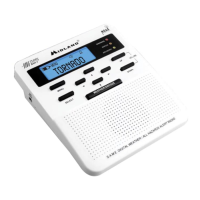
Midland WR 120
36 pages
Print Icon
To Next Page IconTo Next Page
Loading...
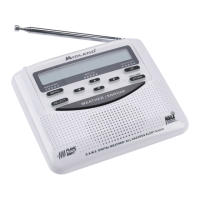
All Hazards Alert Weather Radio with S.A.M.E
WWW.MIDLANDUSA.COM
WR120
Midland Radio Corporation
5900 Parretta Drive
Kansas City, MO 64120
Tel. (816) 241-8500
05092012
Owner’s Manual
Guide du propriétaire
Manual de instrucciones

Table of Contents

Other manuals for Midland WR 120

Questions and Answers

  • M
    mhallJul 28, 2025
    What to do if my Midland WR 120 is not responding to weather alerts?
    • M
      Mrs. Maureen BrownJul 28, 2025
      To ensure your Midland Weather Radio responds to weather alerts, verify that you've programmed the correct S.A.M.E. code(s) for your location. Also, check that the broadcast tower nearest to you is actively broadcasting alerts.
  • Z
    zjohnsonAug 7, 2025
    What to do if my Midland WR 120 has no weather broadcast?
    • S
      spencer13Aug 7, 2025
      If your Midland Weather Radio isn't picking up weather broadcasts when you press the WEATHER/SNOOZE button: * Make sure the telescoping antenna is fully extended. * If using an external antenna, ensure it's properly connected. * Confirm the radio is set to the weather channel used in your area. * Contact the broadcasting station to check if they are currently broadcasting. * If you're in a metal structure, try moving closer to a window. If the signal is weak, consider using an external antenna.
  • J
    Jaclyn FreemanAug 17, 2025
    How to troubleshoot a Midland WR 120 Weather Radio with no power?
    • E
      emartinezAug 17, 2025
      If your Midland Weather Radio has no power, ensure the power adapter is securely plugged into both the back of the radio and the wall outlet. Also, make sure batteries are installed in case of a power failure.

Summary

Welcome

S.A.M.E. Codes

Information about Specific Area Message Encoding codes for USA and Canada.

Getting to know your Weather Radio

Setting up your Weather Radio

Set Time

Instructions for setting the current time on the weather radio.

Programming the radio for your area

Single County (S.A.M.E.) Code

How to program a single county code for specific alert reception.

Multiple County Code

Instructions for programming multiple county codes for broader alert coverage.

Set Alert Type (Display, Voice or Tone)

How to choose the alert notification type (display, voice, or tone).

Troubleshooting

Reception

Midland WR 120 Specifications

General IconGeneral
TypeWeather Radio
Public Alert CertifiedYes
NOAA Weather Channels7
SAME TechnologyYes
DisplayLCD
S.A.M.E. Alert DisplayYes
AlarmYes
Frequency Range162.400 - 162.550 MHz
Power SourceAC Adapter or 3 x AA Batteries

Videos

How To Program the Midland WR-120 Weather Radio

Related product manuals