Team Stats
shows the number of games played by each team in the league.
Offensive and Defensive Plays
analyzes the strategies favored by the players.
Game Resets
keeps track of how the game responds to different player manuevers.
C and PC
is an internal record keeping list used to monitor game performance.
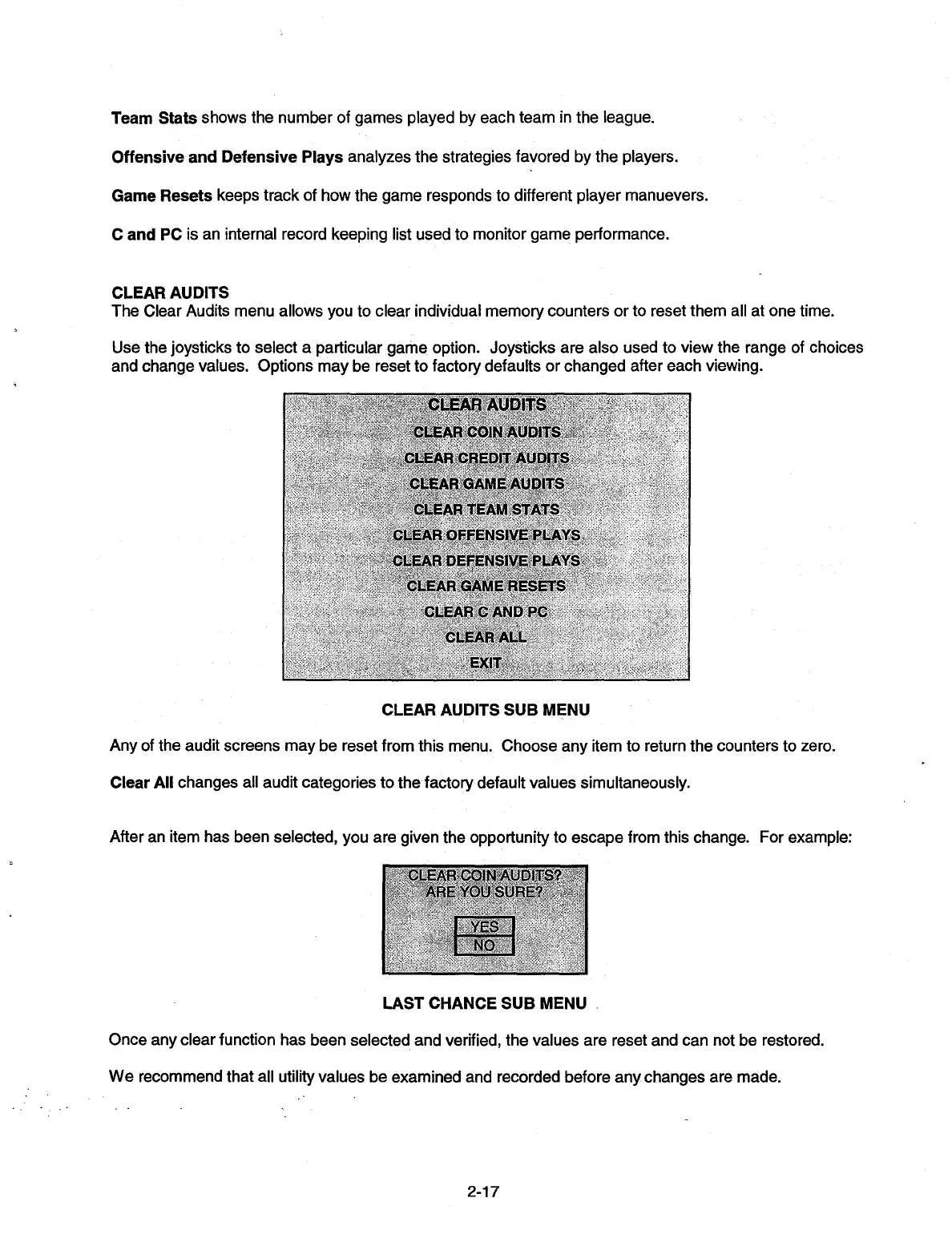
CLEAR AUDITS
The Clear Audits menu allows you to clear individual memory counters or to reset them all at one time.
Use the joysticks to select a particular game option. Joysticks are also used to view the range of choices
and change values. Options may be reset to factory defaults or changed after each viewing.
CLEAR AUDITS SUB MENU
Any of the audit screens may be reset from this menu. Choose any item to return the counters to zero.
Clear All
changes all audit categories to the factory default values simultaneously.
After an item has been selected, you are given the opportunity to escape from this change. For example:
CLEARICcIN AUDITS?
ARE YOU SURE?
YES
NO
LAST CHANCE SUB MENU
Once any clear function has been selected and verified, the values are reset and can not be restored.
We recommend that all utility values be examined and recorded before any changes are made.
2-17


 To Next Page