GAME AUDITS
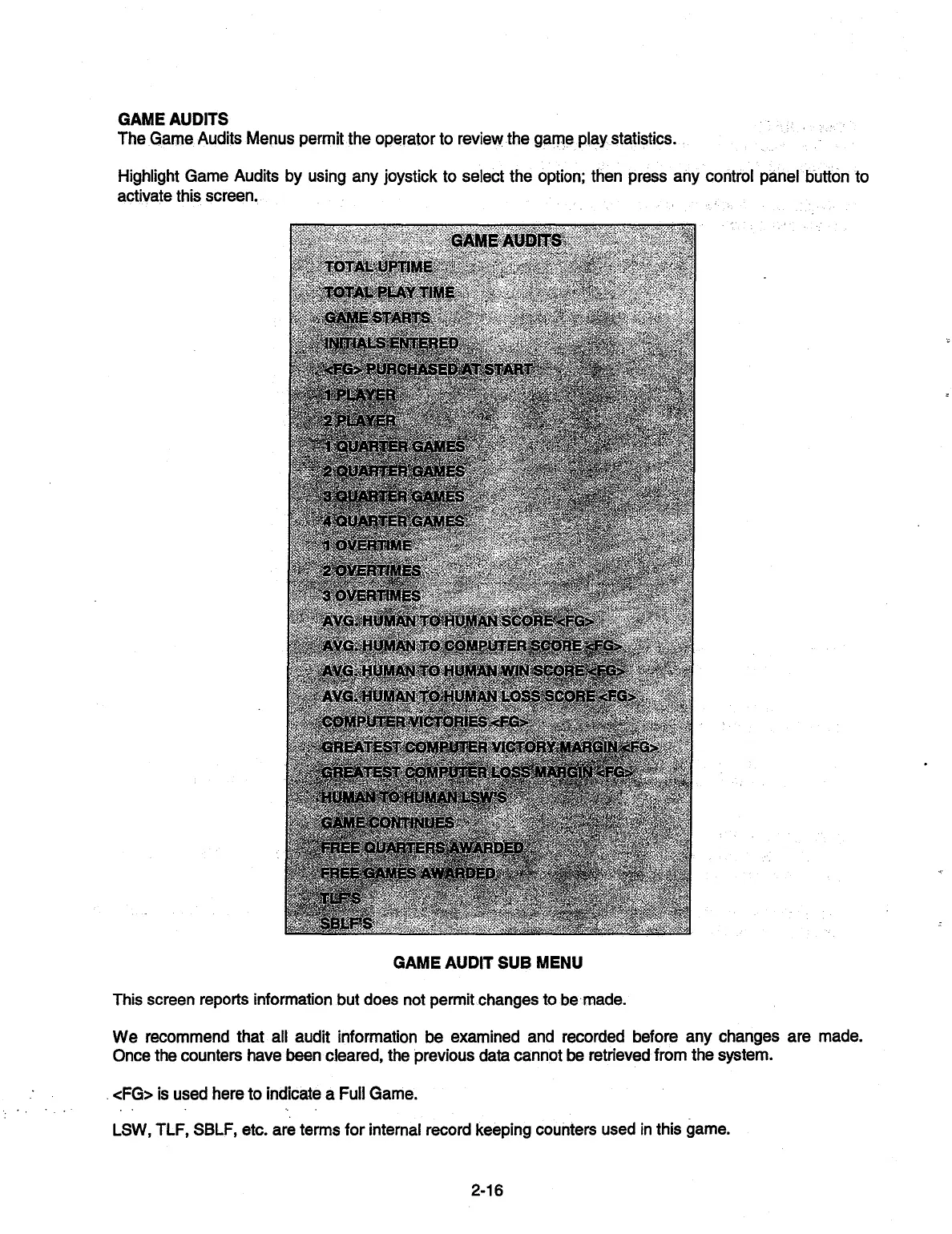
The Game Audits Menus permit the operator to review the game play statistics.
Highlight Game Audits by using any joystick to select the option; then press any control panel
button
to
activate this screen.
GAME AUDITS
TOTAL UPTIME
TOTAL PLAY TIME
GAME STARTS
INITIALS ENTERED
<FG> PURCHASED AT START
.1PLAYER
j2LAYER
•R GAMES
GAMES
GAMES
T4RGAMES
: .
dVERTIME
2 OVERTIMES
3 OVERTIMES
AVG. HUMAN TO IUMAN SCORE <FG>
AVG. HUMAN TO COMPUTER SCORE <FG>
AVG. HUMAN TO HUMAN WIN SCORE <FG>
AVG.
HUMAN TO HUMAN LOSS SCORE <FG>
COMPUTER VICTORIES <FG>
I
PA
GREATEST COMPUTER VICTORY MARGIN ;<
GREATEST COMPUTER
LOSS MARGIN <FG>
HUMAN TO HUMAN LSWS
•
GAME CONTINUES
FREE
QUARTERS.AWARDED
FREE GAMES AWARDED
TLFS
GAME AUDIT SUB MENU
This screen reports information but does not permit changes to be
-
made.
We recommend that all audit information be examined and recorded before any changes are made.
Once the counters have been cleared, the previous data cannot be retrieved from the system.
<FG> is used here to indicate a Full Game.
LSW, TLF, SBLF, etc. are terms for internal record keeping counters used in this game.
2-16


 To Next Page