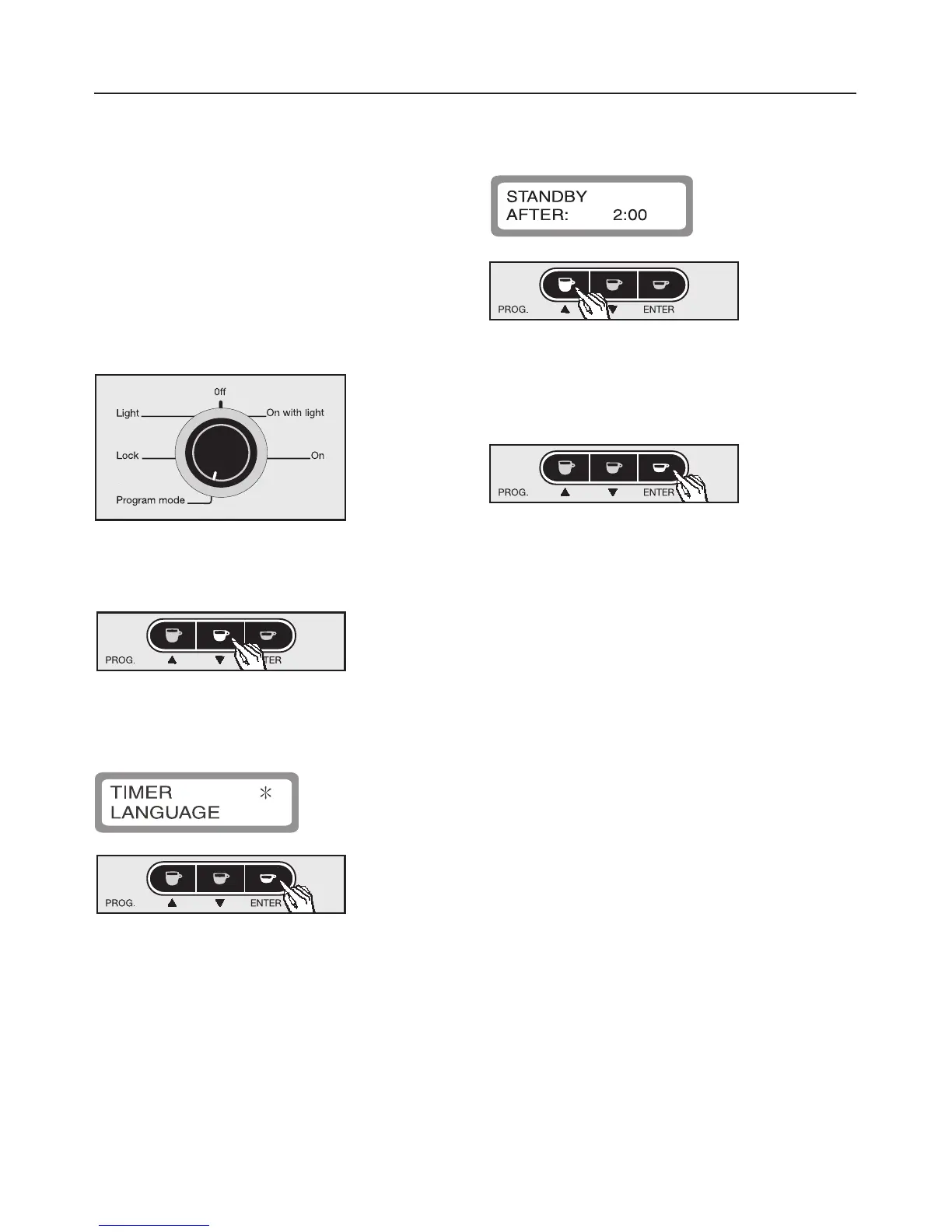
Setting the standby timer
To help create a more energy efficient
coffee system the machine can be set
to power down after a programmed
time period.
The standby time can be set in
15 minute increments up to 3 hours.
The time is measured from the last time
a drink was dispensed.
^ Turn the program selector
counterclockwise to "Program mode".
^ Press the e button to highlight
"TIMER" with an asterisk.
^ Press ENTER to select this option.
The sub-menu will appear in the
message window.
^ Press the e or - button to select the
required length of time. The time can
be set in 15 minute increments.
^ Press ENTER to save this setting, or
turn the program selector to "0ff" to
cancel if a mistake has been made.
If the rinse feature is set to "On" and a
drink was already dispensed, the
system will be rinsed automatically
before going into standby.
Programming
19



 To Next Page