Before using for the first time
21
Sign out of WiFi (reset to factory
settings)
To set up a new WiFi connection, the
existing WiFi connection must be
disconnected.
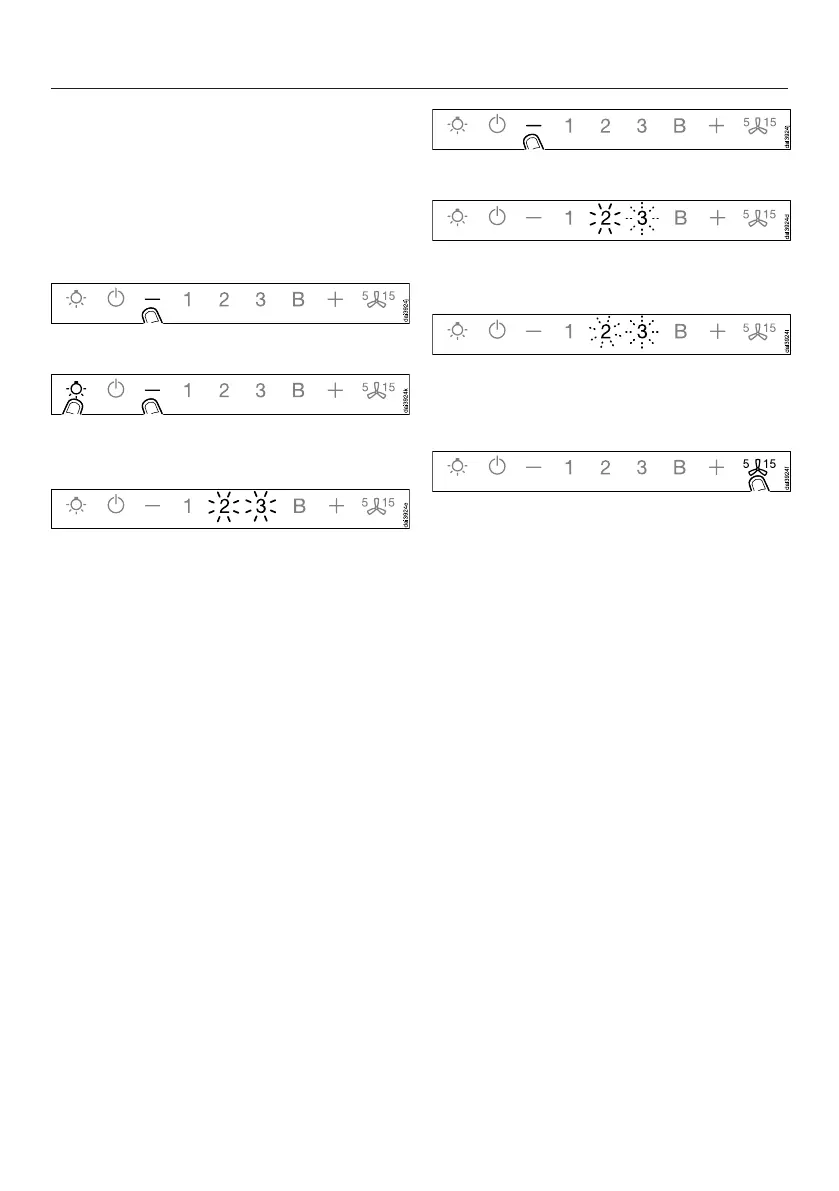
Switch the cooker hood off.
Press and hold the control.
Touch the lighting control at the same
time.
With an existing WiFi connection the 2
and the 3 will light up constantly.
The cooker hood is ready for
disconnection in the next two minutes.
Touch the control.
2 will light up constantly, 3 will flash on
and off.
After a few seconds the 2 and the 3 will
flash on and off. The connection has
now been disconnected.
Quit disconnection mode on the
cooker hood by pressing the Run-on
control.
The WiFi connection has now been
disconnected. A new connection can
now be set up.


 To Next Page