Before using for the first time
16
Connecting via the app
The Miele@mobile app can be used to
connect to your network.
Install the Miele@mobile app on your
mobile device.
To log in you will need:
1. Your WiFi network password
2. Your cooker hood password
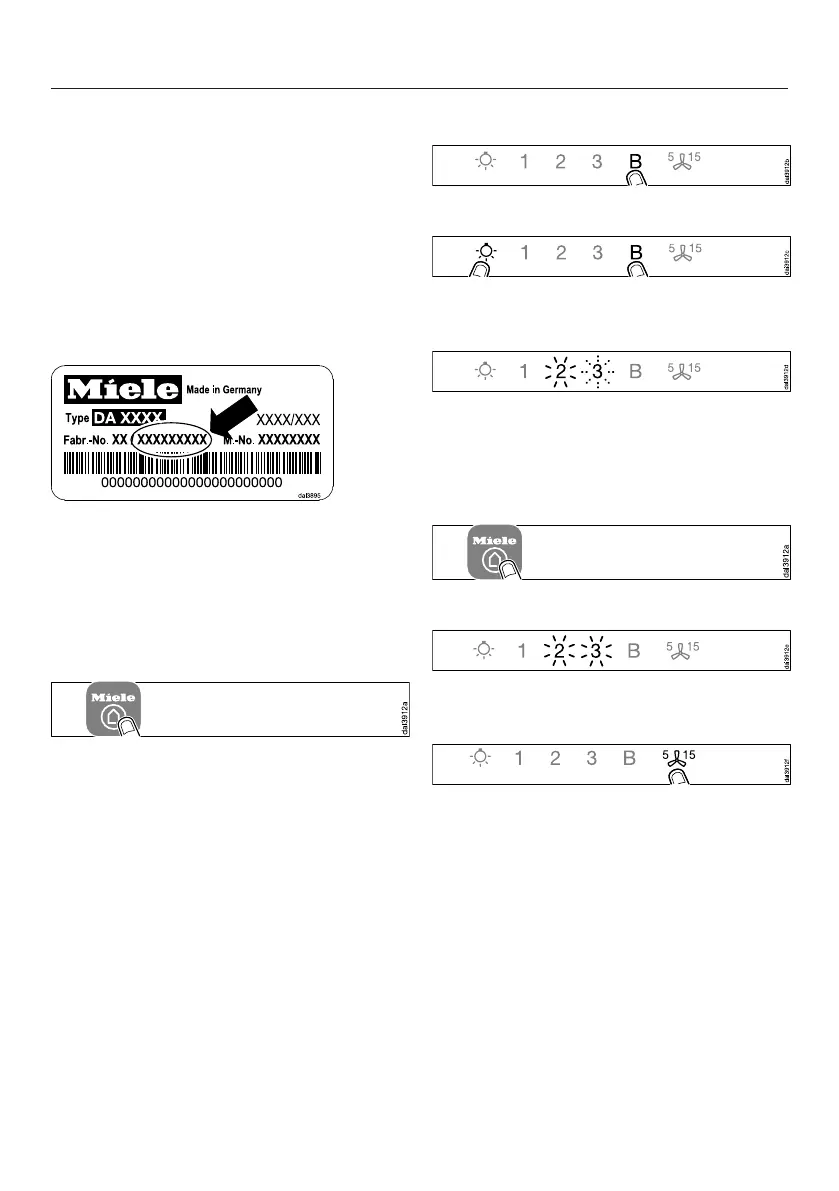
The password for your cooker hood
consists of the last nine digits of the
serial number. This can be found on the
appliance's data plate.
The data plate is visible after removing
the grease filter(s).
Start signing the appliance on in the
app. Follow the signing in
instructions.
If requested to activate WiFi on the
cooker hood, proceed as follows:
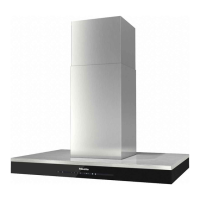
Switch the cooker hood off.
Press and hold the B control.
Touch the lighting control at the same
time.
2 will light up constantly, 3 will flash on
and off.
The cooker hood is ready for
connection in the next two minutes.
Follow the instructions in the app.
When successfully connected the 2 and
3 will light up constantly.
Quit connection mode on the cooker
hood by touching the Run-on
control.
The cooker hood can now be operated
via the app.


 To Next Page