Before using for the first time
18
Sign out of WiFi (reset to factory
settings)
To set up a new WiFi connection, the
existing WiFi connection must be
disconnected.
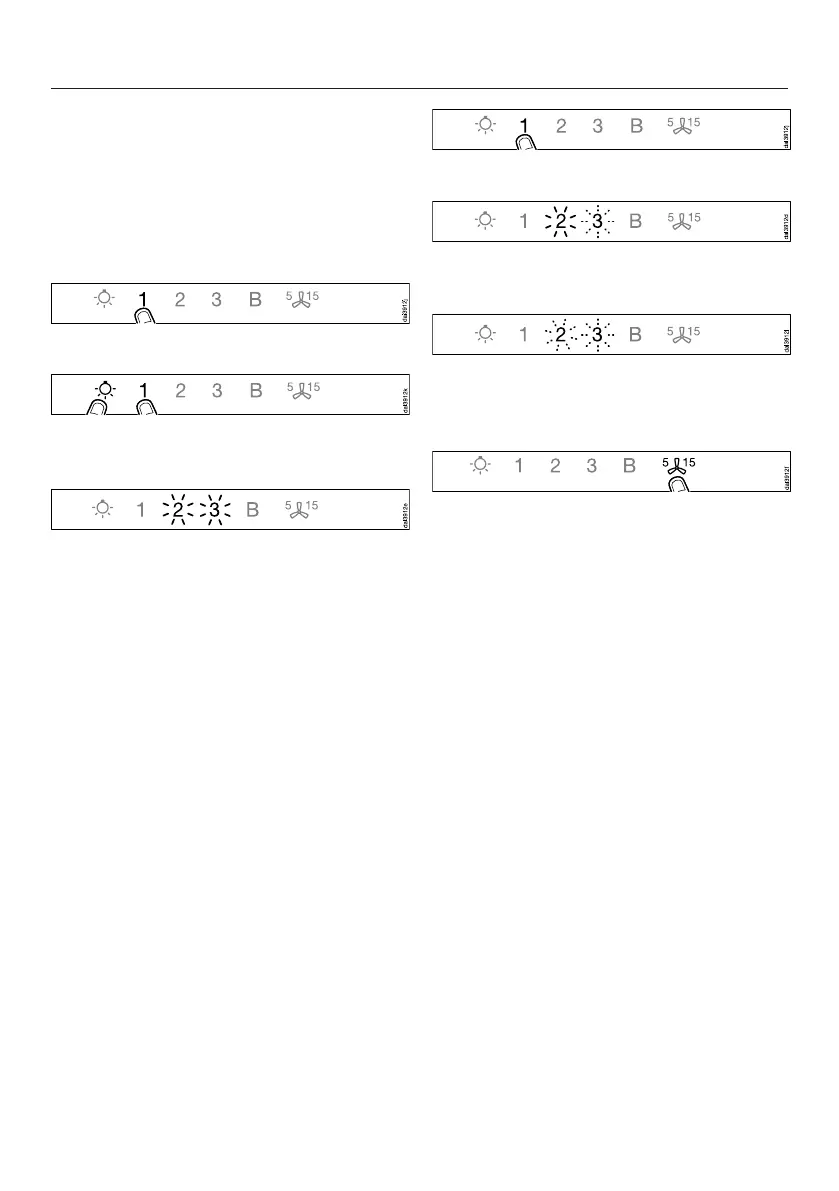
Switch the cooker hood off.
Press and hold the 1 control.
Touch the lighting control at the same
time.
With an existing WiFi connection the 2
and the 3 will light up constantly.
The cooker hood is ready for
disconnection in the next two minutes.
Touch the 1 control.
2 will light up constantly, 3 will flash on
and off.
After a few seconds the 2 and the 3 will
flash on and off. The connection has
now been disconnected.
Quit disconnection mode on the
cooker hood by touching the Run-on
control.
The WiFi connection has now been
disconnected. A new connection can
now be set up.


 To Next Page