Before using for the first time
23
Activating the hob
While the cooker hood is searching
for a signal, start activating the hob.
More information about this can be
found in the Operating instructions
for the hob.
When the hob registers that
connection has been established,
confirm activation on the cooker
hood with the run-on option control
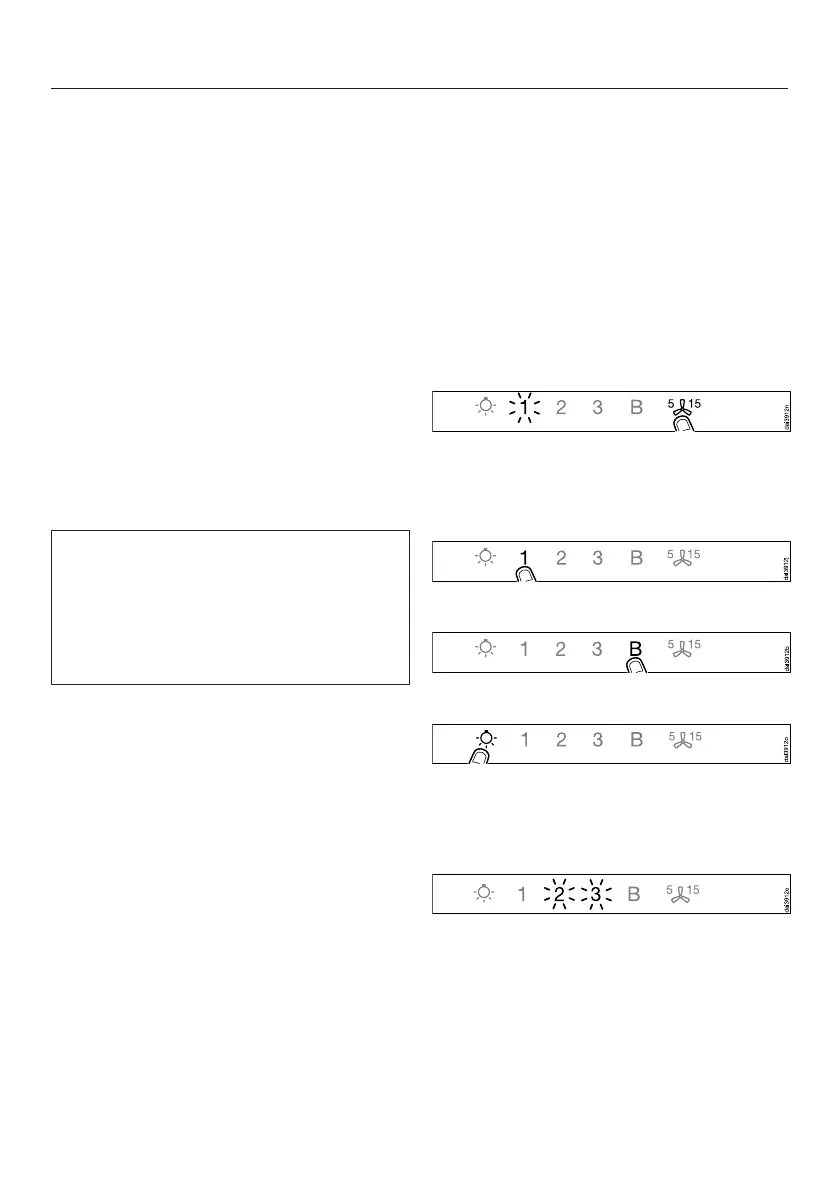
515. All indicators will go out.
Confirm activation on the hob.
Con@ctivity 2.0 is now ready to use.
If you do not confirm within 4 minutes,
activation will not take place.
You only need to carry out the
activation procedure once. If the
appliances are disconnected from the
electricity supply, during a power cut
for example, they will still remain
activated.
Activation failed
If connection cannot be established
despite activating the Con@ctivity
function on the cooker hood and hob,
the function must be deactivated on
both appliances and then the
procedure repeated.
Deactivating wireless connection
The hob and cooker hood must be
switched off.
Touch the run-on control for
approx. 10 seconds until 1 lights up.
Then touch in turn,
– the 1 control,
– then the B control,
– then the lighting control.
The cooker hood is now in signing on/
off mode.
If a wireless connection has already
been established, 2 and 3 will light up
constantly.


 To Next Page