Before using for the first time
23
Start the Wi-Fi connection on the
cooktop. For further details, see the
cooktop operating instructions.
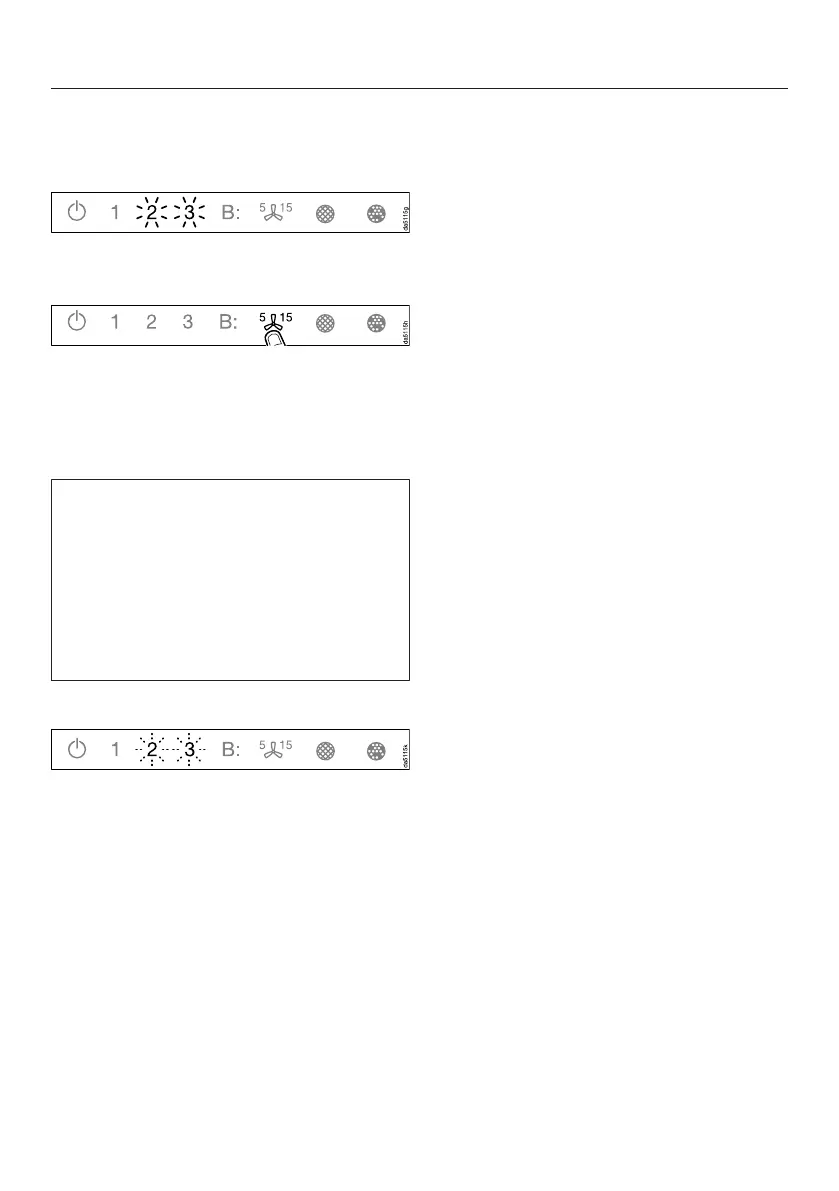
When successfully connected 2 and 3
will light up constantly.
Quit connection mode on the
rangehood by touching the run-on
control.
Con@ctivity has now been activated.
With a direct Wi-Fi connection, it is not
possible to connect the cooktop and
the rangehood to a home network.
Should this be required at a later date,
the direct Wi-Fi connection between
the cooktop and the rangehood must
be disconnected first (see "Signing out
of Wi-Fi").
Reattempting the connection
If it is not possible to connect, 2 and 3
flash or the rangehood cancels the
process.
Disconnect the connection to the
rangehood (see “Signing out of Wi-
Fi”) and to the cooktop.
Attempt to make the connection
again.


 To Next Page