Setting the water softener for a hard-
ness level of 36 - 70 gr/gal:
This requires the following two step pro-
cedure.
1.
Turn off the dishwasher.
Press the "+" and "START/Stop" but-
tons while simultaneously turning the
dishwasher ON.
"P" and a number will appear in the
time display.
Press the "NORMAL 55 °C/130 °F"
program button.
A value corresponding to the curren-
tly set water hardness level will ap-
pear in the display.
Keep pressing the "Top Solo" button
until "36" appears in the display.
Once "36" is reached the display will re-
turn to "1".
Press the “START/Stop” button.
“SP” appears in the display.
Press the “START/Stop” button again.
All the control lights next to the pro-
gram selection buttons and the deci-
mal point in the time display light up.
The change to water hardness recogni-
tion is now stored in memory.
2.
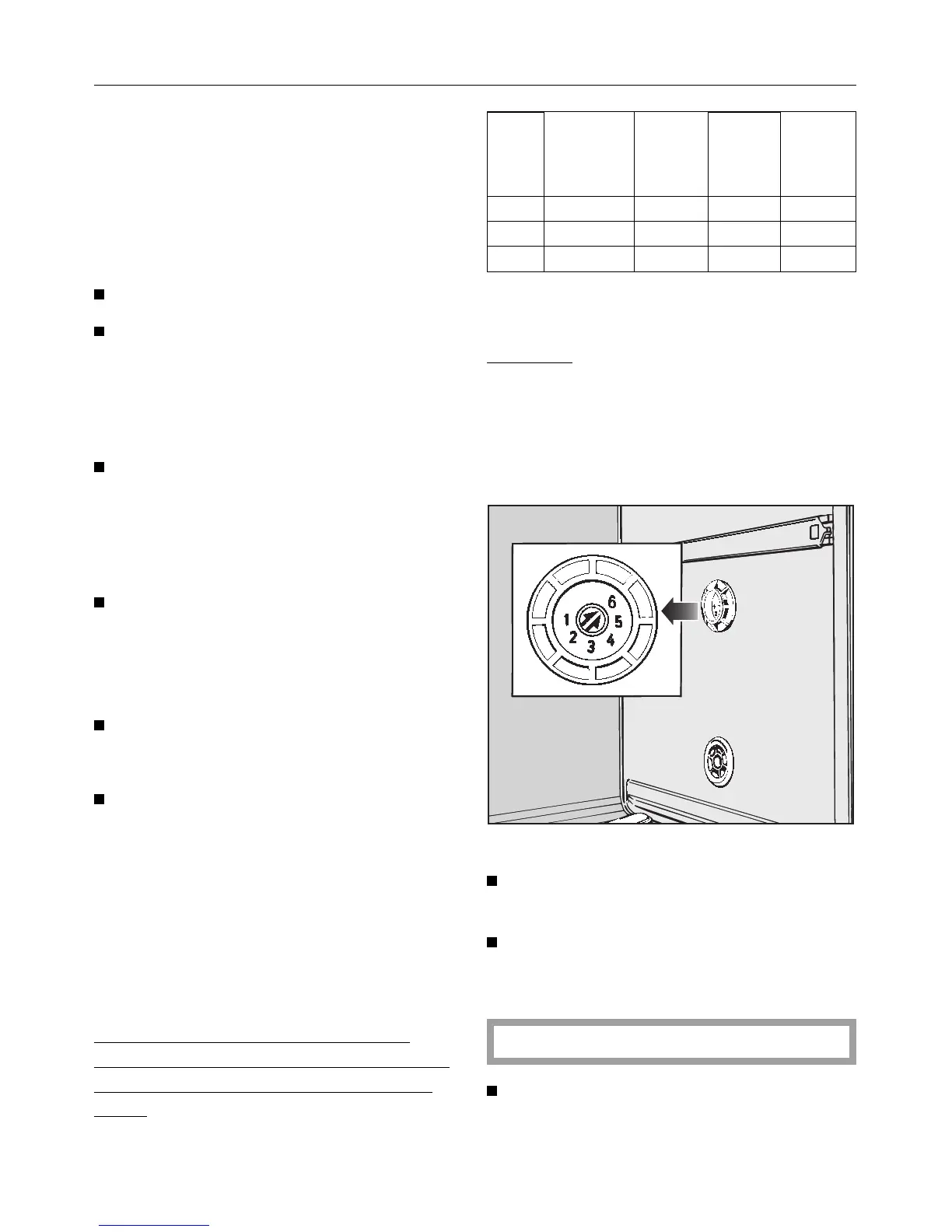
The water hardness selector in the
wash cabinet must now be set accord-
ing to the last column in the following
chart.
gr/gal ppm °f
value
for
program
-ming
water
hardness
selector
(Setting)
36-47 650- 850 65- 85 36 4
48-65 860-1170 86-117 36 5
66-70 1190-1260 119-126 36 6 *)
*) factory setting
Example:
The water hardness is 60 gr/gal.
The water hardness selector in the
wash cabinet must be set to 5,
(48 - 65 gr/gal).
Using a screwdriver:
Remove the cover from the water
hardness selector.
Adjust the water hardness selector
as necessary. There will be a click as
each setting is reached.
Do not set the selector on setting 1 - 3.
Replace the cover over the water
hardness selector.
Water softener
17



 To Next Page