Additional features
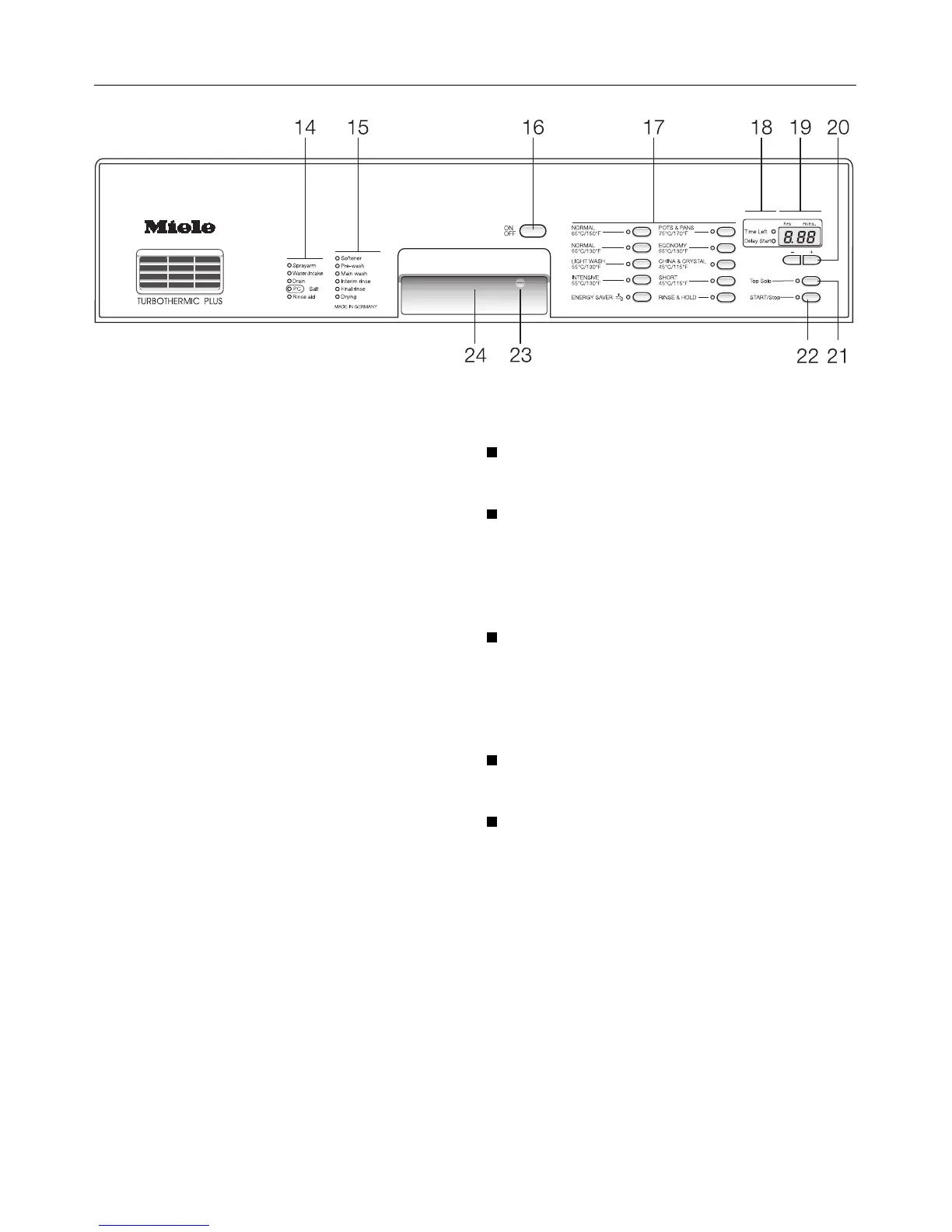
Delay start (20)
The start time of a program can be de-
layed up to 24 hours in order to take ad-
vantage of off peak utility rates that
exist in many areas.
A delay time of between 30 minutes
and 9 hours 30 minutes can be se-
lected in 30 minute intervals.
A delay of 10 hours or more can be set
in 1 hour intervals.
To set a delay time:
Turn on the dishwasher using the
“ON-OFF” button (16).
Select the desired wash program.
The duration of the selected program
will be displayed and the “Time
left”lamp (19) will light.
Press the “+” or “-” button (20).
The delay time used previously will be
displayed and the “Delay start” indica-
tor lamp will light.
Press the “+” or “-” button (20) to in-
crease or decrease the delay time.
Press the “START/Stop” button (18).
If the delay time is 10 hours or longer,
the display will countdown in 1 hour in-
crements.
If less than 10 hours is set, it will count
down in minutes.
Additional features
35



 To Next Page