Commissioning
18
Charging the battery (without
wall mounting)
You can charge the battery directly.
Before charging the battery for the first
time, you must read the information in
“Commissioning” – “General battery
information”.
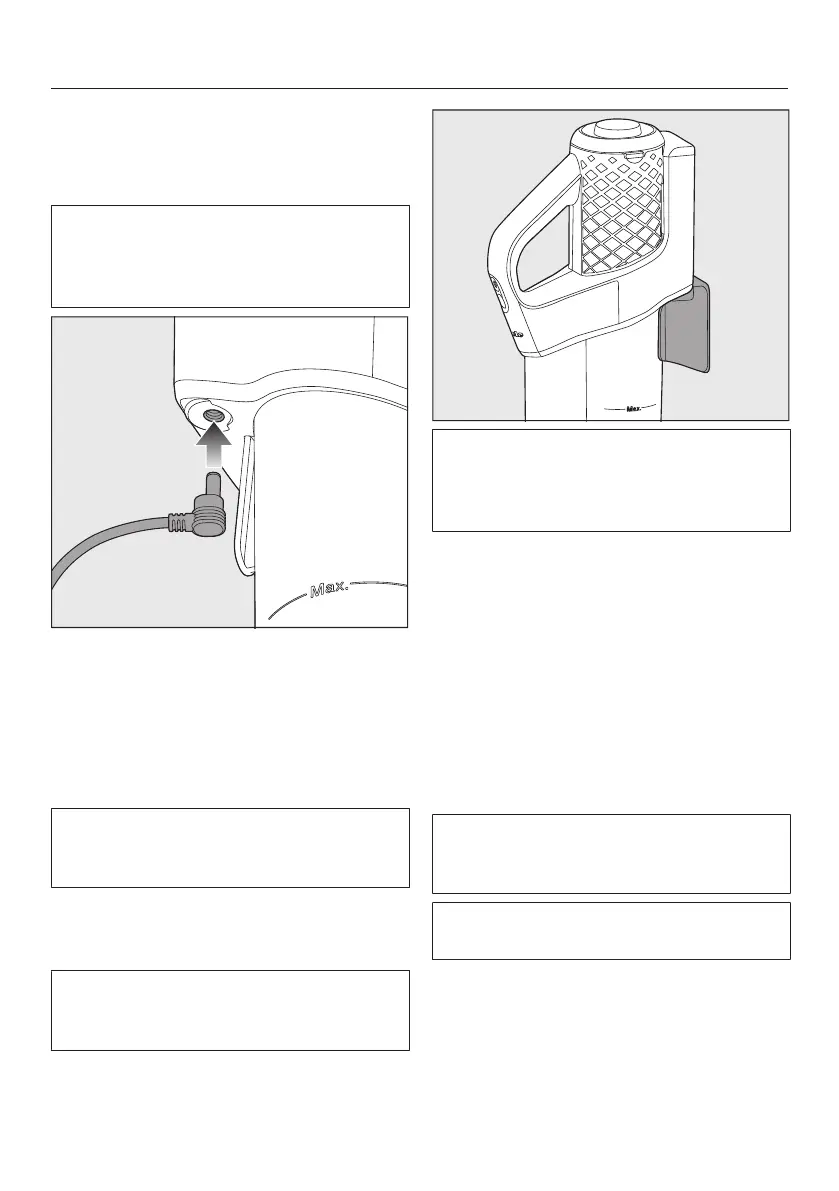
Plug the charging plug of the supplied
charging cable into the charging
socket on the bottom at the rear of
the PowerUnit.
Plug the charger into a power socket.
The charging process will start.
You can read more about this in “Bat-
tery charging state indicator (while
charging)”.
Charging the battery (with wall
mounting)
You will need a suitable location near a
free power socket for mounting the ap-
pliance on the wall.
Before charging the battery for the first
time, you must read the information in
“Commissioning” – “General battery
information”.
Screwing the wall bracket to the
wall
2 plugs and 2 T20TORX screws are
supplied for attaching the wall bracket.
You will also need a battery-operated
screwdriver or a drill (with a drilling dia-
meter of 6mm).
Select a distance of 106cm between
the bottom edge of the wall bracket and
the floor.
You will need a suitable location near a
free power socket for mounting the ap-
pliance on the wall.
Be careful not to damage any cables
laid in the wall.



 To Next Page