Auto heat-up
When Auto heat-up has been activated,
the cooking zone switches on
automatically at the highest setting and
then switches to the continued cooking
setting which you have previously
selected. The heat-up time depends on
which continued cooking setting has
been chosen (see chart).
As the higher continued cooking
settings are generally used for frying
food, only a relatively short heat-up time
is needed to heat up the pan initially.
Taking a pan off the zone whilst Auto
heat-up is in operation interrupts the
Auto heat-up. It will resume if a pan is
placed back on the zone within
10 minutes.
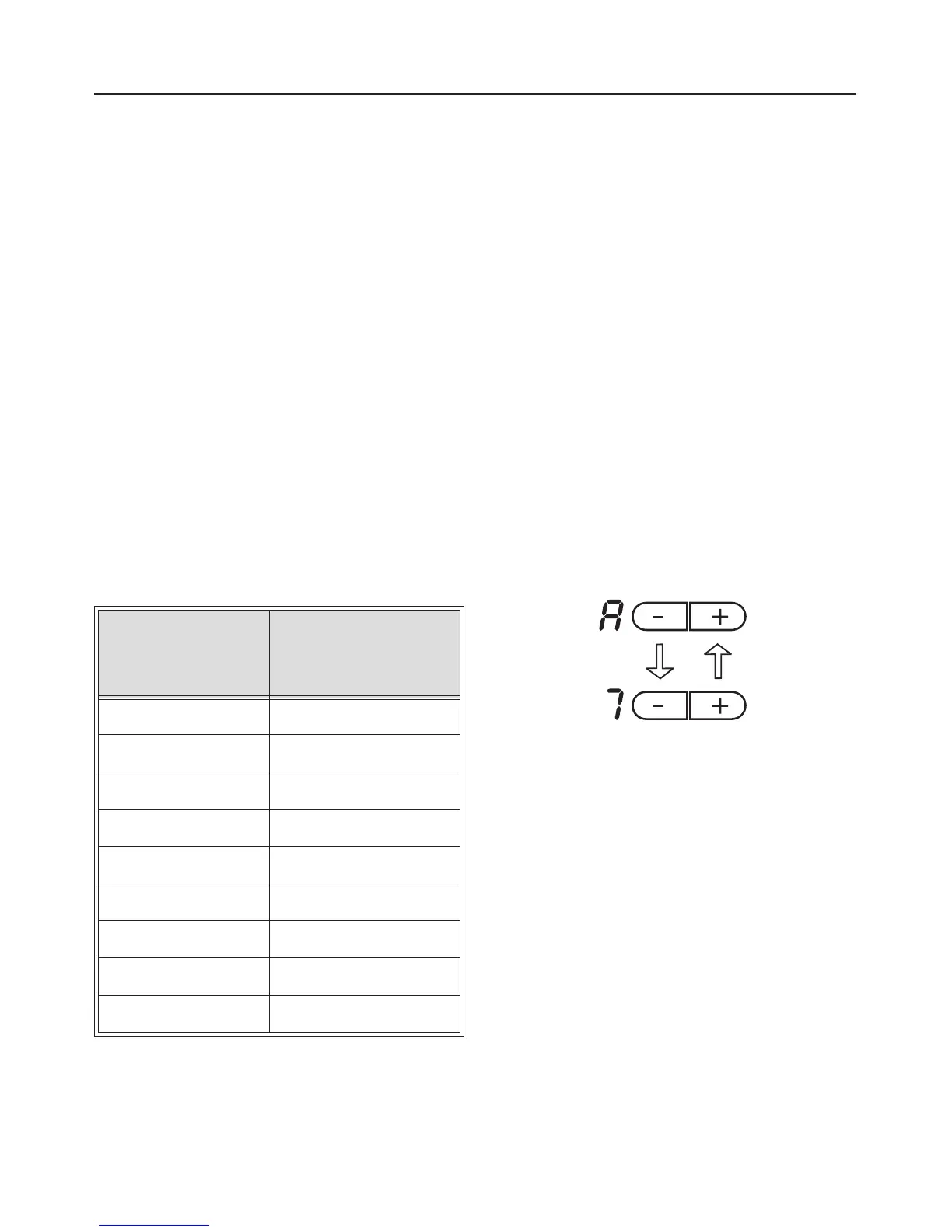
Continued
cooking setting
Heat-up time
in minutes and
seconds (approx.)
1 1:15
2 1:40
3 2:10
4 3:00
5 5:05
6 7:40
7 1:40
8 2:10
9-
To activate Auto heat-up:
^
Select setting 9 by pressing the - or +
sensors.
^
Press the + sensor (again).
An A will appear in the display for as
long as the + is being pressed. When
the sensor is released, power setting 9
will appear, alternating with A.
^
While the A and 9 are flashing
alternately, you can use the - control
to select a continued cooking setting.
If the display is no longer flashing,
press the + sensor again.
During the heat-up time, the display will
show A alternating with the continued
cooking setting selected, e.g. 7.
During the heat-up time the continued
cooking setting can be increased using
the + sensor. The heat-up time will
increase accordingly.
The continued cooking setting can,
however, only be reduced using the -
sensor during the first few seconds
after activating the Auto heat-up
function. At the end of this time,
reducing the continued cooking time
will switch the Auto heat-up function off.
Operation
19


 To Next Page