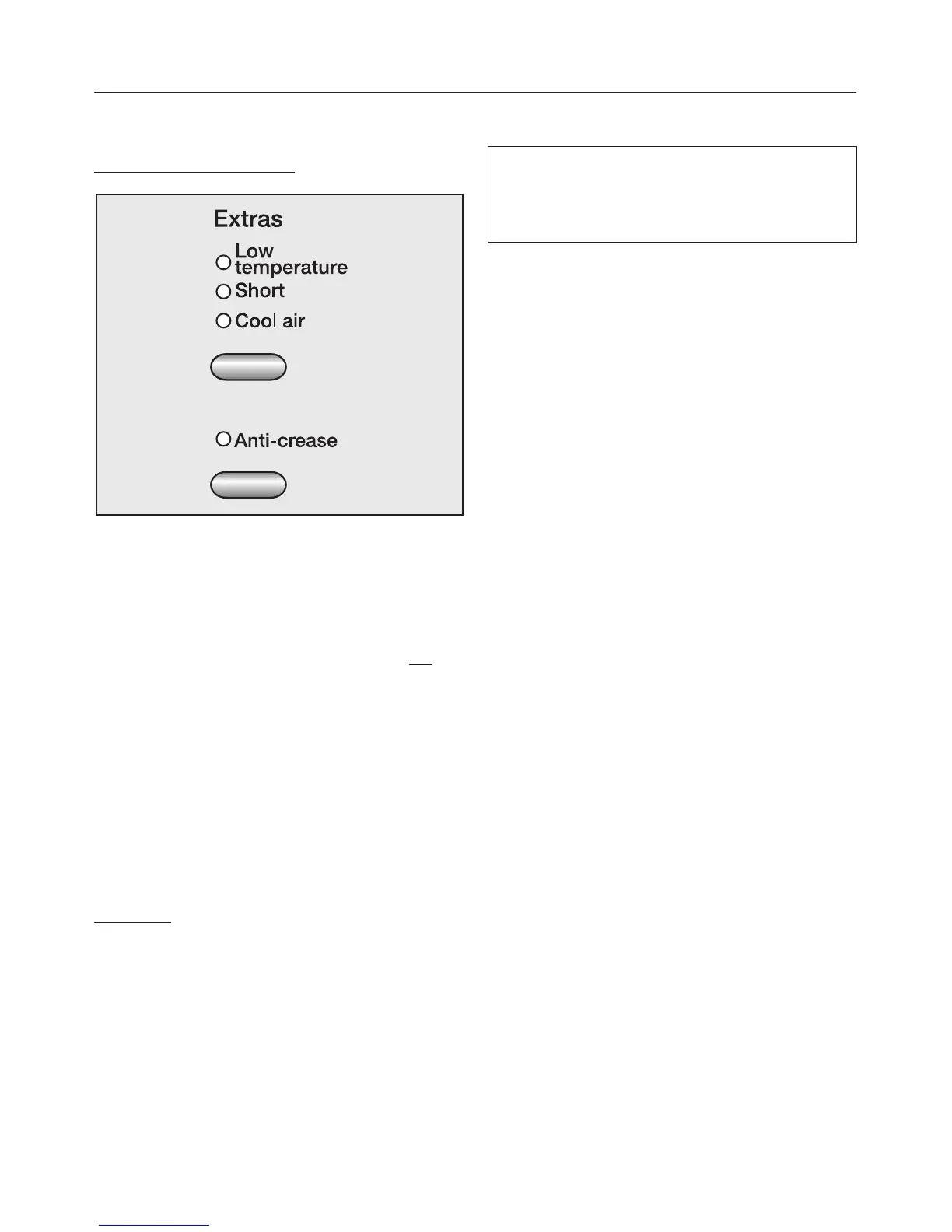
E Select any extra options
Selecting/deselecting
Indicator light on = Extra option is
selected
(see "Extra options" for more details)
^ Each press of the top button selects
the Extra option - indicator light on
(and deselects the previous option)
or no option is selected.
On some programmes Low
temperature is a standard part of the
programme and so cannot be
deselected.
^
Pressing the lower button selects or
deselects Anti-crease.
Cool air:
^
First select the 20 min warm air
programme and then press the top
extra option button until the Cool air
indicator light comes on.
Select the buzzer if wished
A buzzer sounds (at intervals for a
maximum of 1 hr) to let you know the
programme has finished.
The buzzer can be switched on or off
even after a programme has started.
The buzzer will still sound if there is a
fault, even if it has been switched off.
You can alter the pitch of the buzzer:
^
Select a programme.
^
Press the Buzzer button (the Buzzer
indicator light will light up), until the
desired pitch is reached. Then
release the button.
F Select Delay start if wished
^ The start of a programme can be
delayed by up to 24 hours (24^). See
"Delay start " for more details.
How to dry correctly
14



 To Next Page