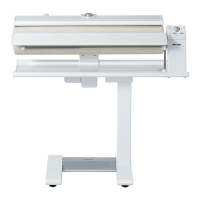
Guide to the machine
10
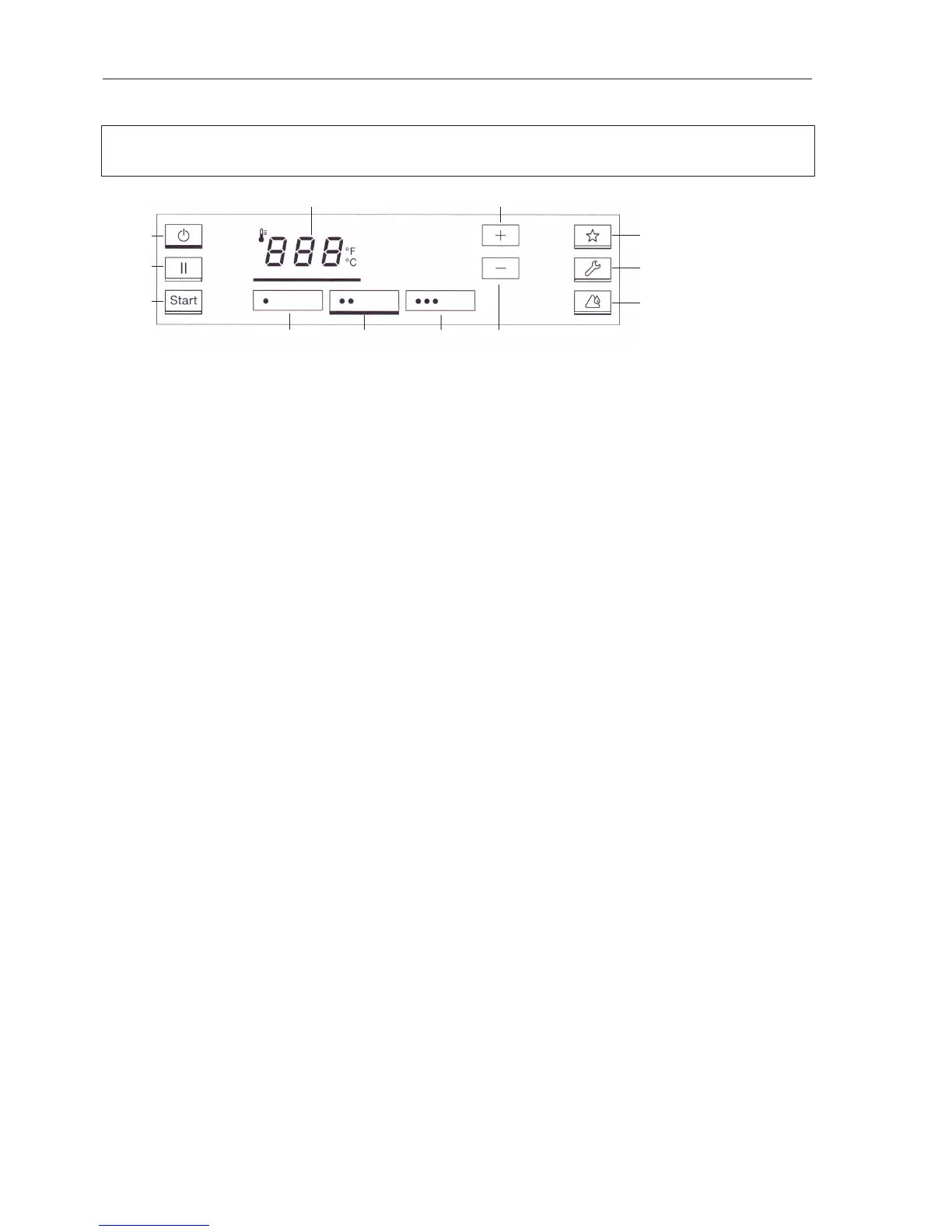
Touch display
The buttons on the touch display can be selected by pressing lightly. The button that is
currently selected will be highlighted with a bar underneath.
Display in the ironing temperature selection mode
a
button
Switches the ironer on and off.
b
button
Pauses the ironing operation.
c
button
Starts the ironing process. Flashes when
the ironing process can be started.
d
button
Ironing temperature selection mode.
e
Temperature selection button
For nylon and artificial silk.
f
Temperature selection button
For silks and woollens.
g
Temperature selection button
For cottons and linen.
h
button
Raises the ironing temperature.
i
button
Lowers the ironing temperature.
j
button
Favourites programme
k
button
Service position for carrying out mainten-
ance work. This button must be held
down for at least 3seconds in order to
activate or deactivate it.
l
button
Heater plate cleaning and waxing mode.
This button must be held down for at least
3seconds in order to activate or deactiv-
ate it.



 To Next Page